TECHMISSION Nikon ZR R3D NE LUT Pack
Original price was: 79,00 د.إ.59,00 د.إCurrent price is: 59,00 د.إ.
Three LUTs for R3D NE: **Shipyard**, the look I graded *The Shipmaker* with, plus two neutral Log3G10 → Rec.709 conversions — one that clips at +3 stops, one that holds highlights to +8.5. Six `.cube` files at 65-point and 33-point, with an install guide in English and Arabic. Instant download, commercial use included.
Description
The look I graded The Shipmaker with — plus the two neutral conversions I built the pipeline on.
The Nikon ZR hands you REDCODE RAW in a body you can actually carry, and then hands you a Log3G10 file that looks nothing like what you saw in your head. Getting from there to a finished image is two separate problems: a correct conversion, and a look. This pack solves both, because I had to solve both.
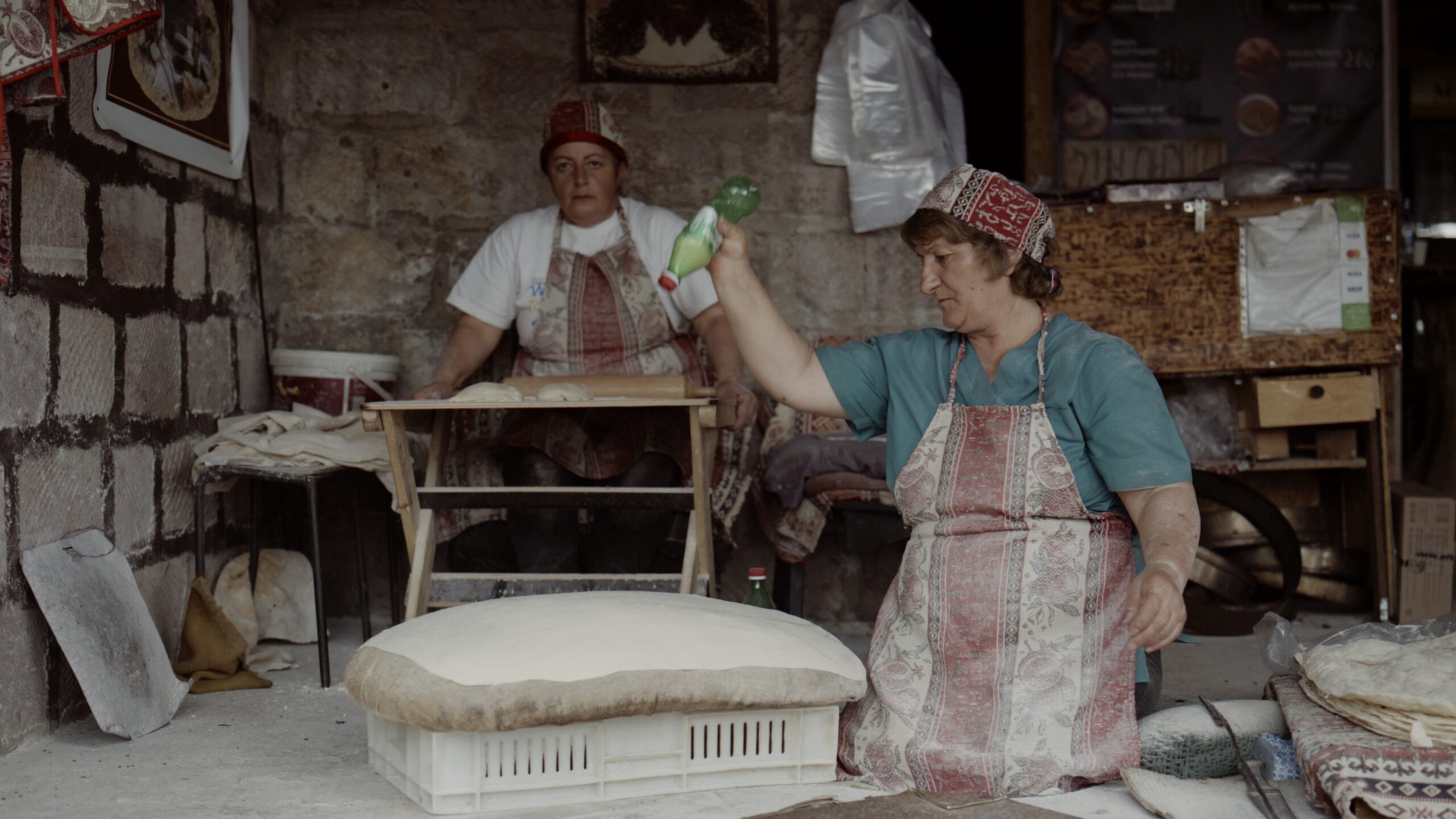
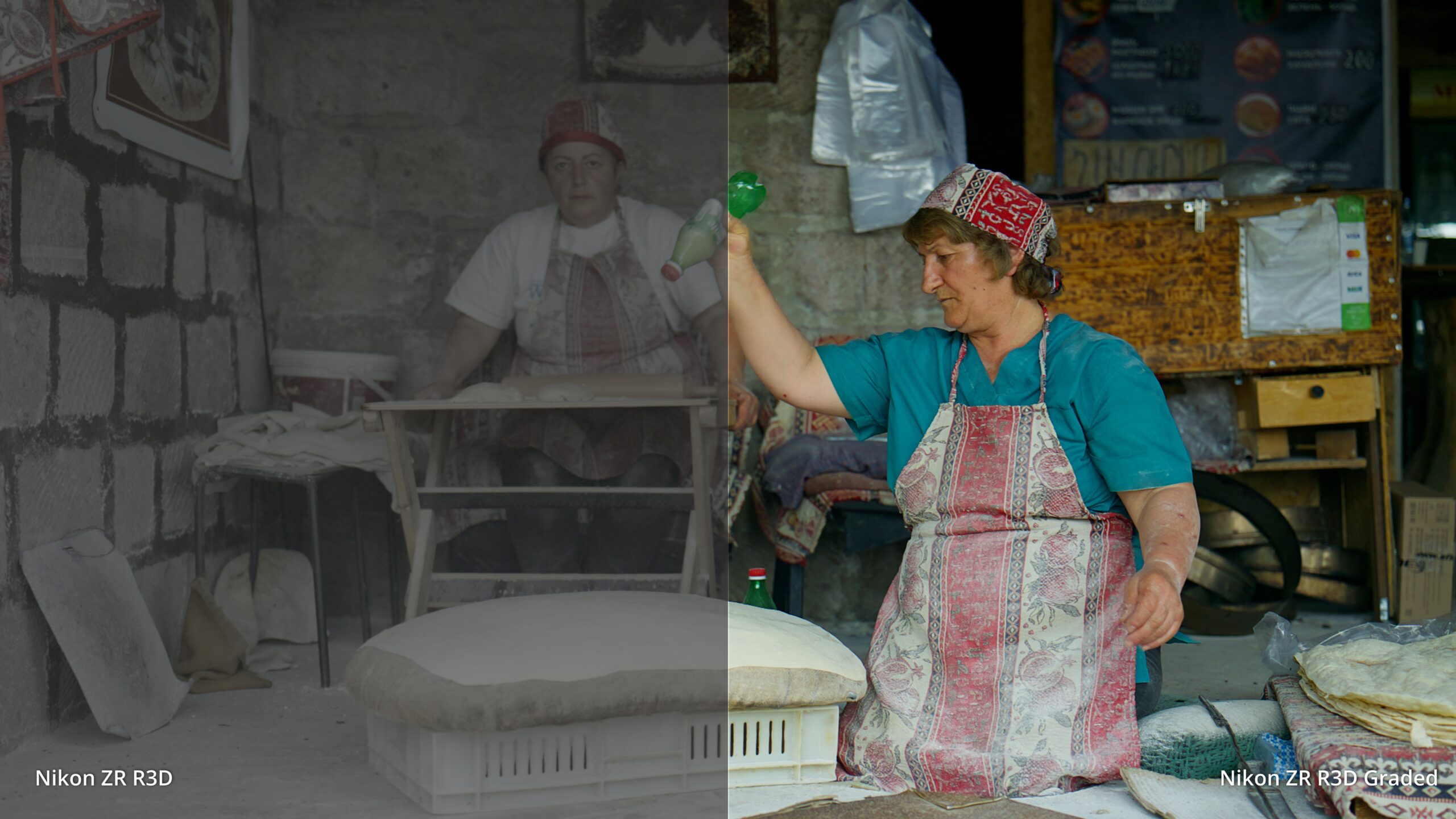
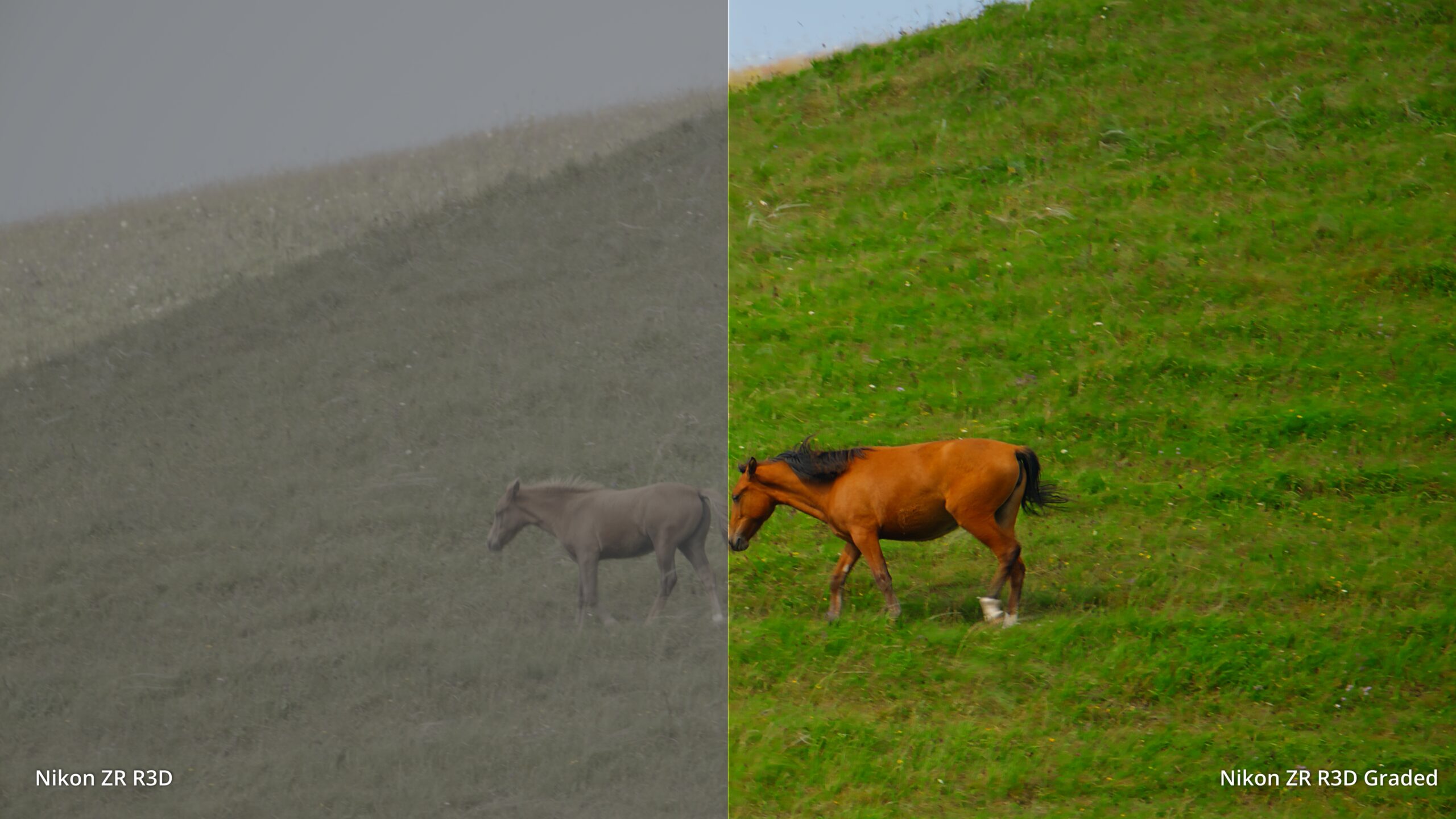
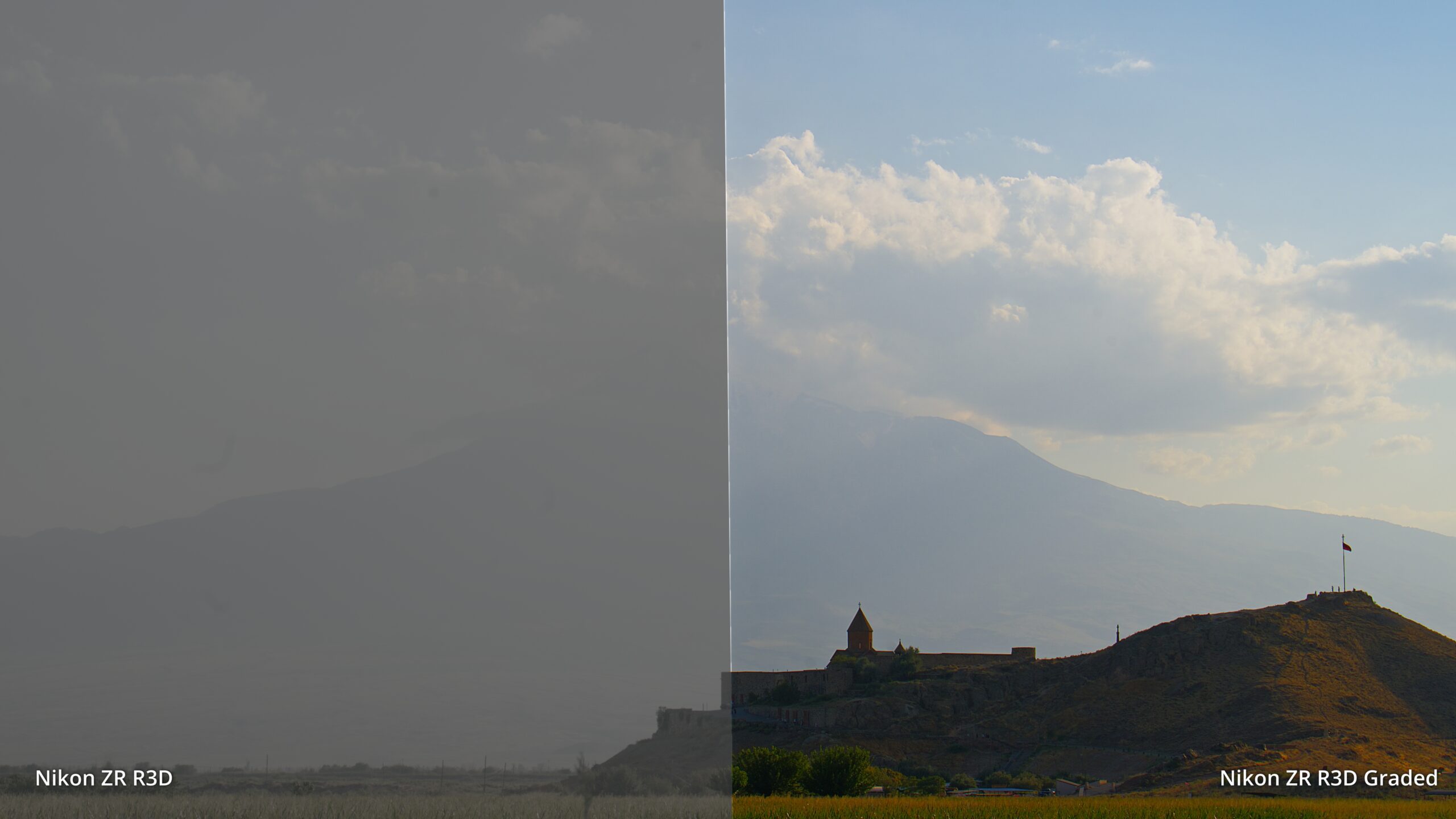
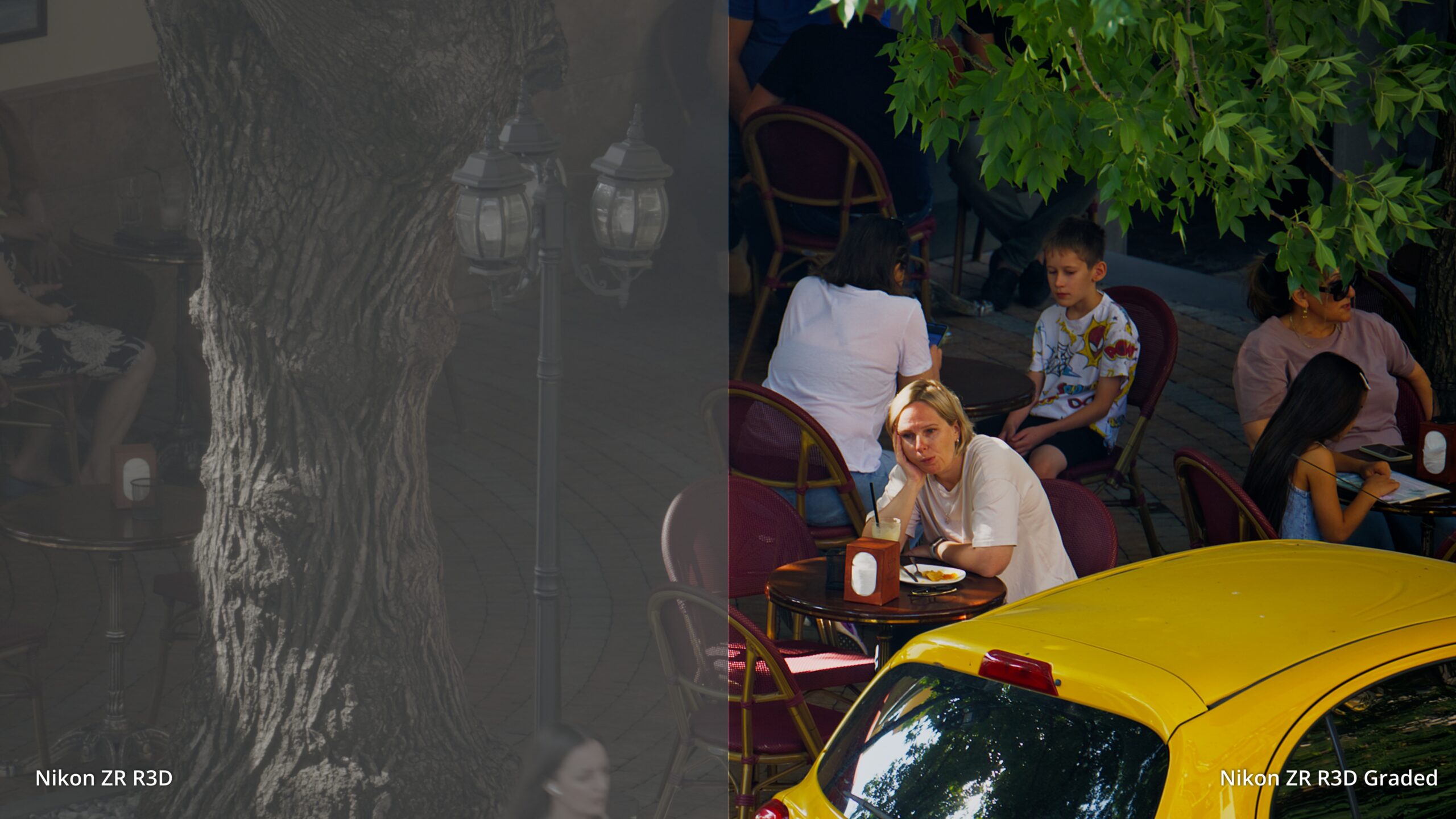
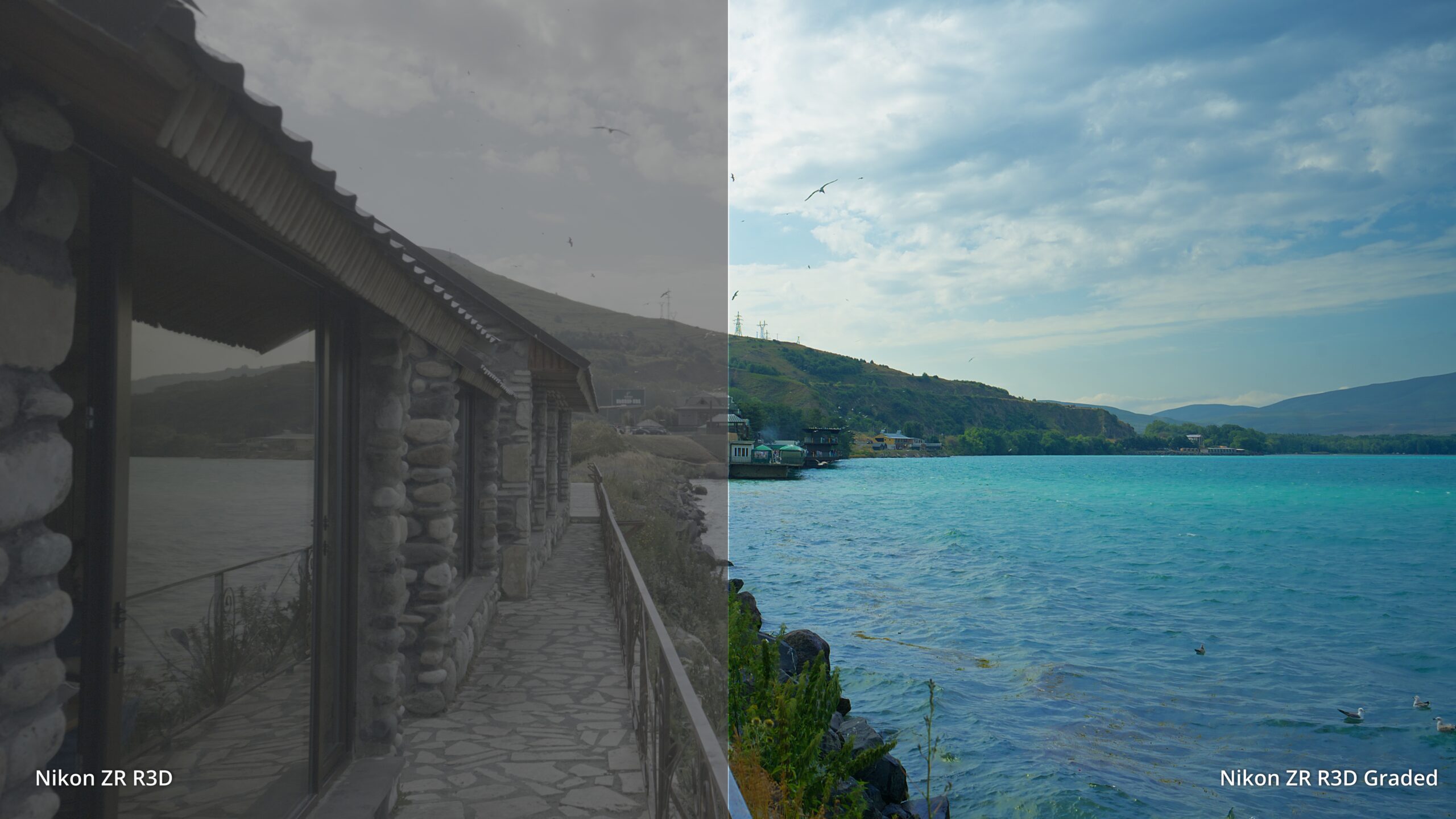
Shipyard is the grade from The Shipmaker — built in a working shipyard in harsh Gulf light, on faces with very different skin tones, under mixed tungsten and daylight. Warmer midtones, muted colour, deeper shadows, a gentle roll-off into the highlights. It’s a complete conversion, so it’s one node on your timeline.
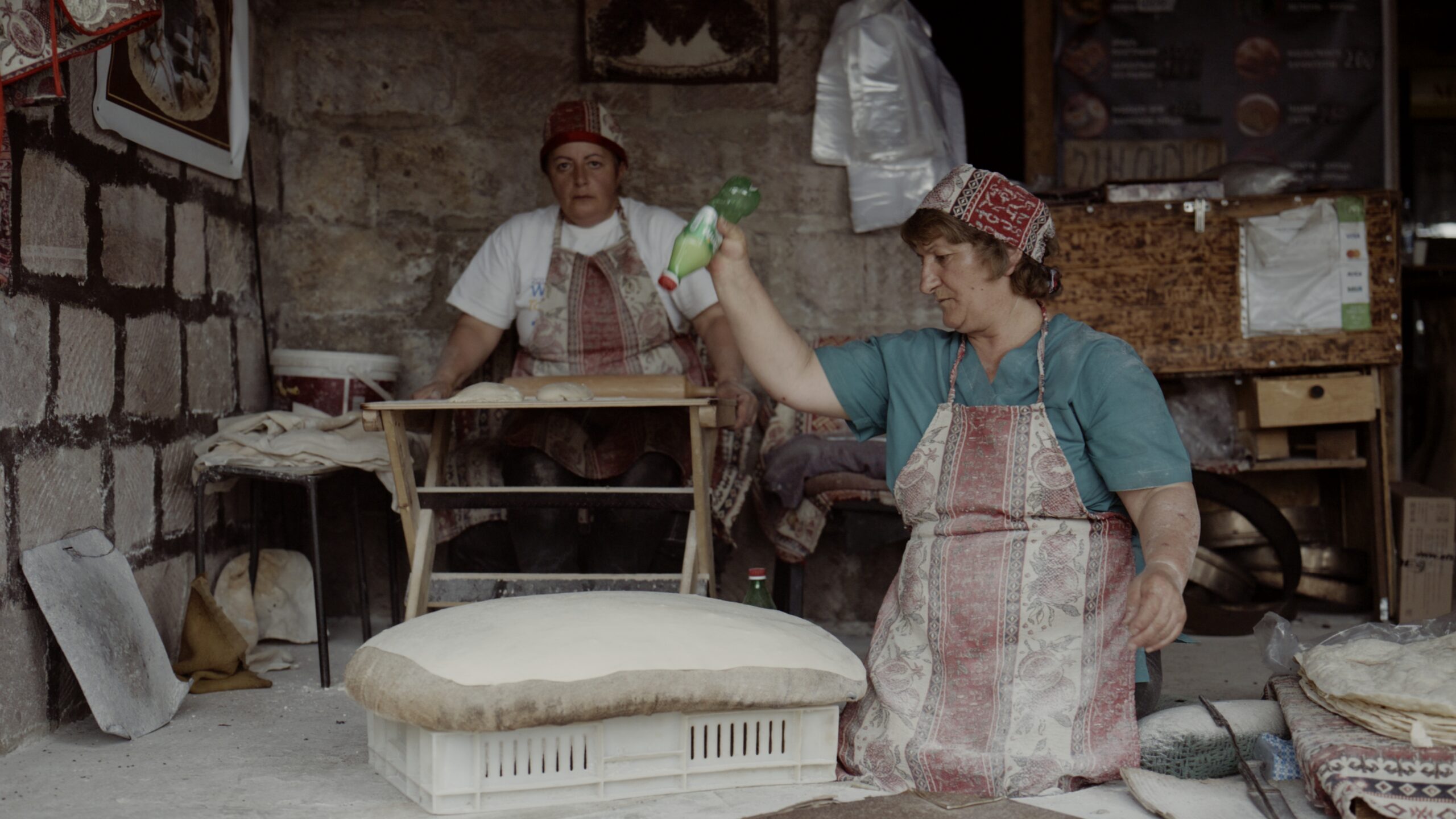
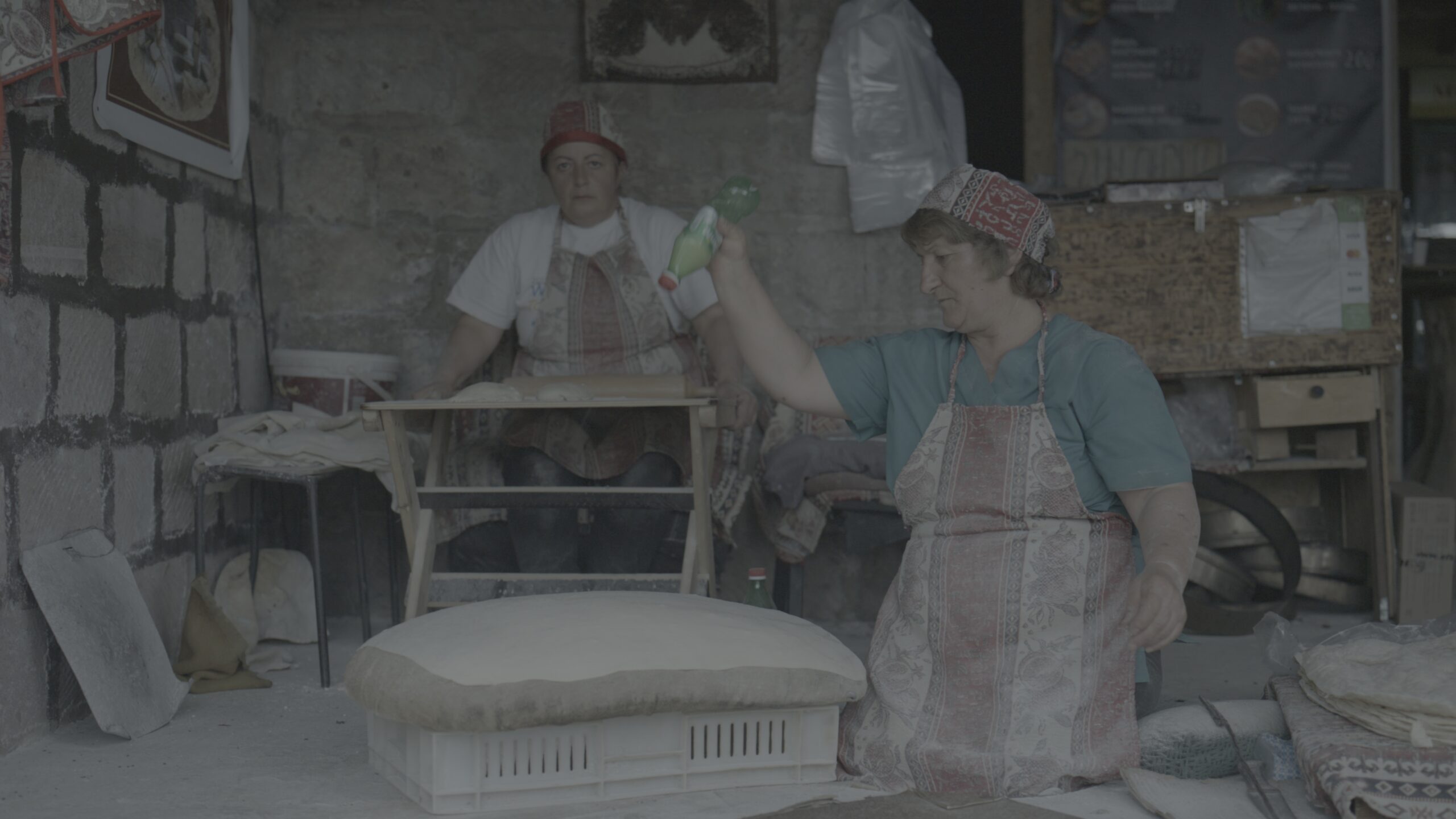
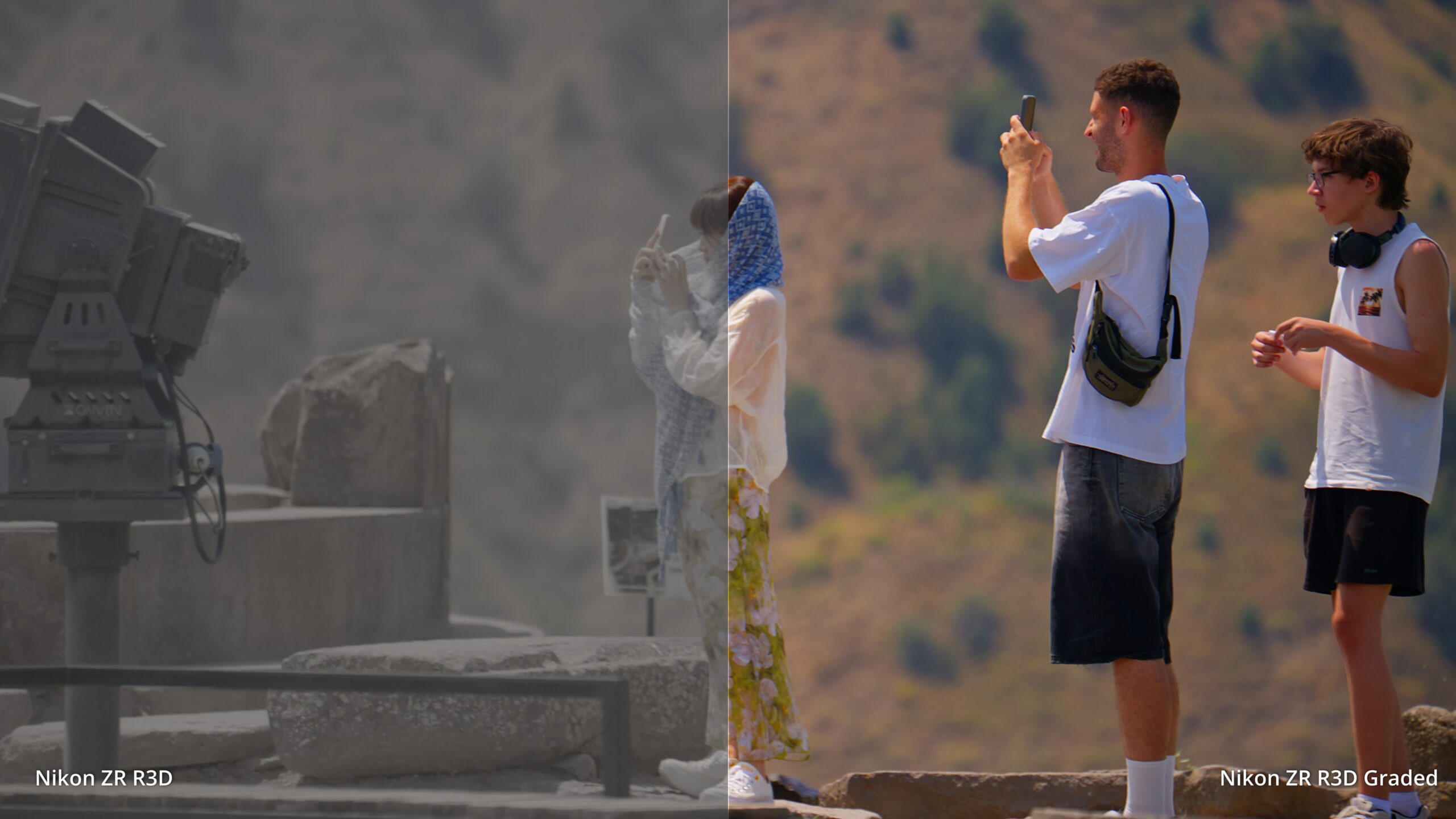
Drag to compare
Three LUTs
One look, and the two neutral conversions underneath it. Every scene has a moment where the highlights either hold or fall apart, so the neutral conversion ships in two builds — identical up to one stop over middle grey, different above it.
| LUT | What it does | Highlights hold to |
|---|---|---|
| Shipyard START HERE | The documentary look. Warmer midtones, muted colour, deeper shadows. Conversion and grade in one node. | Soft roll-off, no hard clip |
| Neutral — Rolled | Plain conversion with a soft shoulder. For grading it yourself when the scene has sky, windows or sun in it. | +8.5 stops over grey |
| Neutral — Technical | Plain conversion, punchier contrast. For controlled light when you want more bite out of the box. | +3.0 stops over grey |
What you get
-
- 6 .cube files — all three LUTs, each built at 65-point and 33-point.
-
- 65-point for post. Fine enough to keep skies and skin gradients clean, no banding on the roll-off.
-
- 33-point for the field. For on-set monitors, LUT boxes and in-camera monitoring, which usually won’t load a 65-point file.
-
- Measured, not eyeballed. Every file is checked for tonal inversions and grey-axis drift before it ships — a grey ramp goes up smoothly, and grey stays grey on the neutrals.
-
- An 8-page install guide in English and Arabic — the exact node setup for DaVinci Resolve, Premiere Pro and Final Cut Pro, including the two Camera Raw settings almost everyone gets wrong.
-
- Instant download. Unlimited projects, commercial work included.
How to use it
The one rule
All three are conversion LUTs. Each takes you from Log3G10 / REDWideGamutRGB all the way to Rec.709 on its own. Use one instead of a Color Space Transform or an IPP2 output transform — never stacked on top of one. Applying a conversion LUT to footage that’s already been converted is the single mistake that makes any conversion LUT look broken.
-
- Bring your R3D NE clips in and leave them in Log3G10 / REDWideGamutRGB. In Resolve’s Camera Raw panel, set Tone Mapping and Highlight Roll-Off to None — IPP2 adds its own by default and it compounds with the roll-off already in the LUT.
-
- Drop the LUT on node one, with no Color Space Transform in front of it.
-
- Set exposure before the LUT, look adjustments after it. That order is what lets the shoulder do its job.
Works in DaVinci Resolve (free and Studio), Premiere Pro, Final Cut Pro, and any application or LUT box that loads a standard .cube file.
Who it’s for
ZR shooters who’d rather spend the evening cutting than building a colour pipeline from scratch. Documentary and event shooters who need a look that survives whatever light the day gives them. And anyone who has opened a Log3G10 file, seen a flat grey image, and wondered where the camera they paid for went.
Launch offer
AED 59 AED 79 — for the launch. All six files plus the guide, instant download. Price goes up after launch.
Details
-
- Camera: Nikon ZR, R3D NE.
-
- Input: Log3G10 / REDWideGamutRGB.
-
- Output: Rec.709.
-
- Format:
.cube— 6 files (3 LUTs × 65-point and 33-point), plus a PDF guide in EN + AR.
- Format:
-
- Licence: unlimited personal and commercial projects. Don’t resell, redistribute or share the files themselves.
-
- Delivery: instant download link after checkout.
FAQ
RED and Nikon already publish free conversion LUTs — why buy this? Those are technical transforms. They do one job: get you to a correct, neutral Rec.709 image, which is where grading starts. Shipyard is a finished look from a real documentary. And the two neutral builds in here go further than a plain transform — one of them holds highlights to +8.5 stops over middle grey instead of clipping at +3.
Which one should I use? Shipyard, if you want the look. Neutral — Rolled if you’re grading it yourself and the scene has sky or sun in it. Neutral — Technical for controlled light and more contrast.
Shipyard looks too dark. It’s a darker look by design — middle grey lands around 21% rather than 46%. Lift exposure on a node before the LUT, not after.
Does it work with N-Log or N-RAW? No. These are built specifically for Log3G10 / REDWideGamutRGB from R3D NE. On N-Log footage they will not give the right result.
Does it work in Premiere or Final Cut, not just Resolve? Yes — standard .cube files. The guide covers the exact effect and settings for each, including the Camera LUT setting in FCP that will otherwise double-convert your footage.
Can I use it on client work? Yes, unlimited commercial projects. The only thing you can’t do is pass the files on or resell them.
My footage looks wrong after applying it. Nine times out of ten there’s a Color Space Transform, an IPP2 output transform, or an FCP Camera LUT already in the chain. Remove it — these LUTs do that conversion themselves.
Trouble with your file? Email info@techmission.ae with your order number and we’ll sort it out.
Want the full story on the format first? Read REDCODE RAW Comes to Nikon: Living With R3D NE After Two Documentaries — the productions these LUTs came out of.
Stop rebuilding the same pipeline on every project. Add it to your cart and get your ZR footage looking right in one node.