DJI Osmo Mobile 8P Review: The Mobile Gimbal That Finally Feels Built for Solo Creators

Video available in Arabic only
Watch the video review on YouTube
The accompanying video review for this article is available in Arabic only.
For years, DJI has dominated the smartphone gimbal market. That leadership isn’t just about stabilisation quality. More importantly, DJI has consistently delivered products that make mobile filmmaking easier, faster, and more accessible.
With the new DJI Osmo Mobile 8P (OM8P), the company isn’t simply refreshing an existing product. Instead, it has introduced a handful of meaningful improvements, including one feature that, on its own, makes a compelling case for upgrading.
This is the most complete smartphone gimbal DJI has produced to date.
Familiar Design, Proven Formula
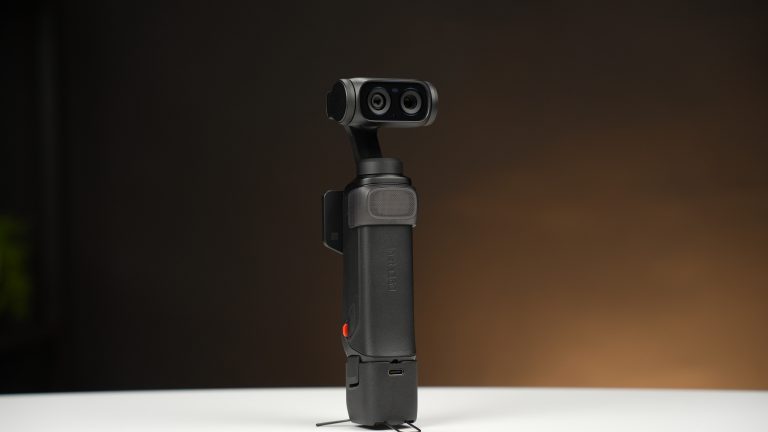
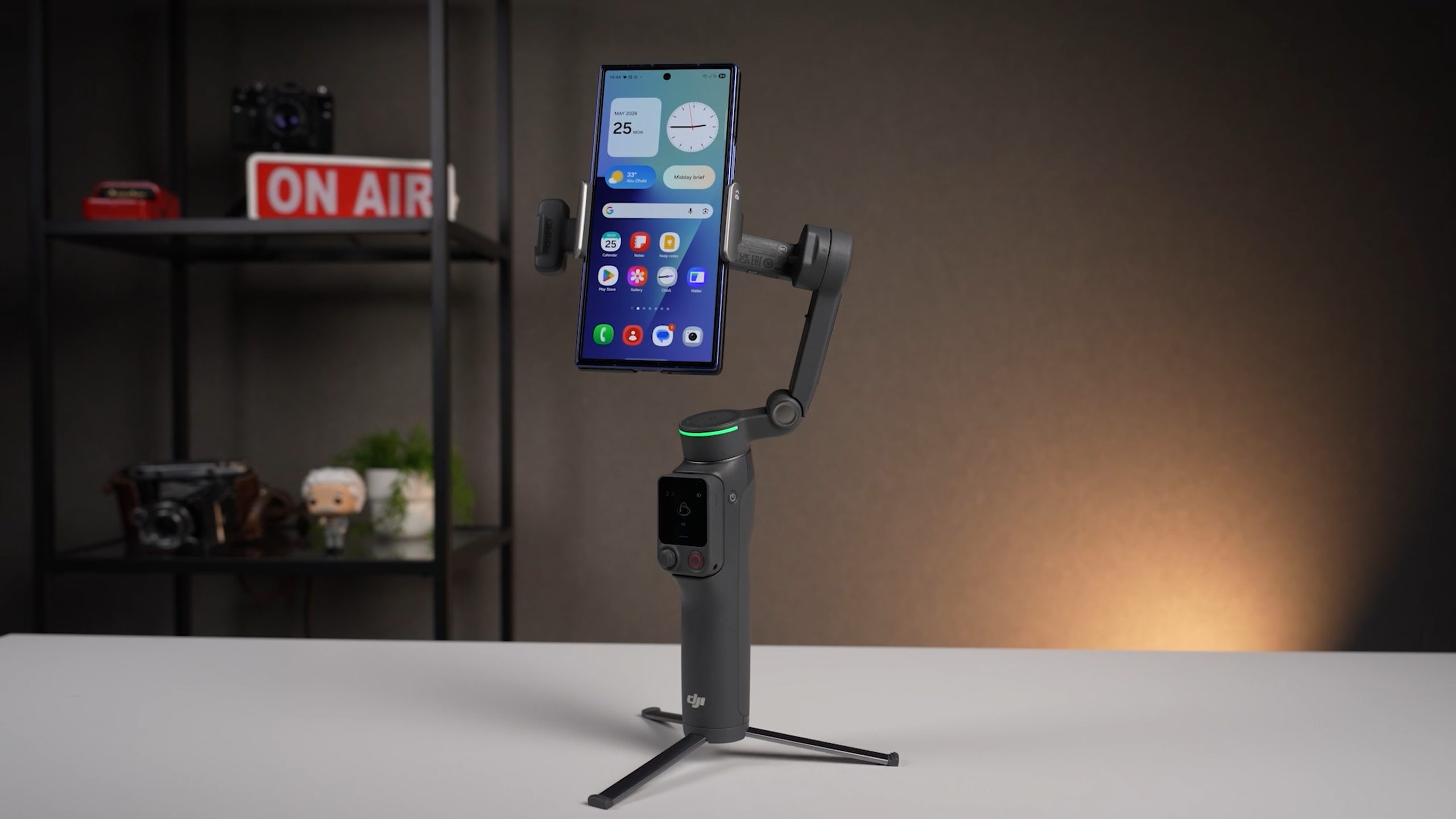
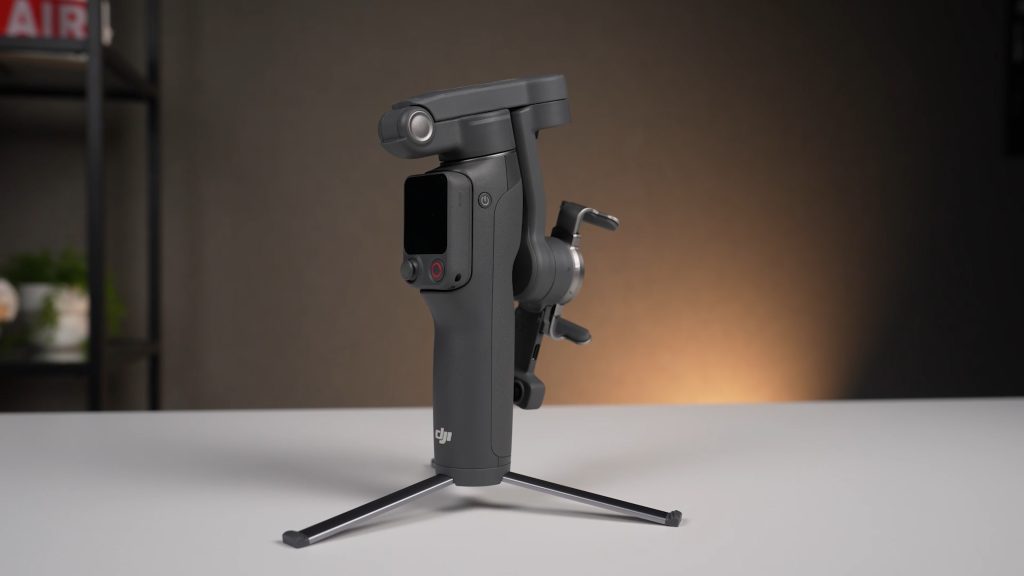
At first glance, the OM8P looks very familiar. DJI has wisely retained the design philosophy that has made the Osmo Mobile series so successful. Open the arm, and the gimbal powers on automatically. Fold it down, and it shuts off and collapses neatly into a compact travel-friendly form factor. It is small enough to fit comfortably into a jacket pocket or a small camera bag.
With all accessories attached, the package weighs approximately 386 grams, making it light enough for everyday use and travel. The magnetic phone clamp remains one of DJI’s strongest advantages. It attaches quickly, holds securely, and has been carefully designed to avoid interfering with the buttons on most smartphones.
Perhaps more importantly, there is still no need to balance the gimbal before shooting. Attach the phone, power it on, and start filming. It is difficult to overstate how much convenience this adds when compared to traditional camera gimbals.
The OM8P supports smartphones weighing up to 300 grams, which comfortably covers most flagship devices on the market today. Even large phones such as the iPhone 17 Pro Max, fitted with a protective case, pose no challenge. The integrated tripod feet remain present, now slightly slimmer than before while retaining excellent stability. DJI’s built-in extension rod also returns, providing extra flexibility for high-angle and low-angle shots without requiring additional accessories.
Frametap: The Feature That Changes Everything
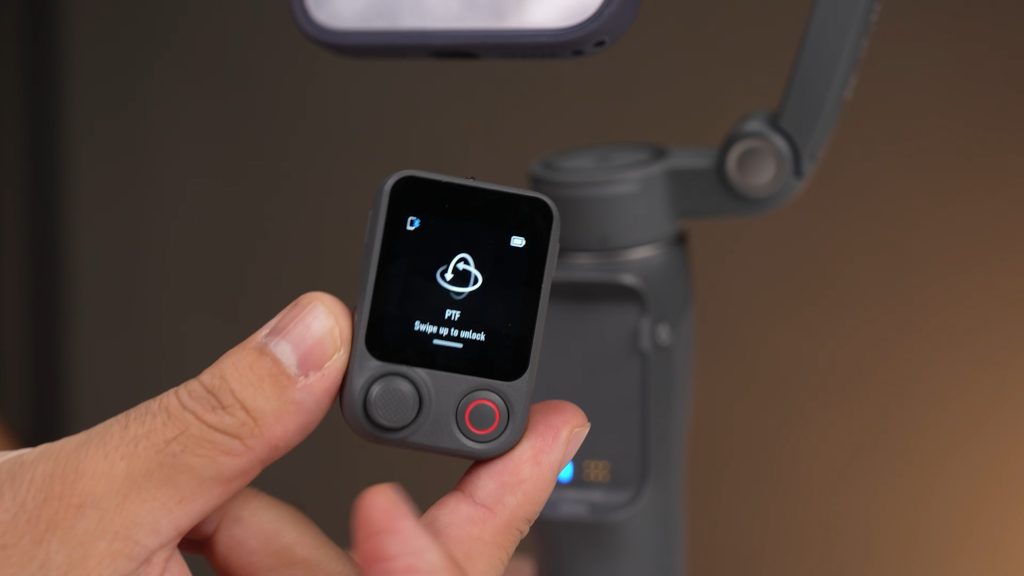
If there is one reason I would recommend upgrading to the OM8P, it is Frametap. In simple terms, DJI has transformed the control interface built into the gimbal into a detachable wireless remote control. That may sound like a minor feature on paper, but in real-world use, it dramatically improves the experience of shooting alone.
The remote allows full control of gimbal movement through the joystick, lets you switch between landscape and portrait orientation, and provides access to the gimbal’s settings without touching the phone itself.
But DJI didn’t stop there. With a swipe, you can view the live feed coming from the phone through the DJI Mimo app. More impressively, you can also view what the AI Tracking Module sees through its own camera, including the tracking box itself. This allows you to confirm that the tracking system has correctly identified your subject before recording begins.
A single tap activates tracking, while another starts recording — even when using your phone’s native camera app rather than DJI Mimo. This is one of the smartest implementations of remote control I have seen on a smartphone gimbal. Pairing is equally straightforward, with NFC making the connection process almost instantaneous.
The AI Tracking Module Has Matured
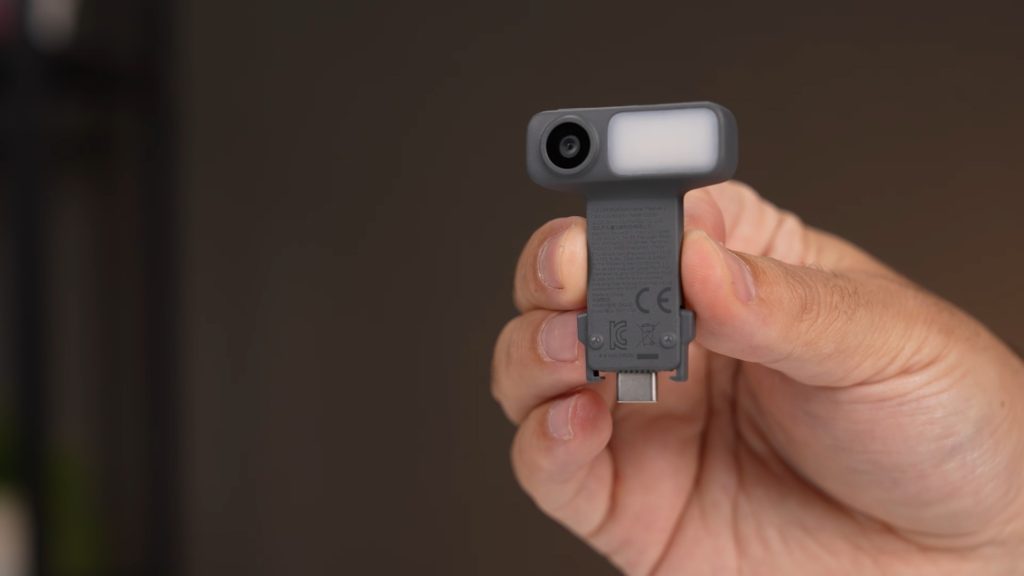
The AI Tracking Module is not an entirely new concept in DJI’s ecosystem, but its implementation here feels more refined and more useful. The module connects via USB-C and can be attached or removed as needed. It also incorporates a built-in fill light, which can be controlled directly from the remote. Colour temperature can be adjusted between warmer and cooler tones depending on the shooting environment.
Its primary role, however, is enabling ActiveTrack 8.0, which remains one of the most capable subject-tracking systems currently available in a smartphone gimbal. Tracking performance is fast, reliable, and highly accurate. Gesture control allows tracking to be activated without touching the phone, and the entire system works even when using the smartphone’s native camera application. For creators who prefer shooting outside the DJI ecosystem, this is a significant advantage.
Full 360-Degree Rotation Improves Tracking
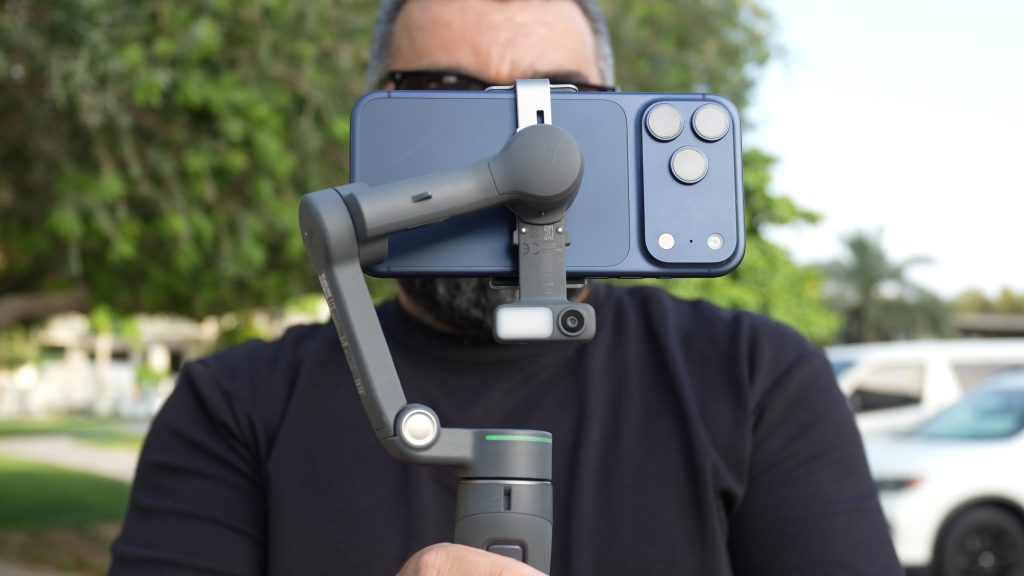
Another important upgrade is the ability of the gimbal to rotate a full 360 degrees. While this may sound like a technical specification rather than a practical feature, it has a noticeable impact on tracking performance. The gimbal is no longer constrained by traditional rotational limits, allowing it to maintain tracking more naturally during movement. For solo creators filming themselves while walking, presenting, or demonstrating products, this translates into smoother and more reliable subject tracking.
Real-World Experience: A Gimbal That Adapts to Your Workflow
What impressed me most during testing was that the OM8P enhanced my workflow without forcing me to change it. Personally, I prefer shooting with the native camera application on my iPhone 17 Pro Max. The AI Tracking Module proved invaluable because it allowed me to benefit from intelligent subject tracking without requiring me to use DJI Mimo for every shot.
The Frametap remote was responsive, intuitive, and surprisingly practical. Once filming began, I could simply slip it into my pocket and continue working normally. It quickly became one of those features that feels unnecessary until you use it, and then you wonder how you worked without it.
Naturally, the final quality of your footage will always depend on two factors: the quality of your smartphone camera and your own shooting technique. A gimbal cannot replace good composition or good storytelling. What the OM8P does exceptionally well is remove technical obstacles and allow creators to focus on capturing their content.
A Note for Camera Gimbal Users
If you are coming from a DJI Ronin system — or any professional camera gimbal — it is important to understand that smartphone gimbals behave differently. The weight distribution is different. The stabilisation algorithms are optimised for smartphones rather than interchangeable-lens cameras. Even the controls can produce different responses than what experienced Ronin users might expect.
For that reason, I would recommend spending some time practising before using the OM8P on a professional assignment. This is not a limitation of the product. It is simply the result of working with a different platform. Once you adapt to the characteristics of smartphone gimbals, you may find that they offer a level of speed, convenience, and flexibility that is difficult to achieve with larger camera systems.
What About DJI Mimo?
Although the OM8P delivers most of its core functionality without requiring DJI Mimo, the app still offers useful additional features. These include Fujifilm-inspired film simulation filters, alternative aspect ratios, creative shooting modes, and a variety of tools aimed at social media content creators. For some users, these extras will be a major part of the experience. For others, they will simply be welcome additions.
Pricing
- Standard Gimbal: $149
- Basic Combo: $179
- Creator Combo: $219
Final Verdict
At the time of writing, the DJI Osmo Mobile 8P is the best smartphone gimbal I have personally used. Its stabilisation performance is excellent, as expected from DJI, but what truly distinguishes this model is its focus on empowering solo creators. The Frametap remote provides a genuinely useful solution for remote operation, while the AI Tracking Module and ActiveTrack 8.0 deliver one of the most capable tracking experiences currently available in a mobile gimbal.
If your workflow involves filming yourself, creating content independently, or using your smartphone as a primary or secondary camera, the OM8P offers one of the most complete and refined mobile filmmaking experiences available today.
Some links in this article are affiliate links. If you buy through them, TECHMISSION may earn a small commission at no extra cost to you — which helps us keep producing this content. Editorial opinions are independent of any commercial relationship.
بعض الروابط في هذه المقالة هي روابط شراكة. عند الشراء عبرها، قد يحصل TECHMISSION على عمولة بسيطة دون أي تكلفة إضافية عليك — وهذا يساعدنا على الاستمرار في إنتاج هذا المحتوى. آراؤنا التحريرية مستقلة عن أي علاقة تجارية.