Insta360 Luna Ultra Review: The Most Flexible Vlogging Camera I’ve Tested

When Insta360 announced the Luna Ultra, my first reaction was confusion. At first glance, it looks like another pocket gimbal camera. Spend some time with it, however, and it becomes clear that Insta360 is attempting something far more ambitious.
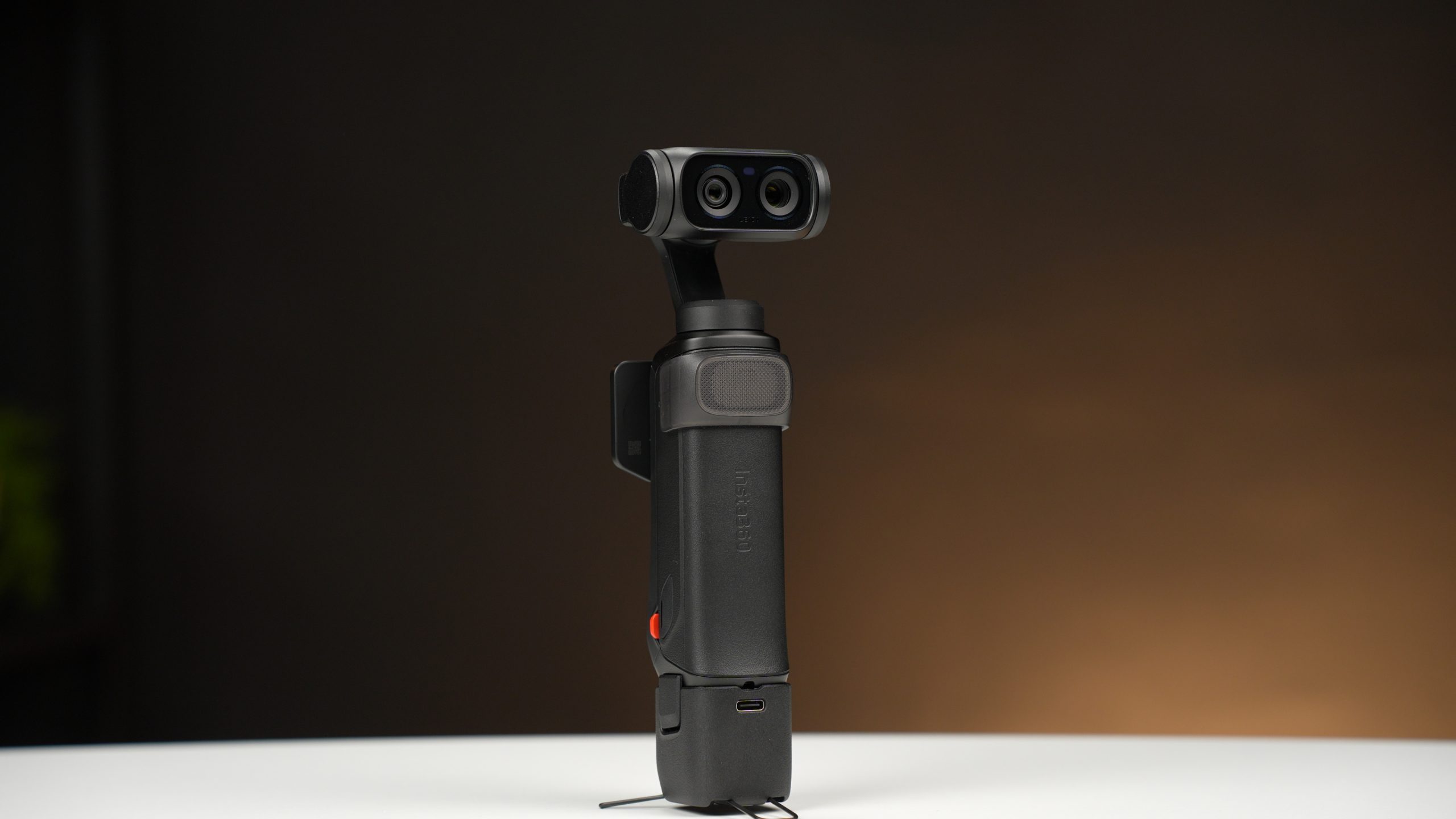
The Luna Ultra combines a Leica-branded 1-inch sensor, a dedicated telephoto camera, mechanical stabilization, advanced AI-powered tracking, a detachable wireless touchscreen remote, professional recording formats including 10-bit I-Log, and a surprisingly mature zoom system. That combination makes it one of the most feature-rich creator cameras currently available.
The Luna Ultra may not be the best at every individual task — but it is one of the most flexible creator cameras currently available.
The question is whether all of these features work together in practice, or whether the Luna Ultra is simply trying to do too much. After spending considerable time testing the camera in real-world scenarios, I came away impressed by how successfully Insta360 has integrated all of these systems into a remarkably compact package.
First Impressions
The Luna Ultra feels substantially more premium than most pocket gimbal cameras. The construction is solid, the controls are thoughtfully placed, and the overall design gives the impression of a serious imaging tool rather than a consumer gadget. The Creator Bundle includes most of the accessories creators will actually use, including the battery handle, wide-angle lens, protective accessories, carrying case, and detachable touchscreen remote.
One welcome surprise is the built-in storage. Instead of relying on memory cards, Luna Ultra includes 47GB of internal storage. While not enormous by professional standards, it is sufficient for daily shooting and eliminates one more thing to worry about when heading out to shoot.
Battery performance was also better than expected. During testing I achieved approximately four hours of operation in 1080p recording modes and around two hours when shooting 4K60 footage. Fast charging is particularly impressive, reaching roughly 80% capacity in just 23 minutes.
Two Cameras, Five Focal Lengths
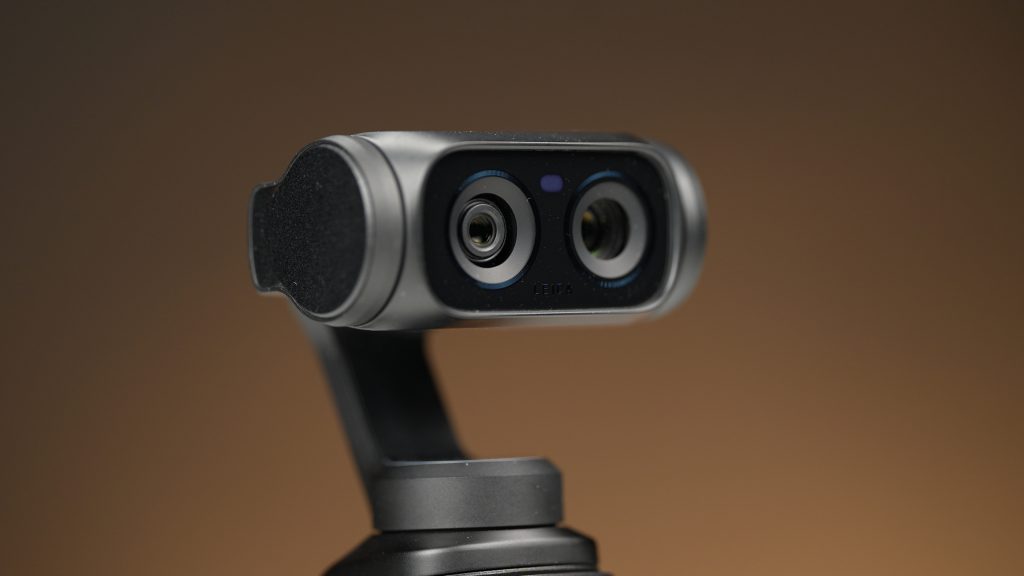
Most pocket gimbal cameras are effectively fixed-lens devices. The Luna Ultra is different. Its imaging system combines a Leica Summicron main camera built around a 1-inch sensor with a dedicated telephoto camera featuring a 1/1.3-inch sensor.
This allows access to five practical focal lengths:
- 20mm (1x)
- 40mm (2x)
- 60mm (3x)
- 120mm (6x)
- 240mm (12x)
On paper that sounds useful. In practice it completely changes how you use the camera. Rather than physically moving closer or farther from a subject, I often found myself simply switching focal lengths and reframing the shot.
The implementation deserves special praise. A short press instantly jumps between focal lengths, while a long press activates smooth continuous zooming. It feels natural, responsive, and surprisingly close to operating a traditional camera lens. More importantly, the camera can zoom while recording and can switch between focal lengths during a shot without interrupting recording.
Understanding the Zoom System
Luna Ultra offers different zoom limits depending on the recording mode. The 6x focal length represents the optical limit of the dedicated telephoto camera. Beyond that point, Luna Ultra relies on digital magnification from the telephoto sensor. Image quality remains surprisingly usable at 12x, but this is not the same level of quality delivered by the optical focal lengths.
This also explains one of the camera’s limitations. When shooting in 8K, zooming is restricted to 6x because the camera is utilizing the full resolution of the sensor and does not have sufficient overhead for additional digital magnification.
The Wide-Angle Lens Is Worth Using
Many bundled wide-angle accessories end up spending most of their lives in a drawer. That was not my experience with the Luna Ultra. The supplied wide-angle lens noticeably expands the field of view without introducing distracting distortion, making it particularly useful for handheld vlogging and travel content. In practice, I often preferred shooting with it attached when recording walk-and-talk sequences or self-shot vlog segments.
An Impressive Tracking System for a Pocket Camera
Tracking has become a mandatory feature in modern creator cameras. Most systems work reasonably well. The Luna Ultra’s Deep Track system goes significantly further. Single-person tracking worked reliably throughout my testing, even while changing focal lengths. More impressive was the ability to continue tracking while zooming.
The camera is capable of maintaining subject lock while moving between focal lengths and can continue following a subject even when shooting at telephoto settings. This is something many competing systems struggle with.
The standout feature, however, is not tracking itself — it is composition. The Luna Ultra allows the user to place the tracked subject according to rule-of-thirds composition instead of permanently locking them to the center of the frame. For anyone who cares about visual storytelling, this is one of the smartest features on the entire camera. It allows footage to remain dynamic and visually pleasing without requiring constant manual reframing. The system also supports multi-person tracking, making it useful for group content, interviews, and collaborative shoots.
The Feature That Changes Everything: The Detachable Remote
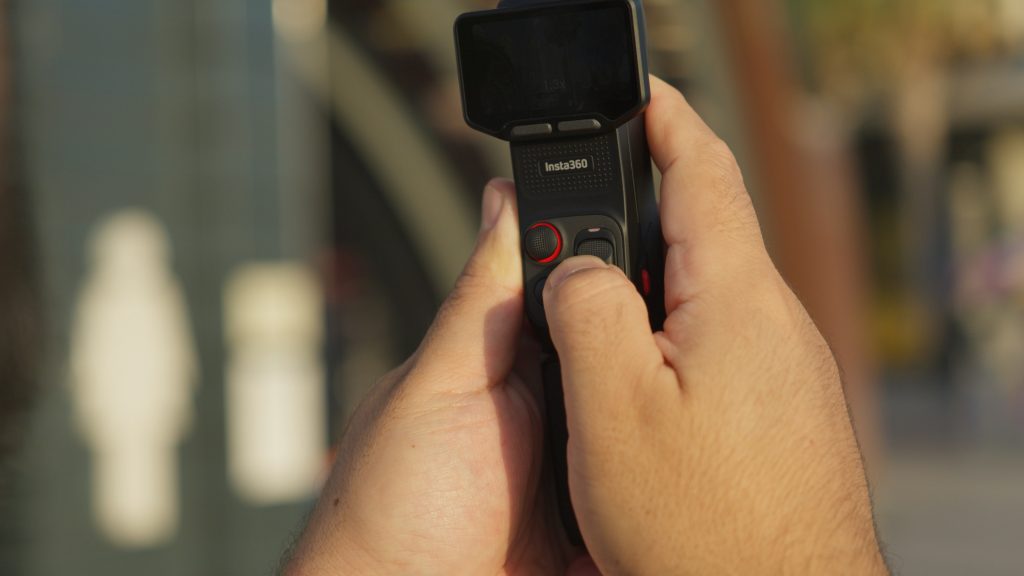
If I had to identify the single biggest advantage Luna Ultra has over any other pocket camera I have used, it would be the detachable touchscreen remote. At first glance it sounds like a convenience feature. In practice, it changes how the camera can be used.
The remote allows monitoring and camera control from distances of up to twenty meters, making it possible to place the camera in position and frame yourself accurately without repeatedly walking back and forth. Even more impressive, focal lengths can be changed remotely while recording and while active tracking is engaged. Suddenly a solo creator can produce shots that previously required a camera operator.
The remote also includes a built-in microphone, making it possible to record audio while operating the camera from a distance. For travel creators, educators, reviewers, and solo filmmakers, this is one of the most useful features on the entire system.
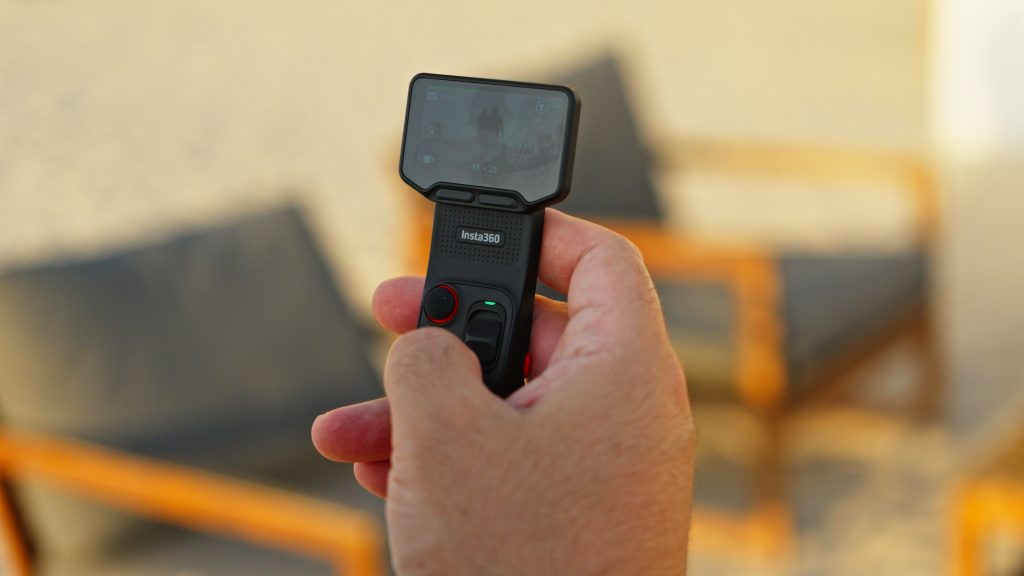
Image Quality
Image quality is where the Luna Ultra separates itself from most pocket-sized competitors. I tested all three primary recording workflows: Standard Mode, Dolby Vision HDR, and 10-bit I-Log.
Standard mode delivers attractive footage directly from the camera and is likely what most users will prefer. Dolby Vision is probably the easiest path to attractive footage. Dynamic range is excellent, colors are rich, and very little post-processing is required.
My personal preference, however, remains I-Log. Dolby Vision tends to produce colors that are slightly more vivid than I typically prefer. I-Log provides greater flexibility and allows me to build a more natural final image during grading. For creators who already work in DaVinci Resolve or another professional grading environment, I-Log is where Luna Ultra becomes most interesting. The ability to shoot 10-bit I-Log in a camera of this size significantly expands its creative potential.

Leica Color Profiles
Luna Ultra includes an unusually extensive collection of in-camera color profiles:
- Leica Natural
- Leica Vivid
- Leica Chrome
- Pos Film
- Neg Film
- CC Film
- NC Film
- Fresh
- Cinematic
The Leica profiles provide distinct visual interpretations rather than simple saturation adjustments. Leica Natural was my personal favorite, producing a restrained and documentary-style image that felt closest to my own grading preferences. Leica Vivid delivers a more energetic look with stronger color separation and higher saturation, making it attractive for travel and lifestyle content. The film-inspired profiles add additional creative flexibility and allow users to achieve a variety of looks directly in camera without extensive post-production.
Low-Light Performance and PureVideo
Low-light performance is often where compact cameras begin to struggle. The Luna Ultra performs surprisingly well. PureVideo is powered by three dedicated AI imaging engines designed specifically for low-light performance. During testing, the mode produced cleaner shadows and better noise control than I expected from a camera of this size while still preserving useful detail throughout the frame.
One of the most impressive aspects is that PureVideo continues to support tracking and zoom functionality up to 12x, allowing creators to shoot challenging low-light scenes without sacrificing the camera’s most important features. While it does not replace a full-frame camera, it remains highly usable in conditions where many compact creator cameras begin to fall apart.

Audio Performance
Audio performance was another pleasant surprise. The built-in microphones deliver very good results for a compact camera. The main microphone is equipped with a built-in wind muff, which noticeably reduces wind noise outdoors. When relying on the internal microphones, I found the Front Pickup Pattern setting to produce the best results, as it prioritizes the main microphone and takes full advantage of the built-in wind protection.
The detachable remote microphone produces noticeably cleaner and more direct voice recording, particularly when the camera is positioned farther away from the subject. At the top of the range sits the Mic Pro. Audio quality is excellent and clearly represents the best option for creators who place a high priority on sound quality. I will be covering the Mic Pro in a separate dedicated review.
Professional Features Hidden Beneath the Surface
One of the most surprising aspects of the Luna Ultra is how many professional features are hidden beneath its creator-friendly interface. Among the highlights:
- 10-bit I-Log recording
- Timecode support
- Focus control modes
- Shutter Focus mode
- Product Showcase mode
- Breathing compensation
- RAW photo capture
- 37MP still images
These are not features typically associated with a pocket vlogging camera. For experienced creators, they significantly expand what the Luna Ultra can do.
What I Didn’t Like
No product is perfect. The battery grip does not display battery percentage, which feels like a missed opportunity given its role as a power accessory. While 8K recording is available, zoom is limited to 6x in that mode. This is understandable from a technical standpoint, but creators who frequently rely on telephoto framing may find themselves shooting in 4K more often than expected.
Finally, the gimbal itself does not offer full 360-degree rotation. For most creators this will not be a major limitation, but it does restrict certain creative movements that some users may expect from a modern gimbal system. I also noticed some heat buildup during extended high-resolution recording sessions, particularly when pushing the camera hard in 8K modes. However, it never reached a point where I considered it problematic or disruptive to normal shooting.
Final Verdict
The Luna Ultra is not simply another pocket gimbal camera. It is closer to a hybrid between a smartphone, a traditional camera, and a creator-focused production tool. The combination of a 1-inch sensor, telephoto lens, professional recording formats, AI-powered tracking, detachable remote operation, and an exceptionally well-executed zoom system creates a shooting experience that feels genuinely different from competing products.
What impressed me most was not any single specification — it was how well the different systems worked together. The tracking works with zoom. The zoom works while recording. The remote works with tracking. The remote can change focal lengths while shooting. The telephoto lens works with stabilization. The professional recording modes exist alongside beginner-friendly operation.
That integration is what makes the Luna Ultra special. For vloggers, educators, reviewers, travel creators, and solo filmmakers, that flexibility may ultimately prove more valuable than any single headline specification.
Where to buy
TECHMISSION Recommends
Where to Buy the Insta360 Luna Ultra
Some links are affiliate links — TECHMISSION may earn a commission at no extra cost to you. See our affiliate disclosure.
Some links in this article are affiliate links. If you buy through them, TECHMISSION may earn a small commission at no extra cost to you — which helps us keep producing this content. Editorial opinions are independent of any commercial relationship.
بعض الروابط في هذه المقالة هي روابط شراكة. عند الشراء عبرها، قد يحصل TECHMISSION على عمولة بسيطة دون أي تكلفة إضافية عليك — وهذا يساعدنا على الاستمرار في إنتاج هذا المحتوى. آراؤنا التحريرية مستقلة عن أي علاقة تجارية.