DJI Osmo Pocket 4P Review: The Long Wait Pays Off in Image Quality
Two cameras, an excellent remote-control accessory and remarkably flexible footage make the Pocket 4P a compelling tool for creators. But its biggest achievement is what DJI has done with the main camera.
Some cameras impress when you first pick them up. Others earn their place by becoming the camera you keep taking everywhere.
The DJI Osmo Pocket 4P has done both.
After extensive shooting in Dubai and while travelling, including in Armenia, our enthusiasm has remained consistent. The dual-camera design is useful, the accessories make solo production easier, and the familiar Pocket format remains wonderfully convenient. Yet the reason we keep reaching for it is simpler: the image from the main camera, particularly in D-Log 2, is exceptionally good.
For the video work we do, this is some of the most satisfying footage we have obtained from a compact, fixed-lens camera. That is a judgement based on our shooting experience, rather than a claim that we have tested every competing camera. Nevertheless, the confidence it inspires is real. We can travel without the team, record a review, capture supporting footage and feel comfortable with what we will bring home.
The Pocket 4P is still a content-creation camera with limitations. It does not replace an interchangeable-lens system for every assignment. Within its intended role, however, it is an unusually complete package.
Watch the full TECHMAG review
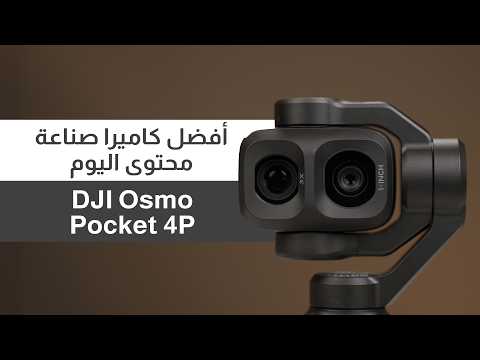
Watch our sample footage and full hands-on tests of the cameras, tracking and audio.
Two cameras that give the Pocket more creative range
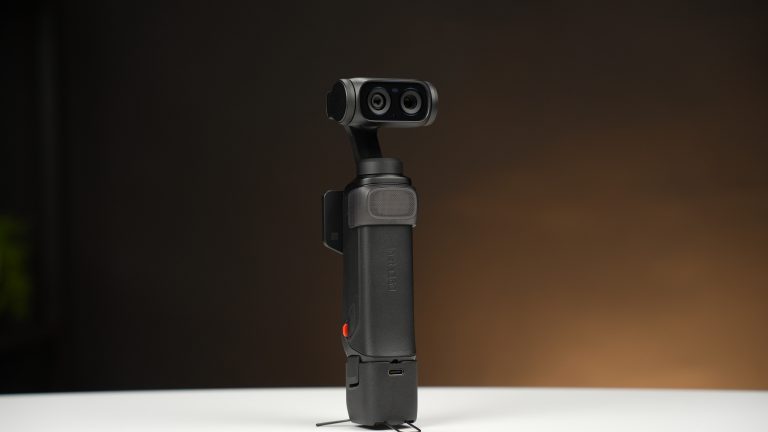
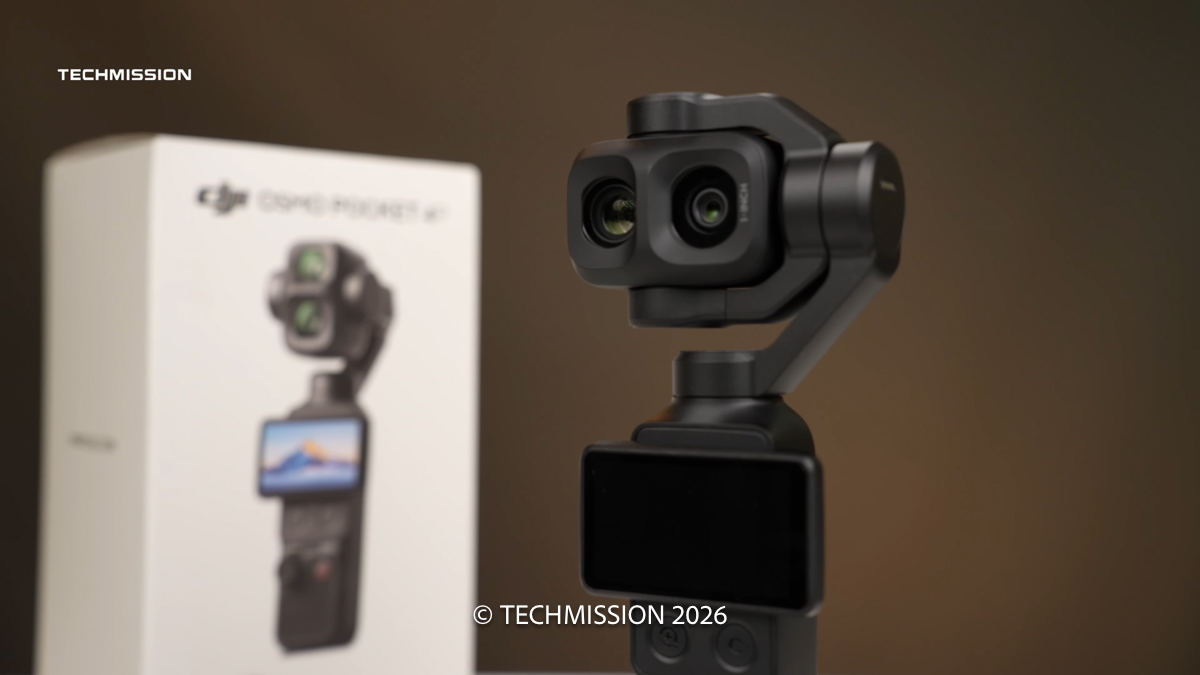
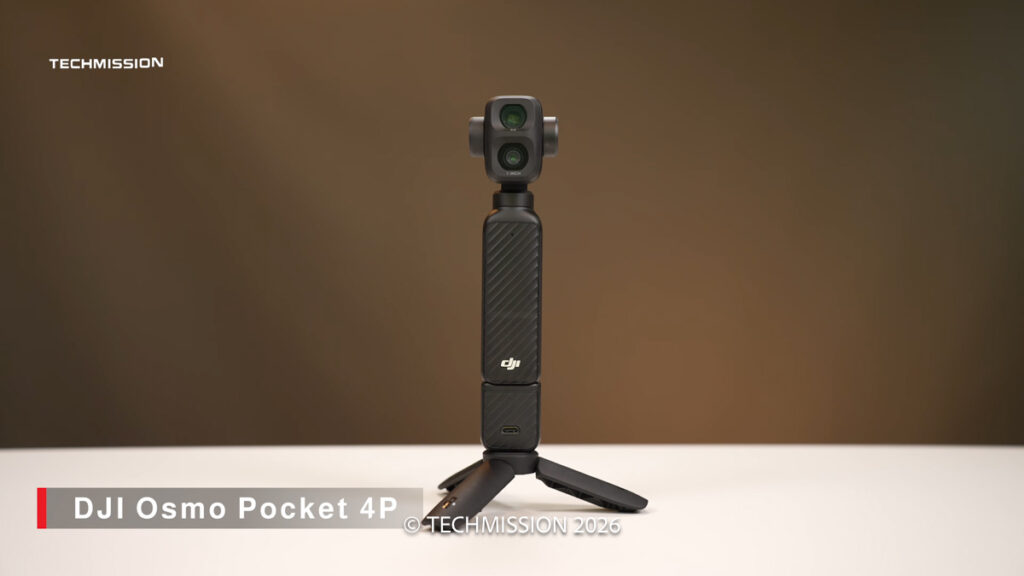
The most obvious change is the gimbal head, which now carries two cameras.
The main camera pairs a 1-inch-type sensor with a 20mm-equivalent f/2 lens. The second uses a smaller 1/1.28-inch-type sensor behind a 60mm-equivalent f/1.8 lens. These provide the familiar 1× and 3× views, respectively. DJI specifications
That second focal length makes a meaningful difference. A wide camera is excellent for presenting to camera, establishing a location and recording a walk through a city. It is less suitable when you want to isolate a detail or give a sequence more visual variety.
The 60mm camera fills that gap. Instead of recording an entire trip through one wide perspective, we can move between an establishing shot and a tighter composition. Details, people and more selective landscape views become easier to incorporate.
There is an important distinction here: these are two fixed optical focal lengths, rather than a continuously variable optical zoom lens. Intermediate framing and additional reach involve digital zoom.
In our testing, the extended digital zoom was usable, but our preference remained the native 1× and 3× views. They are the clearest expression of what the two cameras offer.
The main camera also remains the stronger option in low light. The telephoto’s f/1.8 aperture does not automatically make it better at night than the f/2 wide camera; sensor size and the rest of the imaging system matter too.
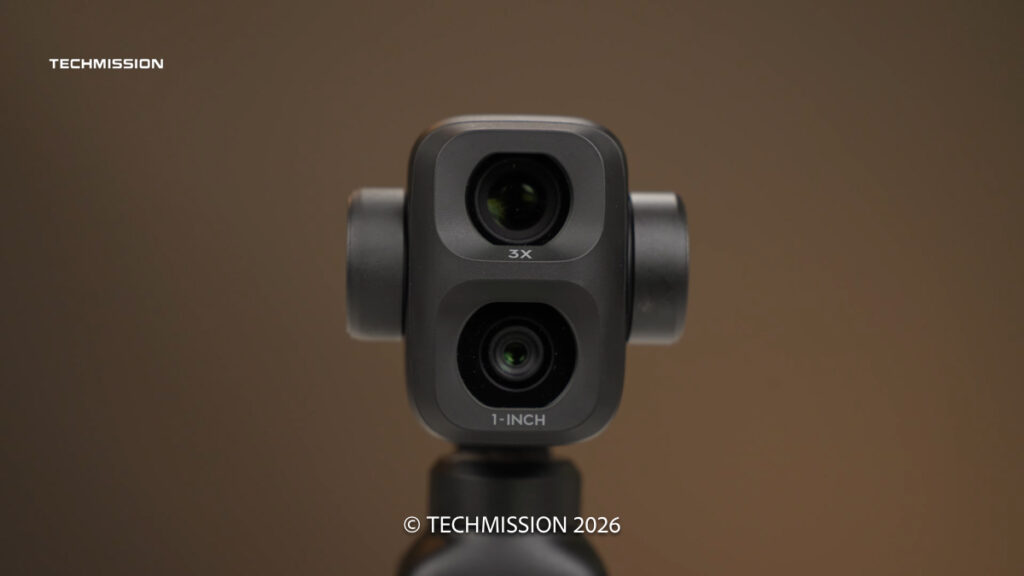
Image quality is the real reason to buy it
The second camera makes the Pocket 4P more versatile. The main camera makes it exciting.
Across our samples, the combination of detail, contrast, colour and tonal flexibility repeatedly impressed us. This was not an impression formed from one carefully arranged scene. We shot extensively in different locations, with both automatic and manually controlled exposure.
Much of the footage also used the default sharpening and noise-reduction settings. That matters because the results were not dependent on an elaborate process of tuning the camera before every shot.
There is an attractive clarity to the image without the camera feeling restricted to bright, easy conditions. Travel scenes retain convincing colour, fine detail holds together well, and the footage offers enough flexibility to fit into a more considered editing workflow.
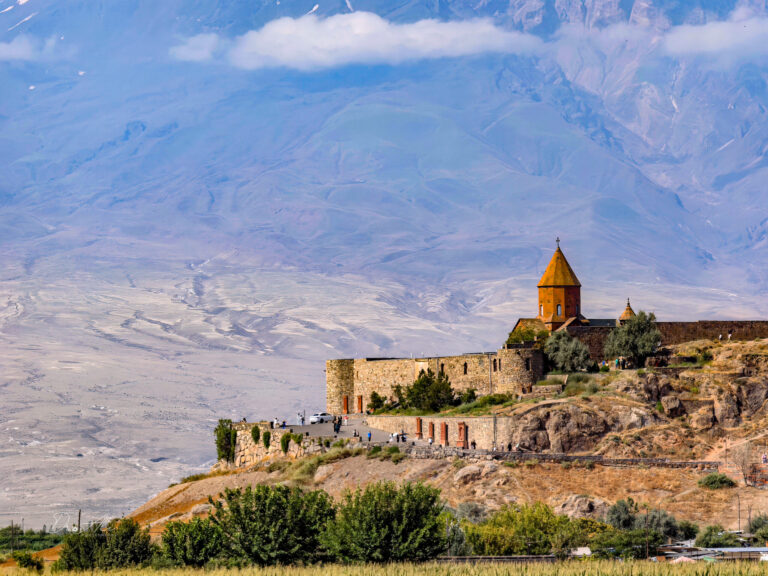
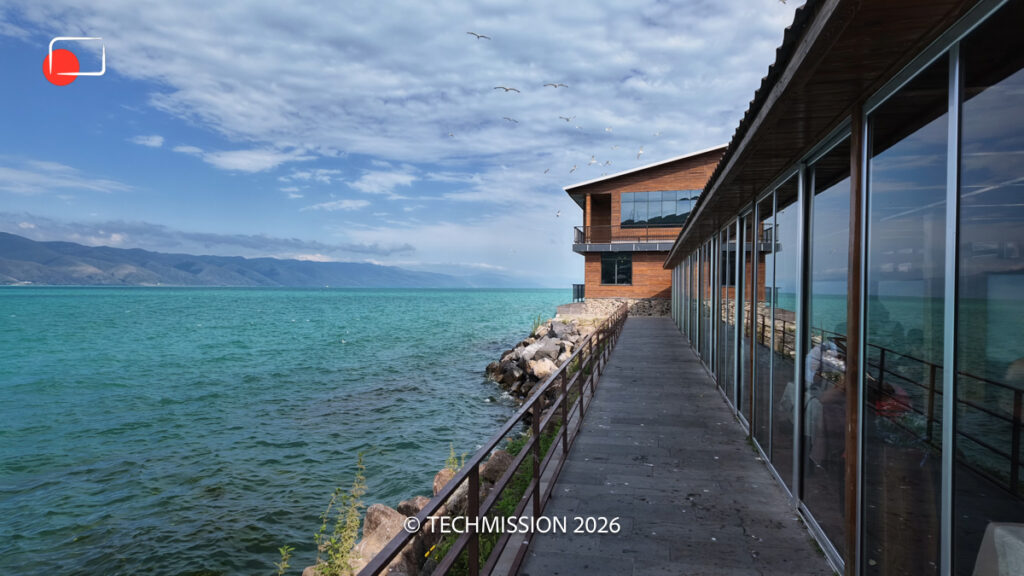
The water and scenery around Lake Sevan in Armenia were particularly memorable. These are the situations in which a small camera either leaves you wishing you had brought something larger or lets you enjoy the fact that you travelled light. The Pocket 4P repeatedly gave us the second experience.
Its main-camera footage also reminded us of the appealing image quality we have enjoyed from DJI’s better drones, including the Mavic 4 Pro and Air 3S. That is a subjective comparison of the results, rather than a statement that their sensors or recording systems are identical.
D-Log 2 is the headline feature—with an important restriction
D-Log 2 is central to our enthusiasm.
In the review, we discuss DJI’s claim of up to 17 stops of dynamic range. We did not perform the controlled chart measurements needed to verify that figure, so it should remain a manufacturer claim rather than a measured TECHMAG result. DJI also advertises the 17-stop figure on its Pocket 4P product page.
What we can confidently describe is the practical benefit we saw.
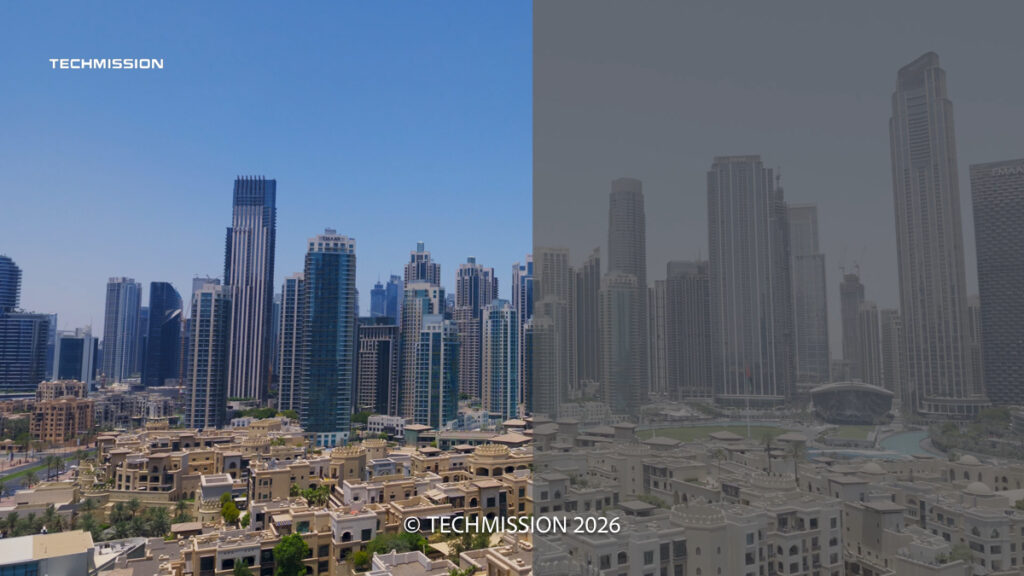
In demanding scenes, particularly when a bright background sits behind a person, D-Log 2 gave us more satisfying material to work with. The camera could retain a pleasing balance between the subject and the surrounding scene after grading.
Our outdoor vlogging demonstration makes the distinction particularly clear. In automatic exposure with the normal colour profile, strong backlighting could push the background too bright as the camera prioritised the face. Changing the shooting direction helped immediately. Switching to D-Log 2 then provided a more flexible basis for handling the difficult scene.
This is not permission to ignore exposure. Log recording still benefits from careful shooting and appropriate colour management. It does, however, make the main camera considerably more rewarding for creators who edit and grade their footage.
The restriction is significant: on our tested setup, D-Log 2 was available only on the main camera and was unavailable in slow motion.
For maximum main-camera image quality, that was a compromise we were happy to accept. For a sequence requiring both focal lengths, standard D-Log was the more practical choice.
Standard D-Log keeps the two-camera workflow useful
It would be a mistake to dismiss standard D-Log because D-Log 2 receives most of the attention.
In our testing, D-Log still produced excellent results, and it gave us a more flexible workflow across both cameras. After a firmware update, it also became available for slow-motion recording on our unit.
The two cameras are not identical in image quality. The main camera has the advantage, especially as conditions become more demanding. Nevertheless, we found footage from both sufficiently compatible to edit and grade together for our own content and suitable client work.
Our approach became straightforward: use D-Log 2 when the strongest main-camera result matters most, and use D-Log when a sequence needs the wider range of shooting options.
Because firmware changed features during our review period, owners should check their installed version before planning a shoot around a particular recording combination.
Slow motion: impressive, but check the camera-specific limits
The slow-motion footage adds another creative dimension. Water, movement and brief expressions can become much more engaging when stretched out in a sequence.
There is a specification correction to make alongside the recorded review: DJI’s current table lists 4K slow motion up to 240fps on the wide camera and 200fps on the telephoto. Both offer 1080p recording up to 240fps. Normal video reaches 4K/60fps, while vertical recording reaches 1728 × 3072 at 60fps. DJI recording specifications
At 240fps, playback on a 30fps timeline produces an eight-times slow-motion effect. This is a dedicated slow-motion mode, rather than the normal video mode running at its standard settings.
The addition of D-Log slow motion through firmware was welcome because it made those clips easier to integrate with the rest of our footage. D-Log 2 remained a separate, more restricted option on our tested camera.
Vertical video is practical, with a resolution compromise
For creators publishing to Reels, Shorts and TikTok, vertical recording is essential.
The Pocket 4P creates its vertical image through cropping rather than rotating the camera into a full-resolution portrait capture position. The resulting 3K footage was entirely useful for our social workflow, particularly when delivering at 1080 × 1920.
In our testing, vertical recording retained the colour-profile options we wanted, including D-Log 2 on the main camera. Dedicated slow motion remained a landscape option.
For our use, this was a reasonable compromise. Creators who specifically require native 4K portrait delivery should account for it before buying.
Familiar handling, with one frustrating control decision
The body retains the basic Pocket appeal: a small grip, rotating screen, joystick and record button beneath a mechanically stabilised camera.
The two additional buttons below the screen make operation more direct. One handles zoom and camera switching. Following a firmware update on our unit, holding the zoom control also enabled a smoother transition through the zoom range.
The other button can be customised. We assigned it to switch the joystick between controlling the gimbal and controlling zoom, which suited the way we worked.
The frustration appears when the screen is turned vertically: it covers those additional buttons.
This is an awkward decision on a camera aimed so clearly at creators who alternate between landscape and portrait content. It does not prevent vertical shooting, but it makes useful physical controls less accessible precisely when you may want them.
Protection also deserves attention. With our review kit, we added a third-party cover to protect the gimbal during transport, along with a separately purchased carrying case for the accessories. Those items should not be mistaken for standard included equipment.
FrameTap makes solo filming much easier
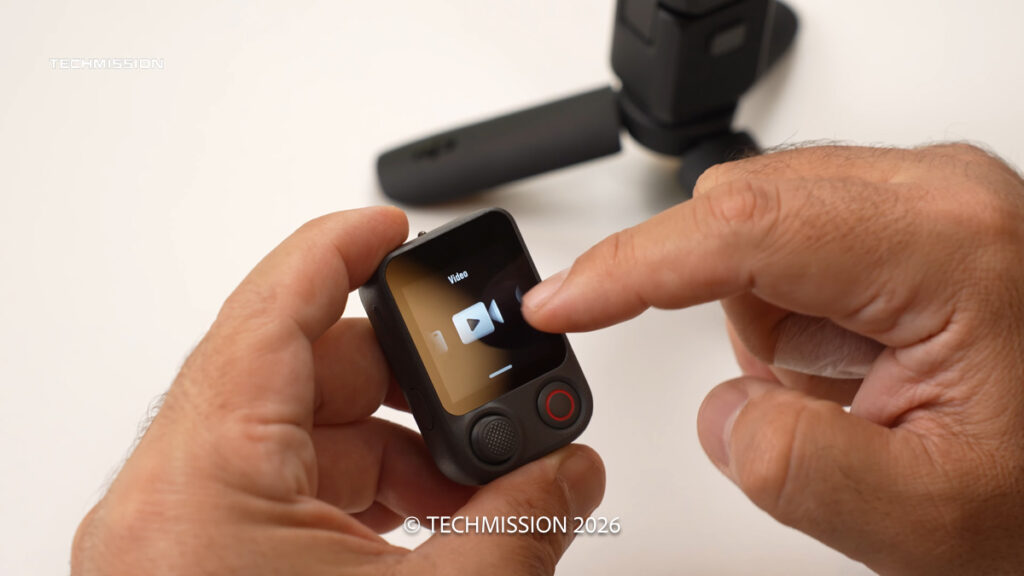
FrameTap is one of the most useful parts of the experience.
The small remote combines a screen, joystick and recording controls, allowing us to see the composition and operate the camera from a distance. It reduces the need to keep returning to the camera—or repeatedly reaching for a phone—when filming alone.
During our Armenia demonstration, we used FrameTap to initiate tracking, move away from the camera and adjust the composition remotely. We could also reposition ourselves within the frame rather than accept a permanently centred composition.
That changes how practical the Pocket becomes for independent production. It is useful for a presenter working alone, a travel creator recording pieces to camera, or anyone trying to capture a more deliberate shot without an operator.
There was one frustrating limitation on our tested setup: we could not change video resolution and frame rate through FrameTap, such as moving from 4K/60 to 4K/30.
We still used DJI Mimo when more detailed setup was needed. Once configured, however, FrameTap made starting, stopping, framing and tracking much more convenient.
Tracking and autofocus inspire confidence
Tracking is particularly valuable when the person presenting is also the person operating the camera.
Our results were excellent. The Pocket continued following us as we moved farther away, and FrameTap made it easy to manage the shot remotely. We also demonstrated zooming while tracking and recording.
Autofocus was similarly dependable in our tests. Face and eye focusing required little intervention, allowing us to concentrate on presenting and composition.
These are observations from the situations shown in our review, rather than a promise that tracking will succeed through every obstruction or that autofocus will never choose the wrong subject. What stood out was how little attention either system demanded during ordinary use.
Together with the gimbal, they make the Pocket 4P feel like a mature tool for working alone.
Low-light footage is a major strength
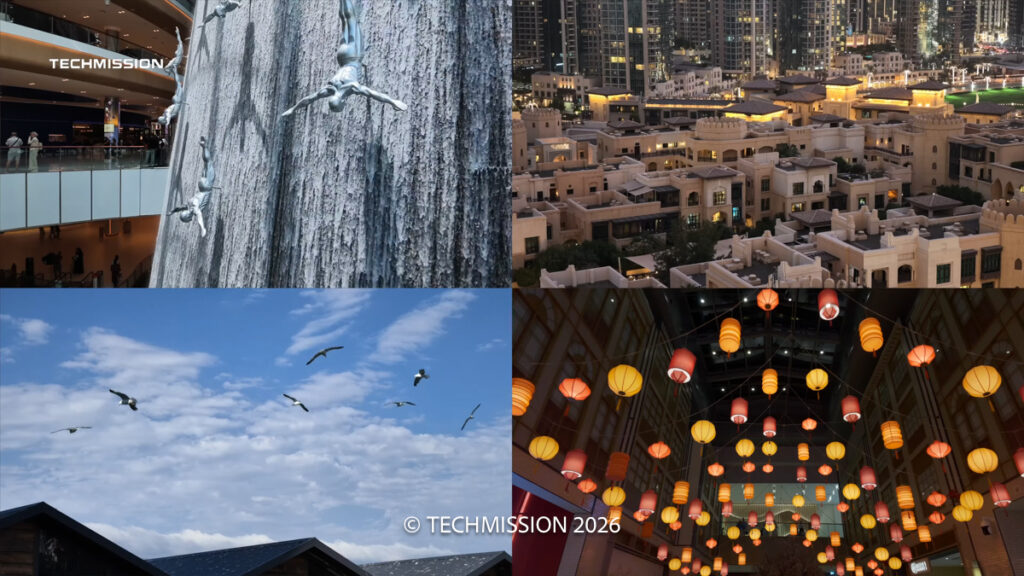
Low-light performance was among the most impressive aspects of our testing.
The main camera produced footage with attractive detail and clarity, while noise reduction generally preserved a convincing image. The results did not feel dependent on smoothing away everything that makes a scene interesting.
Among the DJI handheld cameras we have used, this was our most satisfying low-light experience.
The telephoto remains useful, but the main camera is the safer choice when image quality takes priority as light falls. The two lenses broaden the creative options; they do not eliminate the differences between the sensors.
The small accessory light is also helpful for close subjects. In our use, adjusting its brightness and colour temperature was easy. Positioning or angling it carefully produced a more pleasing result than simply directing a harsh light straight into the face.
Built-in audio is good; DJI Mic 3 is better for presentation
The internal microphones delivered good results in our outdoor demonstrations, including ordinary background noise and some wind.
For spontaneous clips, they are useful. For a review, interview or walking presentation, we preferred DJI Mic 3.
The combo we tested included a Mic 3 transmitter. Pairing was straightforward, and our setup supported connecting two transmitters for two-person recording.
The external microphone brought the voice closer and made outdoor presentation more controlled, particularly with the windshield fitted. The video includes comparisons between the internal microphones and Mic 3 so viewers can judge the difference.
This integration is part of the Pocket’s appeal. For someone already using DJI cameras, drones and microphones, it fits comfortably into an existing production routine.
Accessories help—but distinguish the kit from the extras
Our setup included the wide-angle accessory, small light, FrameTap and microphone, alongside mounting and support accessories.
The wide-angle attachment gave us a broader view for situations where the standard main-camera framing was too tight. Its mounting arrangement differed from simply placing a magnetic accessory over the lens: fitting it involved removing the existing front piece and securing the replacement.
We also used a Pocket 4 battery handle successfully with the Pocket 4P. That was a practical compatibility benefit in our testing, though buyers should verify the exact accessory model before ordering.
The extra battery handle and the carrying case shown in our review were separate additions. Check the retailer’s precise bundle contents instead of assuming that every accessory demonstrated in the video comes in every box.
Battery life: useful endurance, realistic expectations
DJI rates battery life at 210 minutes—three and a half hours—under a light-load test: 1080p/24fps, screen and Wi-Fi off, at 25°C. It also quotes charging to 80% in 18 minutes and full charge in 32 minutes using its specified laboratory setup and a separately sold 65W charger. DJI battery specifications
Our shooting involved more demanding modes, including 4K, D-Log 2 and slow motion. We would not treat the headline endurance figure as a guarantee for that workload.
In practical use, battery life was manageable. We describe roughly up to three hours from our experience, but that was not a controlled continuous-recording test of every mode.
The battery handle reduced anxiety, and charging between locations—often in the car—suited our travel routine well.
We also encountered no overheating warnings or recording shutdowns during our Dubai summer shooting. That is encouraging field experience, rather than proof that the camera cannot overheat during longer recordings or different conditions.
Still photography is a useful extra
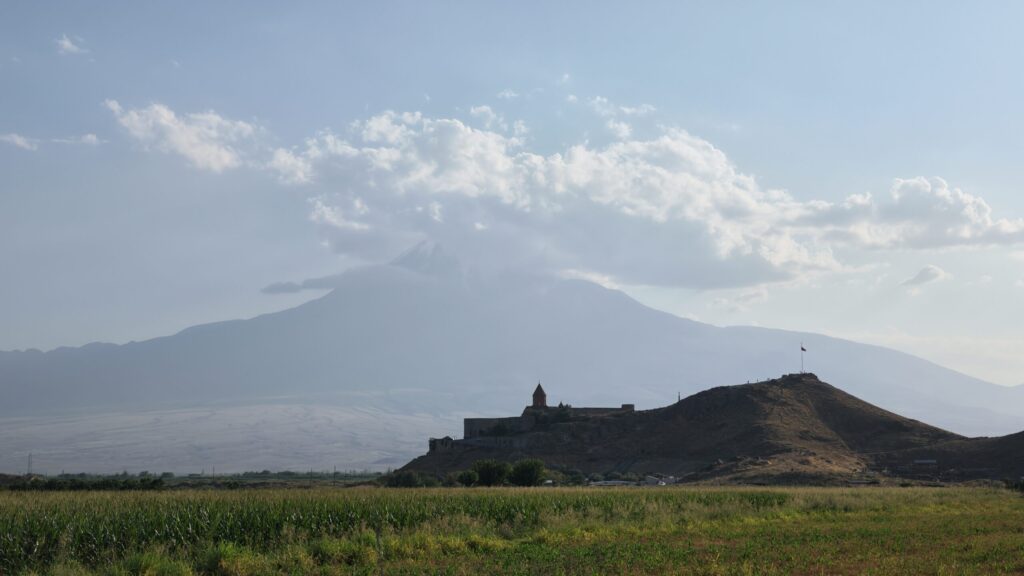
We liked the photographs we captured, including our Mount Ararat images during the Armenia trip.
Even so, this would not be our first choice as a dedicated stills camera. The small screen and handling encourage video more than photography, and we sometimes preferred using a phone for a quick photograph.
The ability to capture pleasing stills, panoramas and time-based sequences adds value. Video remains the reason we would buy it.
Who should buy the Pocket 4P?
The clearest audience is the creator who wants strong video without carrying a larger camera and gimbal everywhere.
Travel filmmakers, solo reviewers, presenters and social creators can all benefit from its combination of main-camera quality, stabilisation, tracking and microphone integration. FrameTap makes that combination especially useful when no camera operator is available.
For Pocket 3 or Pocket 4 owners, the upgrade question should centre on the features that change their work: D-Log 2, the dedicated 60mm view and remote operation. Those are more persuasive reasons to upgrade than simply wanting the newest Pocket.
There are also assignments for which it belongs alongside a larger system. Weddings are a good example. It can capture valuable supplementary footage, but we would not choose it as the only camera for complete wedding coverage. Different lenses, working distances and coverage requirements still matter.
Verdict: a small camera we trust enough to keep carrying
The DJI Osmo Pocket 4P earns our recommendation primarily through its main-camera image.
D-Log 2 gives us exceptionally satisfying footage for a camera of this size, while the second focal length makes travel sequences and supporting shots more varied. Tracking, autofocus, microphone integration and FrameTap then make that quality easier to use when working alone.
There are compromises: D-Log 2 restricts the available shooting options, the two cameras differ in performance, vertical video is cropped, and the screen can obstruct useful buttons. FrameTap’s recording-setting limitations also deserve improvement.
None of those issues changed the central outcome of our review. This became a camera we wanted with us—and one we felt confident using for our own productions.
For content creation and travel, that is a powerful recommendation.
Check the current price and available bundles from Advanced Media Dubai:
TECHMISSION Recommends
Where to Buy the DJI Osmo Pocket 4P
Some links are affiliate links — TECHMISSION may earn a commission at no extra cost to you. See our affiliate disclosure.