Nikon N-RAW vs ProRes RAW: A Real-World Comparison After Months of Testing
One of the biggest misconceptions in filmmaking is that all RAW video formats are essentially the same. Shoot in RAW, adjust your exposure in post, recover your highlights, and you’re done.
The reality is far more nuanced.
Every RAW codec follows a different philosophy. Some prioritize maximum image quality regardless of storage requirements, while others aim to strike a balance between quality, workflow, and practicality.
When Nikon introduced N-RAW, many dismissed it as simply another proprietary RAW format designed to lock users into Nikon’s ecosystem. After months of testing—including documentary work, controlled side-by-side comparisons, and extensive editing—I came away with a very different conclusion.
N-RAW isn’t merely Nikon’s version of ProRes RAW.
It represents a different approach to making RAW video practical for everyday production.
Why Shoot RAW in the First Place?
Before comparing codecs, it’s worth asking a more fundamental question.
Do you actually need RAW?
For many creators, the answer is no.
Modern codecs such as H.265 deliver outstanding image quality with manageable file sizes and relatively simple editing workflows. If your work consists primarily of YouTube videos, social media content, interviews, or projects with fast turnaround times, compressed codecs are often the smarter choice.
RAW becomes valuable when your production demands maximum flexibility.
Examples include:
- Documentary filmmaking
- Commercial productions
- Narrative filmmaking
- Difficult or changing lighting conditions
- Extensive colour grading
- Visual effects work
RAW preserves the sensor’s original data, allowing significantly greater control over exposure, white balance, highlight recovery, and colour adjustments during post-production.
That flexibility comes at the cost of larger files and more demanding editing hardware—but for many productions, the trade-off is worthwhile.
Not All RAW Codecs Are Created Equal
Although they all carry the RAW label, today’s major codecs solve the same problem in different ways.
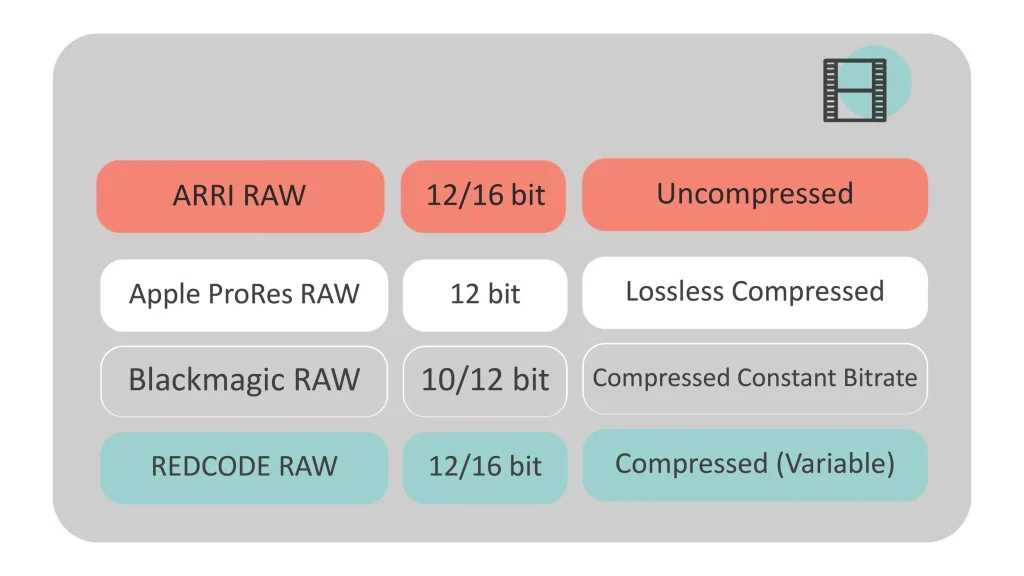
ARRI RAW remains the benchmark for uncompromised image quality, using virtually uncompressed recording. The results are exceptional, but so are the storage requirements.
ProRes RAW focuses on preserving image quality while maintaining smooth editing performance, particularly within Apple’s ecosystem.
Blackmagic RAW combines partial in-camera processing with efficient compression, producing one of the most streamlined editing experiences currently available.
REDCODE RAW introduced variable compression ratios that allow filmmakers to choose the balance between quality and storage based on each production.
Nikon N-RAW takes yet another approach by delivering highly efficient compressed RAW recording directly to memory cards inside relatively compact mirrorless cameras.
That last point is more significant than it might initially appear.
Until recently, shooting RAW often meant external recorders, additional cables, larger rigs, and substantially higher costs.
N-RAW removes much of that complexity.
What Makes N-RAW Different?
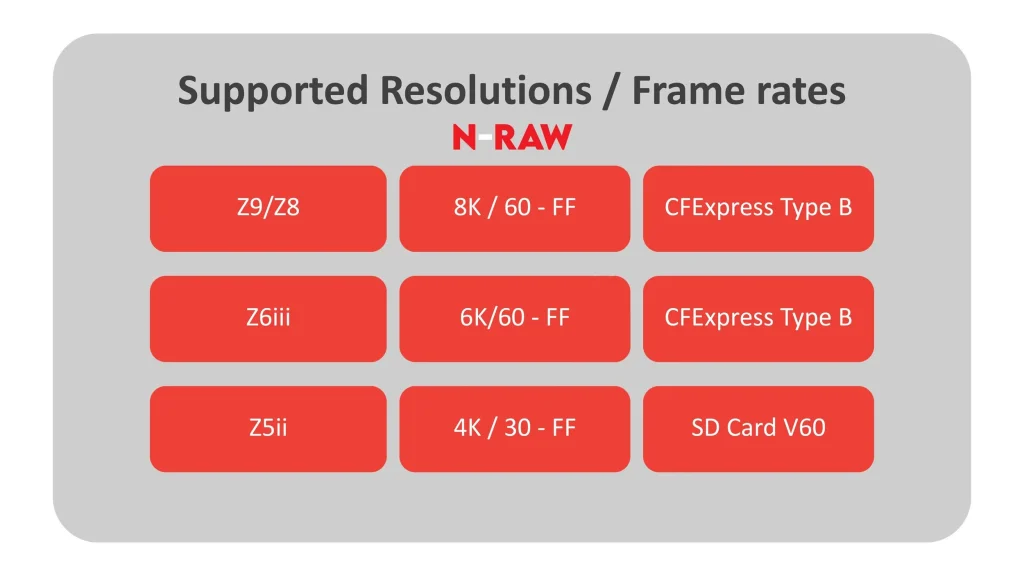
N-RAW is Nikon’s proprietary 12-bit compressed RAW format designed for internal recording.
It is currently supported by cameras including the Nikon Z9, Z8, Z6III, and more recently the Z5II, which remarkably can record N-RAW internally to SD cards.
Instead of prioritizing absolute minimum compression, Nikon focused on making RAW practical.
The result is a codec that maintains excellent image quality while dramatically reducing storage requirements compared to many competing RAW formats.
Perhaps even more importantly, it removes one of the biggest barriers that discouraged many creators from adopting RAW workflows in the first place.
Our Real-World Test
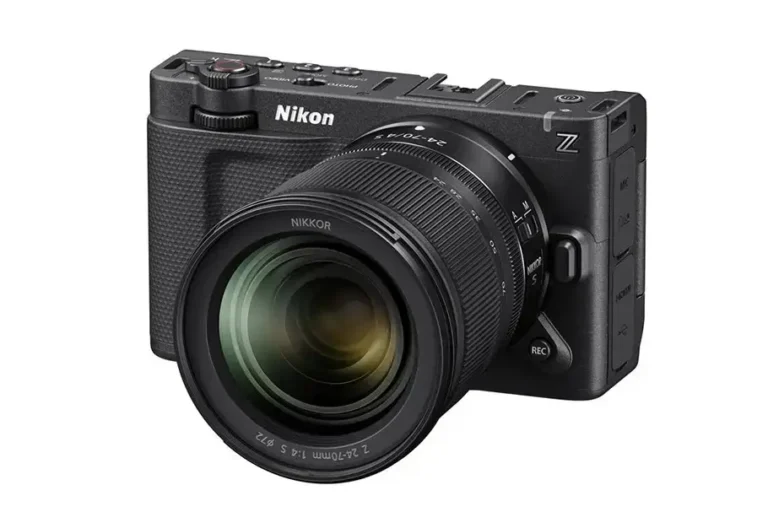
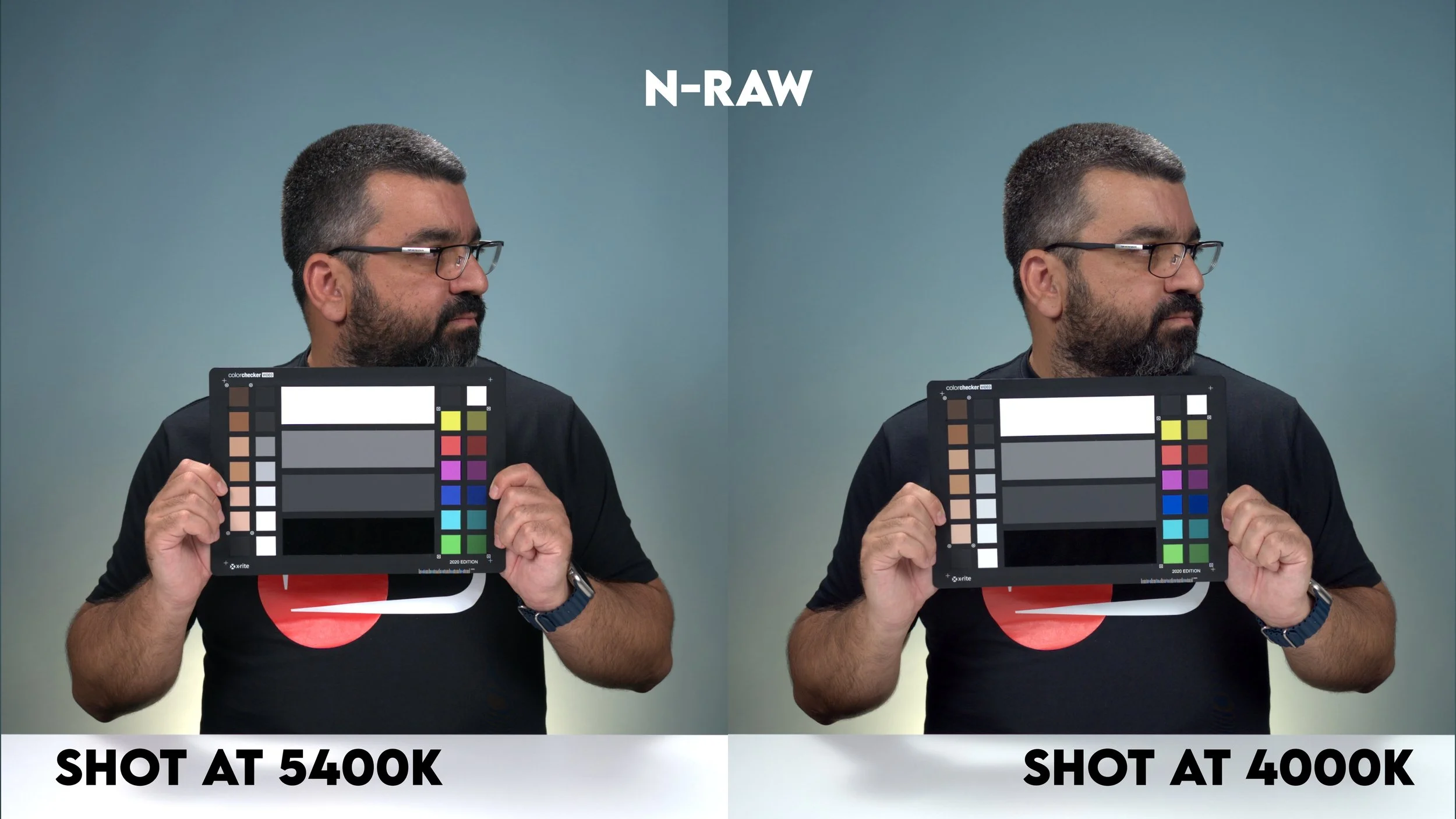
Rather than relying on specifications alone, we conducted practical side-by-side comparisons using two identical Nikon Z6III cameras.
Our testing methodology was intentionally straightforward.
Both cameras used:
- NIKKOR Z 24-70mm f/4 S lenses
- Identical exposure settings
- Matching recording media
- N-Log picture profile
- Controlled lighting conditions
The footage was then graded in its native editing environment:
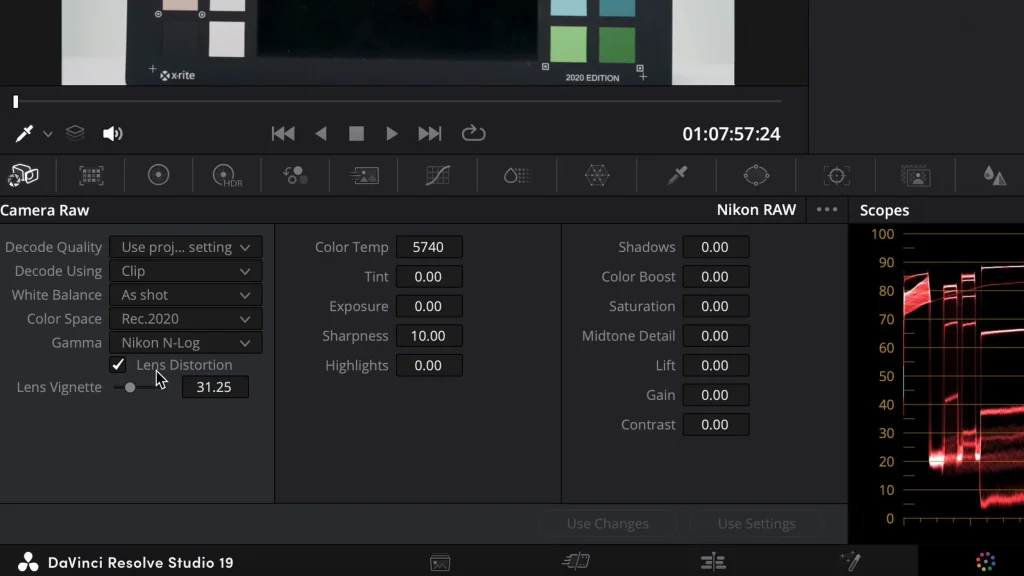
- N-RAW inside DaVinci Resolve
- ProRes RAW inside Final Cut Pro
While comparing codecs across different editing applications is never entirely perfect, it reflects how many professionals actually work today.

Storage Efficiency: Where N-RAW Immediately Stands Out
One of N-RAW’s biggest strengths became apparent almost immediately.
Across multiple recording scenarios, N-RAW consistently produced files approximately 40–50% smaller than ProRes RAW.
| Test | N-RAW | ProRes RAW |
|---|---|---|
| Test 1 | 7.85 GB | — |
| Test 2 | 10.45 GB | 19.53 GB |
| Test 3 | 15.63 GB | 28.64 GB |
That reduction has practical implications.
Smaller files mean:
- Lower storage costs
- Longer recording times
- Faster backups
- Easier archive management
- More economical long-term production
For documentary filmmakers and event shooters who may record hundreds of gigabytes in a single day, those savings quickly become significant.
Image Quality: Surprisingly Close
Storage efficiency would mean very little if image quality suffered.
Fortunately, that wasn’t the case.
Across our testing we observed:
Highlight Recovery
Both codecs preserved excellent highlight information, allowing aggressive exposure adjustments during grading.
Shadow Recovery
Shadow performance was similarly impressive, with both formats maintaining clean tonal transitions after substantial adjustments.
Colour Grading Latitude
Both codecs provided the flexibility expected from modern 12-bit RAW workflows.
White balance adjustments remained highly forgiving, and colour grading behaved naturally throughout the process.
Sharpness
Before processing, ProRes RAW appeared fractionally sharper.
However, after colour grading and normal finishing workflows, the difference became almost impossible to identify in practical viewing.
Noise Performance
Noise characteristics were very similar.
After denoising, N-RAW appeared slightly cleaner in our workflow, although this may partly reflect differences between DaVinci Resolve and Final Cut Pro rather than the codecs themselves.
Banding
No visible banding was observed in either format.
Editing Workflow
For me, workflow is just as important as image quality.
A codec can deliver stunning images, but if it slows production dramatically, those advantages quickly disappear.
At the time of publishing:
DaVinci Resolve offers excellent N-RAW support, although ISO adjustment remains unavailable.
Adobe Premiere Pro continues expanding its N-RAW support.
Final Cut Pro remains the strongest environment for ProRes RAW.
DaVinci Resolve still does not natively support ProRes RAW.
This means your preferred editing software may ultimately influence your codec choice as much as image quality itself.
Reliability in Real Production
One question I receive frequently concerns overheating.
During extended recording sessions—including long uninterrupted takes—the Nikon Z6III remained consistently stable while recording N-RAW.
I experienced no overheating during testing, making it a reassuring option for documentary production, interviews, and event coverage where reliability matters just as much as image quality.
Where N-RAW Fits Into My Workflow
I’ve now used N-RAW across both controlled testing and real productions, including my documentary work.
What continues to impress me is not necessarily that it produces dramatically better images than competing RAW formats.
Rather, it makes shooting RAW feel practical.
The combination of internal recording, efficient storage, excellent colour grading flexibility, and reliable camera performance removes much of the friction traditionally associated with RAW production.
Instead of constantly thinking about storage, external recorders, or workflow compromises, I can simply focus on filming.
For me, that’s N-RAW’s greatest achievement.
Who Should Shoot N-RAW?
Shoot N-RAW if
- You regularly colour grade your footage.
- You use DaVinci Resolve as your primary editor.
- You shoot documentaries or commercial productions.
- Storage efficiency matters.
- You want maximum flexibility during post-production.
Stick with H.265 if
- You mainly create social media content.
- You need fast turnaround times.
- You rarely perform extensive colour grading.
- Your editing computer struggles with RAW workflows.
Final Verdict
After months of testing, I no longer think of N-RAW as Nikon’s answer to ProRes RAW.
I think of it as Nikon’s answer to a much bigger problem: making RAW video practical.
The image quality is excellent, the storage savings are substantial, and the ability to record compressed 12-bit RAW internally—without external recorders—fundamentally changes how approachable RAW production can be on a mirrorless camera.
Is it perfect?
Not yet.
Software compatibility still depends on your editing platform, and ProRes RAW continues to enjoy stronger support within Apple’s ecosystem.
But if your workflow revolves around DaVinci Resolve—or increasingly Adobe Premiere Pro—N-RAW has matured into one of the strongest reasons to consider Nikon as a serious filmmaking platform.
More importantly, it demonstrates that Nikon is no longer simply following the video market. With N-RAW, the company has introduced a workflow that is efficient, practical, and genuinely creator-focused. And in day-to-day production, those qualities often matter more than theoretical specifications.