RØDECaster Video Core Review: The Smartest Upgrade RØDE Has Released for Existing Studio Owners
For years, RØDE has built one of the strongest ecosystems in the creator industry. Devices such as the RØDECaster Pro II and RØDECaster Duo became the backbone of countless podcast studios, YouTube channels, and professional production setups.
Then the industry shifted.
Audio podcasts evolved into video podcasts. Creators who had invested heavily in RØDE’s audio ecosystem suddenly needed video switching, multi-camera production, recording, and live streaming.
Many companies would have forced users to replace their entire workflow.
RØDE chose a much smarter approach.
Instead of asking creators to start over, the company introduced the RØDECaster Video Core—a device designed to transform an existing RØDE audio ecosystem into a complete professional video production system.
After spending time with the Video Core, one thing became very clear:
This is less about launching a new product and more about extending an ecosystem that many creators already trust.
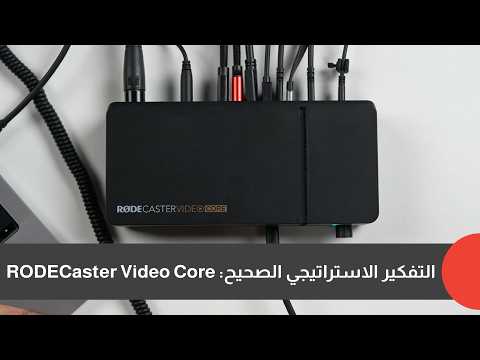
What Exactly Is the RØDECaster Video Core?
The easiest way to understand the Video Core is to think of it as the engine behind a professional video studio.
Unlike the standard RØDECaster Video, this isn’t designed to be operated directly from the hardware itself.
Instead, it is a headless production engine.
All configuration and switching happen through the RØDECaster App running on a computer, while the hardware quietly manages all audio, video, recording, streaming, and routing in the background.
For creators who already work from a desk with a monitor and keyboard, this approach actually makes a great deal of sense.
You are no longer limited by the size of a touchscreen on the hardware.
Everything happens inside a full desktop interface.
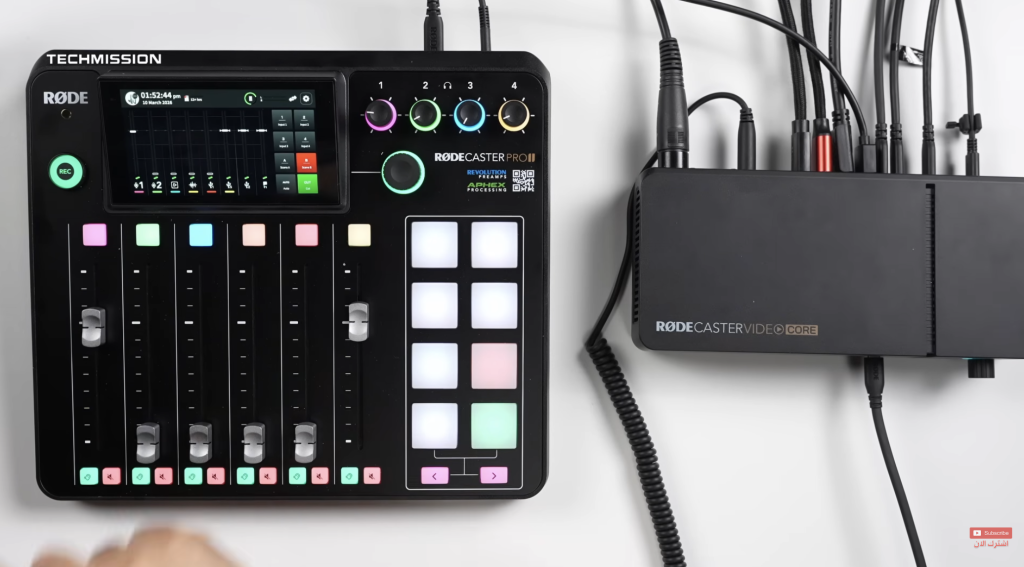
The Biggest Selling Point Isn’t the Hardware
It’s RØDE Sync.
This is, in my opinion, the smartest decision RØDE made.
Through RØDE Sync, the Video Core integrates directly with devices like the RØDECaster Pro II and RØDECaster Duo.
That changes everything.
Instead of replacing your existing production hardware, you simply add Video Core into your setup.
Your microphones remain the same.
Your audio processing remains the same.
Your familiar workflow remains the same.
You simply gain professional multi-camera video production.
That dramatically lowers the cost—and frustration—of moving from audio-only production into professional video.
It’s an upgrade rather than a replacement.
Connectivity Designed for Real Studios
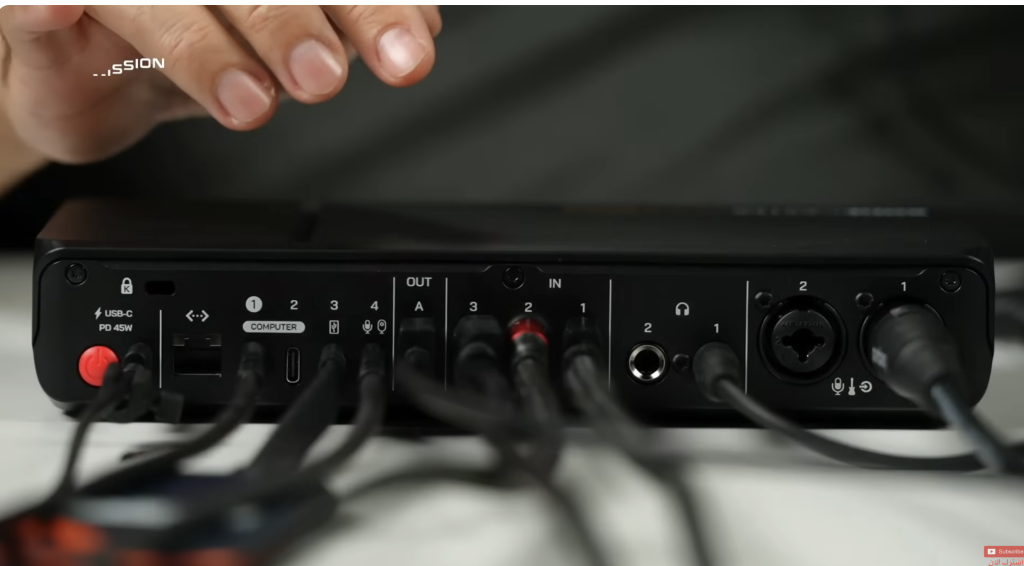
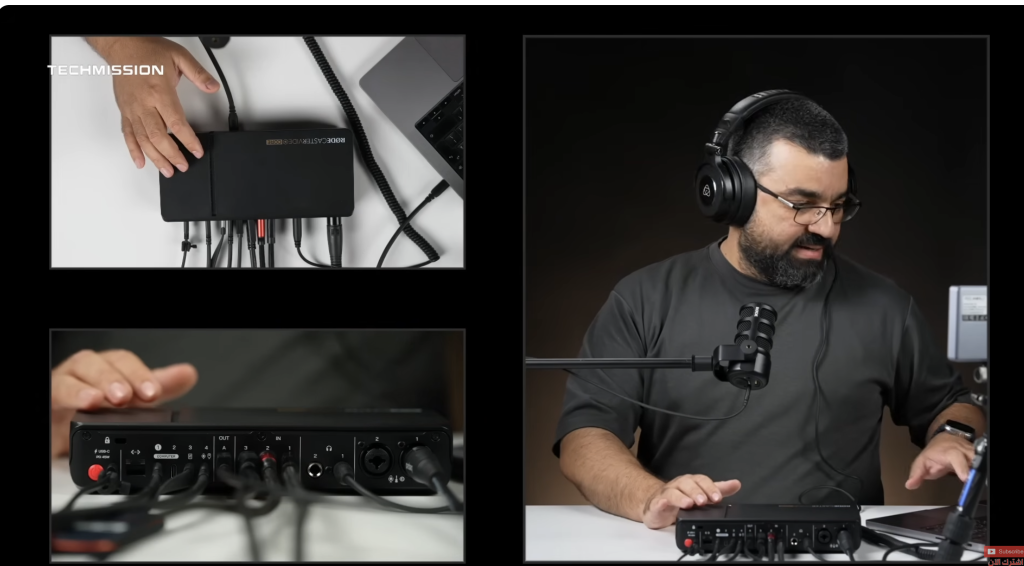
The Video Core offers an impressive selection of inputs and outputs that cover almost every modern studio requirement.
Highlights include:
- 3 HDMI inputs for cameras or other video sources
- HDMI output for monitoring
- USB-C connection to the computer
- USB-C recording directly to external SSDs
- USB video input for webcam-compatible cameras
- XLR microphone input
- Combo XLR / Instrument input
- Ethernet connection with NDI support
- Headphone monitoring output
During my testing, I connected multiple Sony cameras, USB webcams, external microphones, SSD recording, and monitoring simultaneously without difficulty.
Everything behaved exactly as expected.
NDI Support Makes the System Far More Flexible
One feature that deserves special attention is native NDI support.
This allows the Video Core to receive video over a local network instead of relying exclusively on HDMI cables.
Practical examples include:
- PTZ cameras
- Remote cameras connected through Ethernet
- Wireless iPhone cameras using NDI apps
- Sending the program feed across the network
- Routing individual camera feeds to other systems
For larger podcast studios or professional production environments, this dramatically expands what the system can do.
Desktop-First Control Works Surprisingly Well
Some creators may initially be disappointed that the Video Core has almost no physical controls.
In reality, I found the opposite.
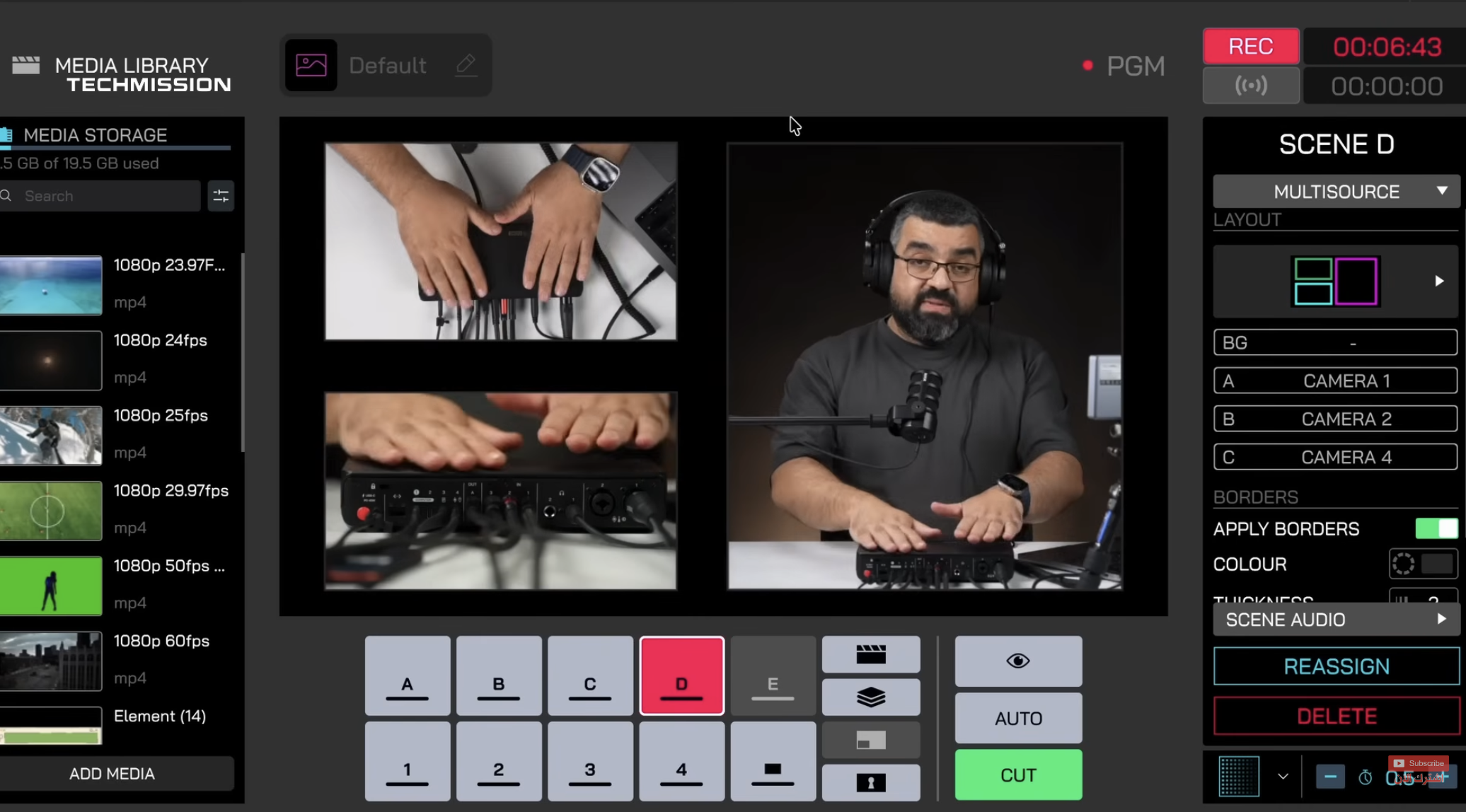
The desktop application is mature, responsive, and much easier to manage than navigating complex menus on a small built-in touchscreen.
The interface provides direct access to:
- Scene Builder
- Video switching
- Audio mixer
- Scene transitions
- Overlays
- Multi-view monitoring
- Recording controls
- Streaming configuration
- Device management
Once everything is configured, operating the system feels remarkably intuitive.
Scene Builder Is Built for Professional Productions
Like the larger RØDECaster Video, the Video Core includes RØDE’s Scene Builder.
Creating layouts is straightforward.
You can configure:
- Single-camera views
- Picture-in-picture
- Side-by-side layouts
- Four-camera grids
- Triple-camera compositions
- Custom scenes
Each scene can be assigned its own audio source, making production considerably more flexible than basic hardware switchers.
Audio Remains RØDE’s Greatest Strength
Although this is now a video production system, RØDE clearly hasn’t forgotten its roots.
The audio section remains one of the strongest aspects of the platform.
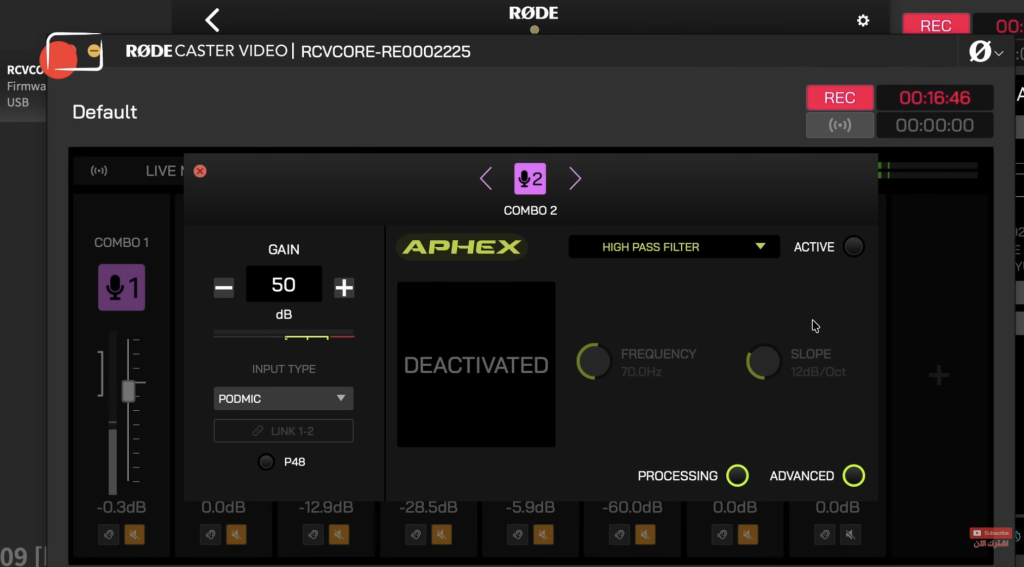
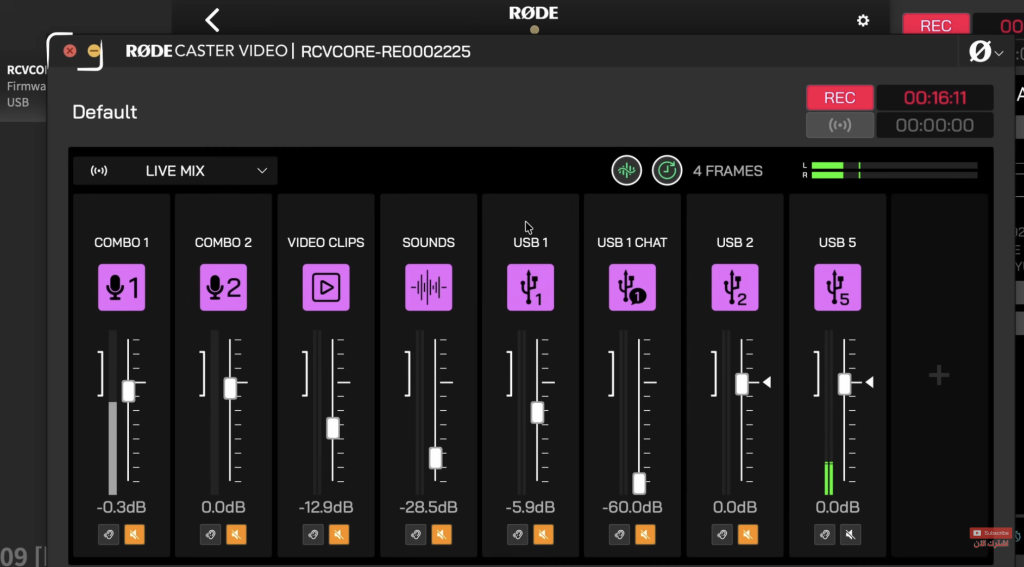
The mixer supports nine independent audio channels, each with its own processing chain.
Every channel can have separate:
- High-pass filter
- Noise gate
- De-esser
- Compressor
- Three-band EQ
- Exciter
- Panning
- Additional advanced processing
Perhaps even more importantly, different outputs can receive different processing.
For example:
- One mix for live streaming
- Another for local recording
- Another for headphone monitoring
That level of routing flexibility is typically associated with much larger production systems.
ISO Recording Makes Post-Production Easier
Professional users will appreciate the built-in ISO recording.
Instead of recording only the final switched program, the Video Core can simultaneously record:
- Every camera separately
- Every audio source separately
That means you can fully reconstruct and re-edit the production later.
For creators who stream live but also publish polished edited versions afterward, this is a major advantage.
DaVinci Resolve Integration Is a Nice Bonus
One feature I particularly like is EDL export.
After finishing a production, the Video Core can generate an Edit Decision List that imports directly into DaVinci Resolve.
Instead of rebuilding your live production from scratch, your cuts, camera switches, and timeline structure are already there.
It saves time and simplifies post-production considerably.
Automatic Frame Rate Matching
One thoughtful feature is automatic frame-rate conversion.
If different cameras output different frame rates, the system can synchronize them automatically.
That said, I still recommend following standard production practice:
- Keep all cameras on the same broadcast standard.
- Avoid mixing PAL and NTSC frame rates whenever possible.
The automatic conversion is useful, but consistency at the camera level always produces cleaner workflows.
Streaming and Recording
The Video Core is designed primarily as a streaming production device.
It supports:
- Direct streaming
- External SSD recording
- USB streaming to computers
- Ethernet connectivity
- Wi-Fi connectivity
Recording is available in H.264 and H.265 codecs.
At launch, however, video output is limited to 1080p Full HD.
There is currently no 4K production mode.
Whether this changes through future firmware updates remains to be seen.
For podcasting and most livestreaming workflows, Full HD remains perfectly acceptable, but creators producing premium 4K content should be aware of this limitation.
Who Should Buy It?
The answer depends entirely on your existing workflow.
Buy it if
- You already own a RØDECaster Pro II or Duo.
- You are transitioning from audio podcasts to video podcasts.
- You run a YouTube studio with multiple cameras.
- You need professional audio and video production in one integrated workflow.
- You value ecosystem integration over replacing existing equipment.
Skip it if
- You expect standalone hardware operation without a computer.
- You require native 4K production today.
- You are starting completely from scratch and would benefit more from the full RØDECaster Video, which combines hardware controls and video switching in a single unit.
TECHMISSION Recommends
Where to Buy the RØDECaster Video Core
Some links are affiliate links — TECHMISSION may earn a commission at no extra cost to you. See our affiliate disclosure.
Final Verdict
The RØDECaster Video Core isn’t simply a smaller version of the RØDECaster Video.
It’s a strategic product.
Rather than forcing loyal users into replacing expensive studio hardware, RØDE has created a device that expands the capabilities of existing equipment while preserving the workflow creators already know.
That philosophy alone makes this one of the smartest product launches RØDE has delivered in recent years.
If your studio is already built around the RØDE ecosystem, the Video Core feels less like another purchase—and more like the missing piece that finally brings professional video production into the same environment as your audio workflow.