OSEE GoStream Deck Kit Review
The Portable Live Production Studio I Didn’t Know I Needed
There are products that add one more capability to your workflow, and there are products that completely change the way you work. The OSEE GoStream Deck Kit falls into the second category.
At first glance, it looks like a rugged carrying case with a built-in monitor. Spend a day using it, however, and you quickly realize it is a complete mobile production studio. Everything required for professional live streaming, multi-camera production, recording, and monitoring travels inside a single protective case.
For content creators, production companies, event videographers, documentary filmmakers, and anyone producing live content on location, that level of integration makes a surprisingly large difference.
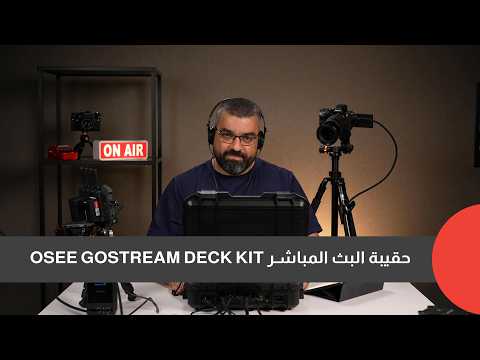
More Than Just a Streaming Switcher
The heart of the system is the GoStream Deck itself—a compact live production switcher capable of recording, switching between multiple cameras, and streaming simultaneously to up to three different platforms.
What makes this kit unique is that OSEE has built the switcher into a dedicated field-production ecosystem instead of expecting users to assemble one from separate components.
Inside the case you get:
- Integrated 14-inch high-brightness monitor
- Rugged hard-shell carrying case
- Multiple power options
- Built-in cable management
- Professional mounting points
- Storage for the entire production setup
Instead of transporting a switcher, monitor, power supplies, adapters, and accessories individually, everything is already assembled and ready to deploy.
For anyone who frequently works outside the studio, this dramatically reduces setup time.
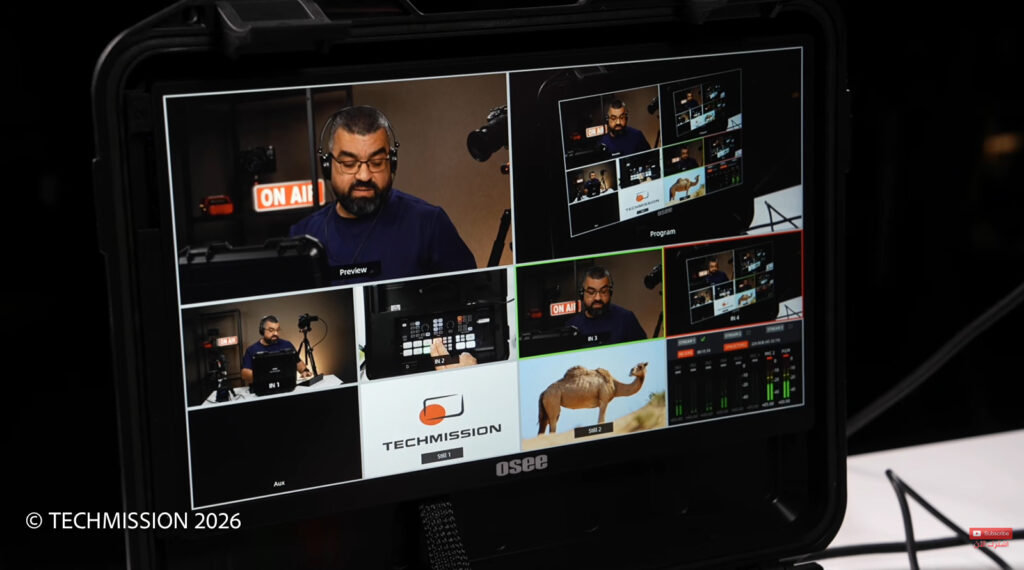
Built for Real Field Production
One of the strongest aspects of the GoStream Deck Kit is that it clearly wasn’t designed by someone who only works at a desk.
Whether you’re covering a corporate event, streaming a wedding, producing a conference, recording interviews, or filming documentaries, mobility matters.
During my own productions, I found myself carrying only this single case instead of multiple bags filled with monitors, cables, and power supplies.
That may sound like a small convenience, but after several hours on location, it becomes a major advantage.
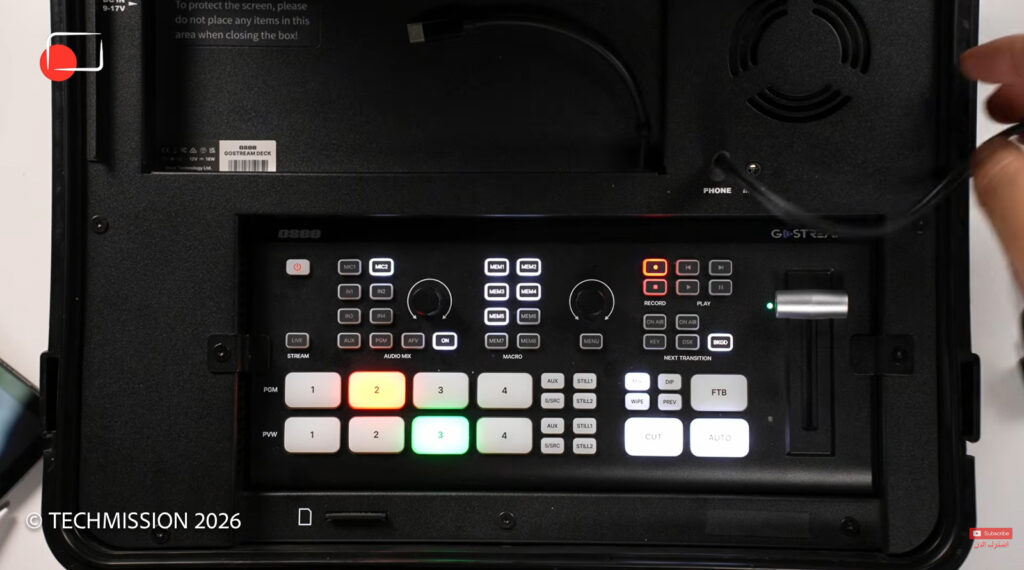
A Bright 14-Inch Integrated Display
The integrated monitor deserves special attention.
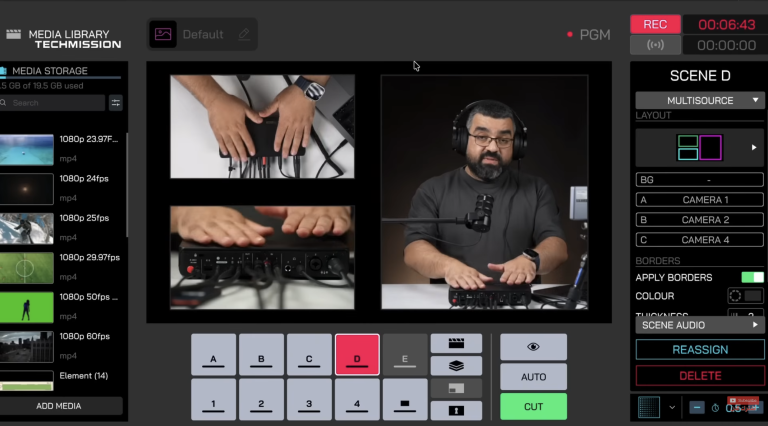
OSEE includes a 14-inch high-brightness display that is already configured to work seamlessly with the GoStream Deck. There is no complicated setup, no additional monitor configuration, and no external power management.
The interface intelligently divides the screen into:
- Program output
- Preview window
- Camera sources
- Switching controls
Everything is immediately visible.
Because the monitor is permanently integrated into the case, it also eliminates one of the most common frustrations in portable production: remembering yet another monitor, battery, stand, and HDMI cable.
Flexible Power Options
Power flexibility is another area where the kit shines.
The system supports three different power methods:
- V-Mount batteries via D-Tap
- USB-C power delivery
- Standard AC power
This means you can comfortably operate indoors, outdoors, or completely off-grid depending on the production.
For long shooting days, running from a single V-Mount battery keeps the entire production setup surprisingly clean.
Connectivity That Covers Most Productions
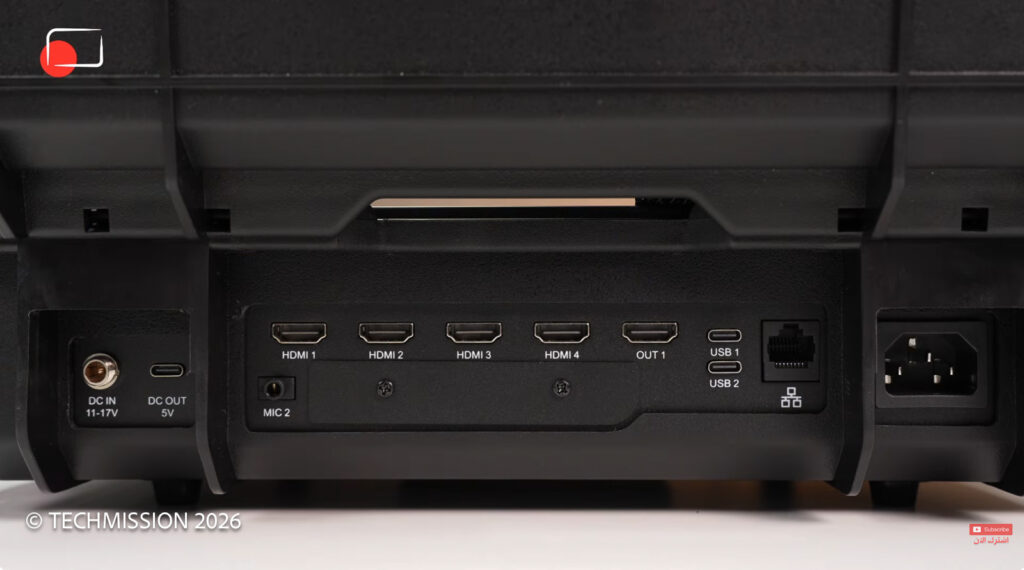
Connectivity is comprehensive enough for the majority of professional workflows.
The kit offers:
- Four HDMI inputs
- One HDMI output
- Two USB-C connections
- Dual 3.5mm microphone inputs
- Headphone monitoring
- SD card recording
- USB power output for charging accessories
One particularly useful feature is the ability to use modern Sony and Nikon cameras over USB-C as webcams, giving creators additional flexibility beyond HDMI.
Audio Designed for Production
Audio handling is often overlooked in compact switchers, but not here.
During my testing, I connected my field recorder directly into one microphone input while keeping another microphone available for additional sources.
The system also supports HDMI embedded audio from connected cameras.
Perhaps even more useful is Audio Follow Video.
When enabled, the GoStream Deck automatically switches the active audio source whenever you change cameras. For podcasts, interviews, and panel discussions where each camera has its own microphone, this significantly reduces manual audio management.
It is one of those features that becomes indispensable once you start using it.
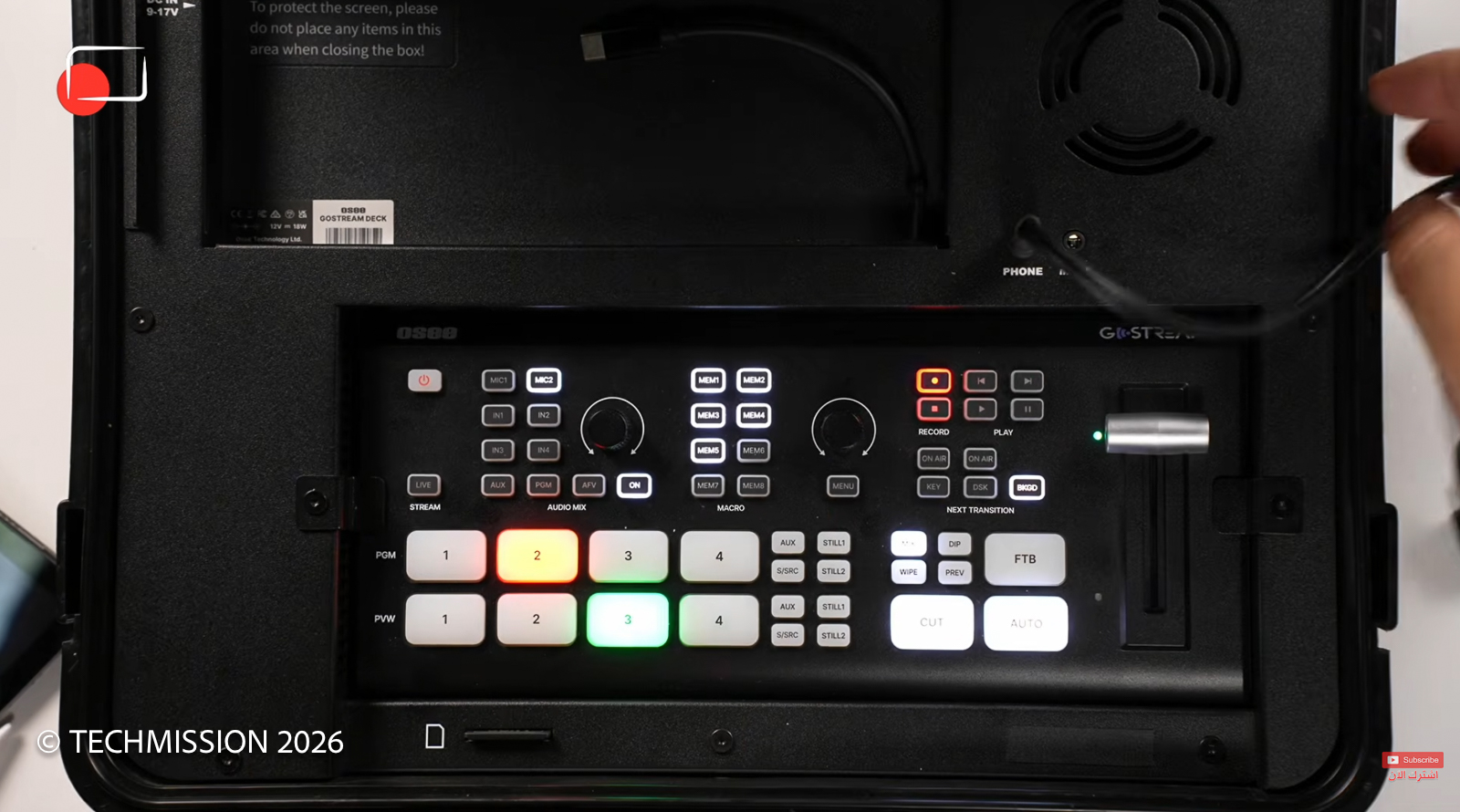
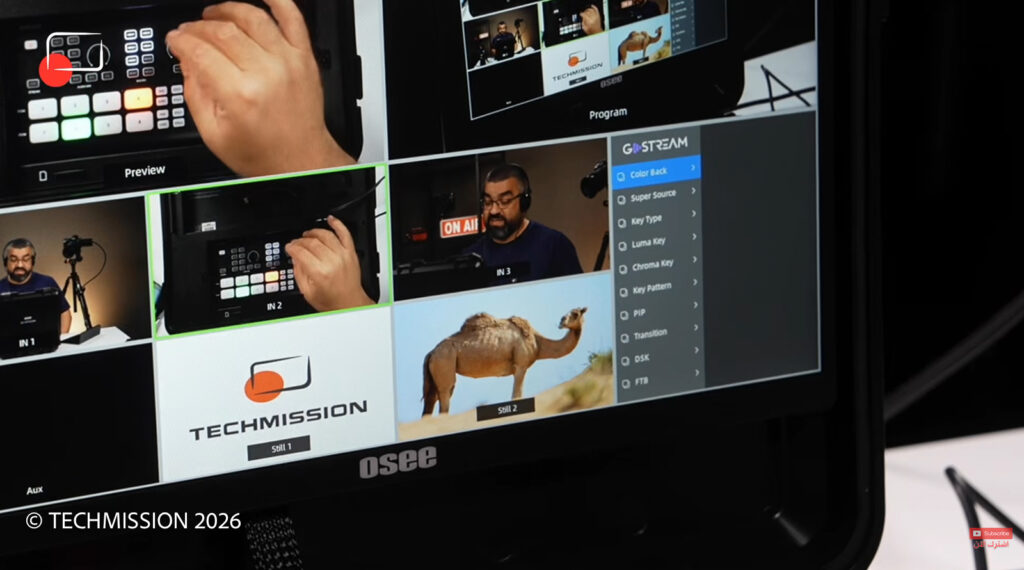
Hardware Controls Matter
Touchscreen interfaces have become increasingly common, but physical controls still have an important place in live production.
The GoStream Deck includes dedicated buttons for:
- Camera switching
- Audio sources
- Live streaming
- Recording
- Menu navigation
It also features a traditional T-Bar transition controller.
Beyond simple cuts, the T-Bar enables smooth manual transitions and gives operators much finer control over live productions than touchscreen gestures alone.
For experienced production crews, it feels immediately familiar.
Streaming to Multiple Platforms
The GoStream Deck can stream simultaneously to up to three platforms.
For creators who publish live content across YouTube, Facebook, and additional destinations, this removes the need for external streaming software or additional hardware encoders.
Everything happens directly inside the switcher.
Is Anything Missing?
The answer depends on your production requirements.
For most creators, the available feature set is more than sufficient.
However, users who require advanced broadcast capabilities such as ISO recording or additional professional connectivity options like SDI will need to step up to OSEE’s higher-end GoStream Duo lineup.
That isn’t necessarily a weakness—it simply reflects sensible product segmentation.
Real-World Experience
What impressed me most wasn’t any single specification.
It was how quickly the GoStream Deck Kit disappeared into the background during production.
Instead of thinking about power adapters, external monitors, HDMI cables, and setup logistics, I could focus on filming.
That’s exactly what good production equipment should do.
By integrating the switcher, monitor, power system, and transport case into one cohesive product, OSEE has solved many of the practical annoyances that mobile production crews deal with every day.
Should You Buy It?
Buy it if
- You regularly produce multi-camera live streams.
- You shoot events, conferences, weddings, or corporate productions.
- You want a compact all-in-one production system.
- You value fast setup and minimal cabling.
- You need professional portability.
Skip it if
- You only produce single-camera content.
- You stream exclusively from a desktop studio.
- You require ISO recording or SDI workflows, in which case OSEE’s higher-end models are better suited.
TECHMISSION Recommends
Where to Buy the OSEE GoStream Deck Kit
Some links are affiliate links — TECHMISSION may earn a commission at no extra cost to you. See our affiliate disclosure.
Final Verdict
The OSEE GoStream Deck Kit isn’t simply a streaming switcher placed inside a carrying case. It is a thoughtfully integrated mobile production system designed around real-world workflows.
Its biggest strength is not a single headline feature, but the way every component works together to reduce setup time, simplify field production, and make professional multi-camera streaming genuinely portable.
For creators and production teams who spend more time on location than in the studio, that convenience alone can justify the investment. Combined with solid streaming capabilities, flexible connectivity, and an excellent integrated monitor, the GoStream Deck Kit earns its place as one of the most practical portable live production solutions currently available.