Evoto: From Thousands of Photos to a Finished Portrait Gallery
Across two practical demonstrations, I explore how Evoto connects AI culling, image organization, portrait retouching, and batch workflows—and where the photographer’s judgement still makes the difference.
SPONSORED CONTENT — Paid collaboration with Evoto
This article and the two accompanying videos were produced in paid collaboration with Evoto. The opinions and conclusions reflect my own experience using the software.
For portrait and wedding photographers, Evoto’s biggest appeal is the time it can save after a shoot. It helps with two demanding parts of the job: deciding which photographs deserve attention and carrying out the detailed retouching that turns those selections into finished images.
I use Evoto regularly, and what interests me most is how those capabilities work together. Faster retouching is useful, but its value grows when you can also reduce the time spent sorting similar frames, organizing a gallery, and repeating the same steps across a session.
That is the connection between the two videos accompanying this article. One explores the workflow around selecting and preparing photographs; the other takes a closer look at the editing tools themselves. Together, they show how Evoto can support the journey from a large collection of files to a polished delivery.
TECHMISSION reader offer
Use TCM25 to get up to 25% off Evoto packages through the TECHMISSION Evoto offer page.
The work continues long after the camera goes away
Anyone who photographs weddings knows how much work happens after the event. There may be an early selection to send to the bride for social media, followed by a much larger gallery and, eventually, an album.
Choosing those photographs carries responsibility. You want flattering expressions, strong moments, and a fair representation of the people who attended. Then the editing needs to feel consistent across the collection.
This workload also affects how many assignments a photographer can realistically accept. A busy shooting calendar only works if the delivery schedule remains manageable.
Evoto addresses several parts of that process within the same application. The practical question is how much repetitive work it can take off your hands while keeping you in control of the result.
Start by narrowing the selection
In the culling demonstration, I began with a short portrait session photographed in the office. I deliberately included frames with closed eyes, poor exposure, and other problems to see how Evoto would handle them.
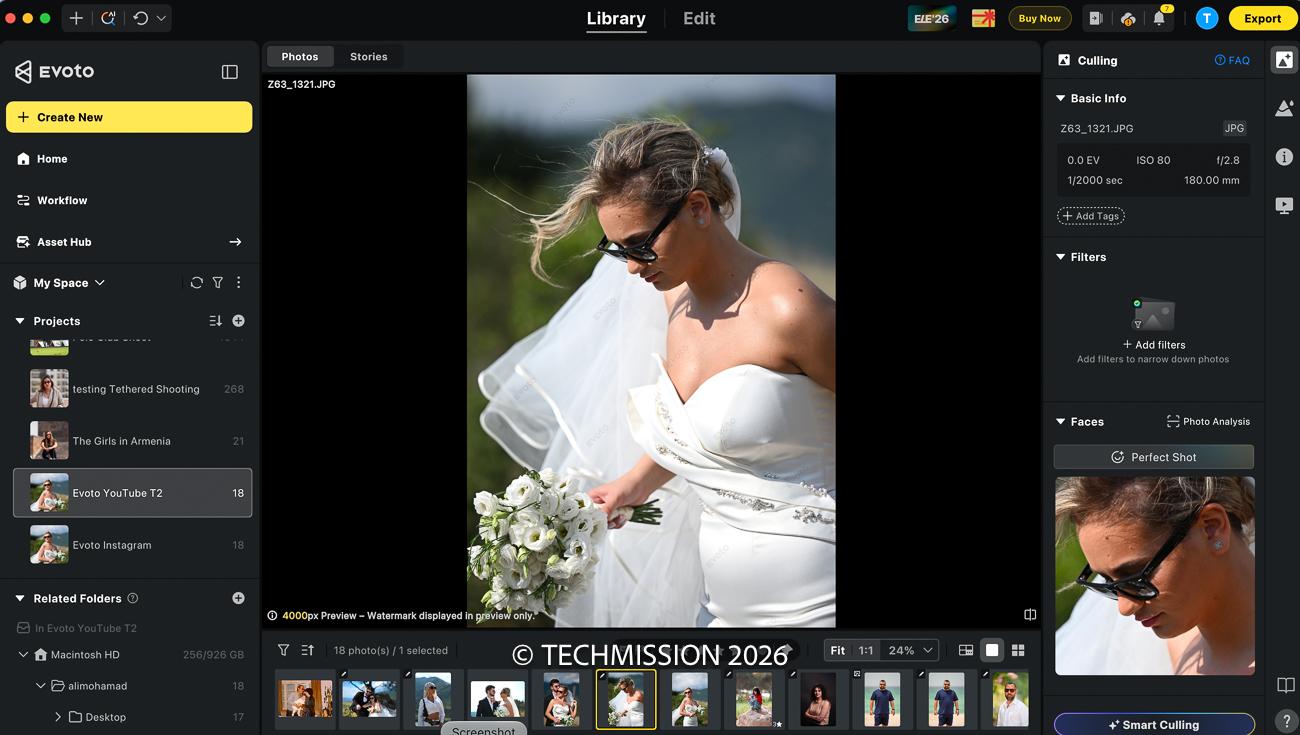
Smart Culling lets you specify what kind of session you are working with and how you want the selection made. You can request a target number of photographs or select a smaller number from groups of similar images. Depending on the settings, those groups can be based on visual similarity, the person photographed, or the interval between shots.
The more detailed controls let you account for issues such as closed eyes, underexposure, overexposure, and blur. In this demonstration, the resulting selection avoided the deliberately problematic frames and gave me a useful set of photographs to work with.
I then tried a larger collection from Ghantoot Polo Club: 1,544 photographs, from which I asked Evoto to select 80. The software initially estimated roughly nine minutes for the task, and the resulting shortlist contained photographs I was pleased with.
That estimate belongs to this particular demonstration; it is not a benchmark for every computer or collection. What matters is the role the tool can play: producing a manageable shortlist from a much larger shoot.
A wedding gallery still deserves a photographer’s final review. Technical quality is only one part of choosing an image; the significance of a person or moment may be something only you and your client understand.
Organize the gallery around the shoot
After narrowing the selection, the next task is making the collection easier to navigate.
Evoto’s Storyline mode is designed around the stages of a wedding, with sections such as preparation, first look, portraits, ceremony, and reception. In my demonstration, I used a portrait session rather than a complete wedding, so there were no ceremony or reception photographs to organize. Evoto placed the relevant images in the portrait section.
That was a useful illustration of the interface, though it was not a test of an entire wedding’s storytelling sequence.
For the office session, the general organization mode was a better fit. It grouped photographs by the people, poses, and framing in the collection, separating close portraits from wider views and other variations.
There is also a manual option for creating sections and assigning photographs yourself. That flexibility matters because the structure of a delivery should follow the assignment. A wedding album, a portrait session, and a sports gallery each need a different approach.
Watch both Evoto demonstrations
The two videos complement each other: one examines culling, organization, and workflow automation, while the other explores detailed portrait retouching through before-and-after examples.
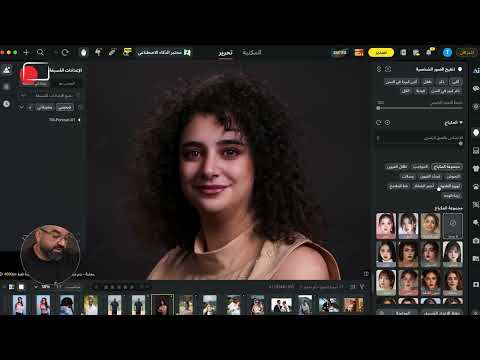

Retouch the details that usually take time
Once the selection is ready, Evoto’s portrait tools tackle many of the small distractions that can make finishing a photograph laborious.
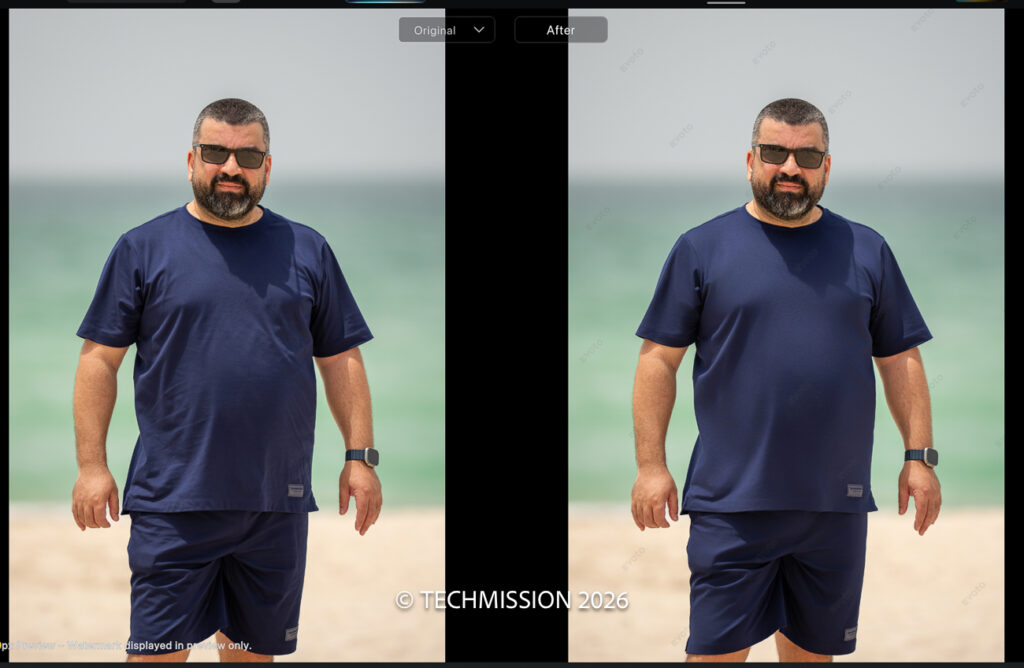
Clothing wrinkle removal is a particularly relevant example for photographers in our region. In the video, I demonstrate it on my own clothes, but its usefulness is easy to see when photographing a thobe, kandura, or abaya. Reducing distracting creases can improve the presentation of an outfit without turning the edit into a lengthy manual task.
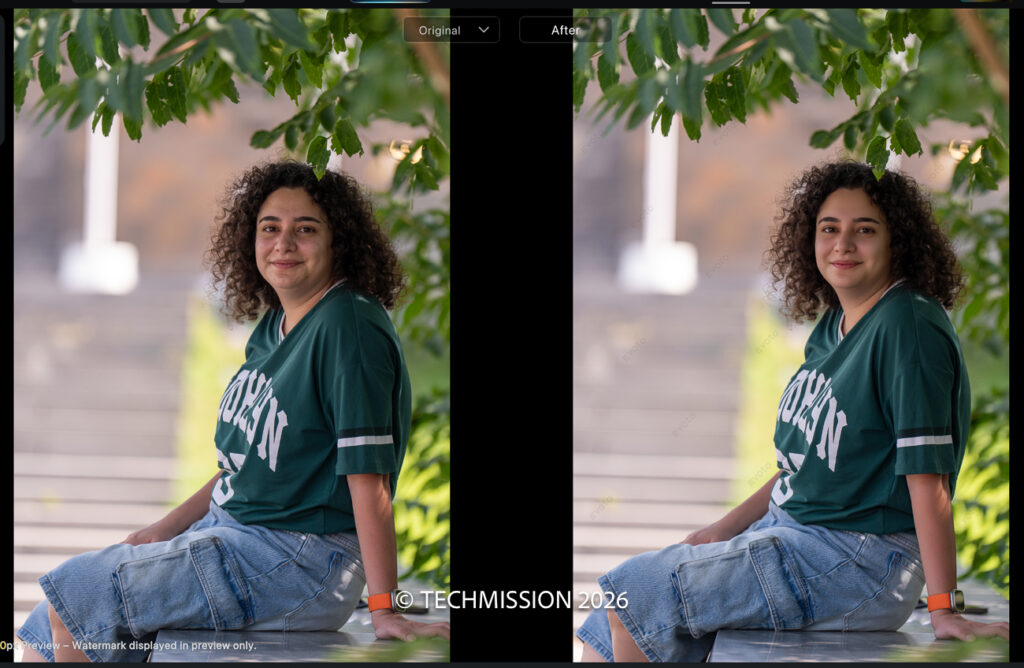
Flyaway hair removal is another practical tool. I demonstrate it on a portrait and on a photograph of my daughter Julia, whose hair had been disturbed by the wind. In both examples, it helped tidy the image quickly.
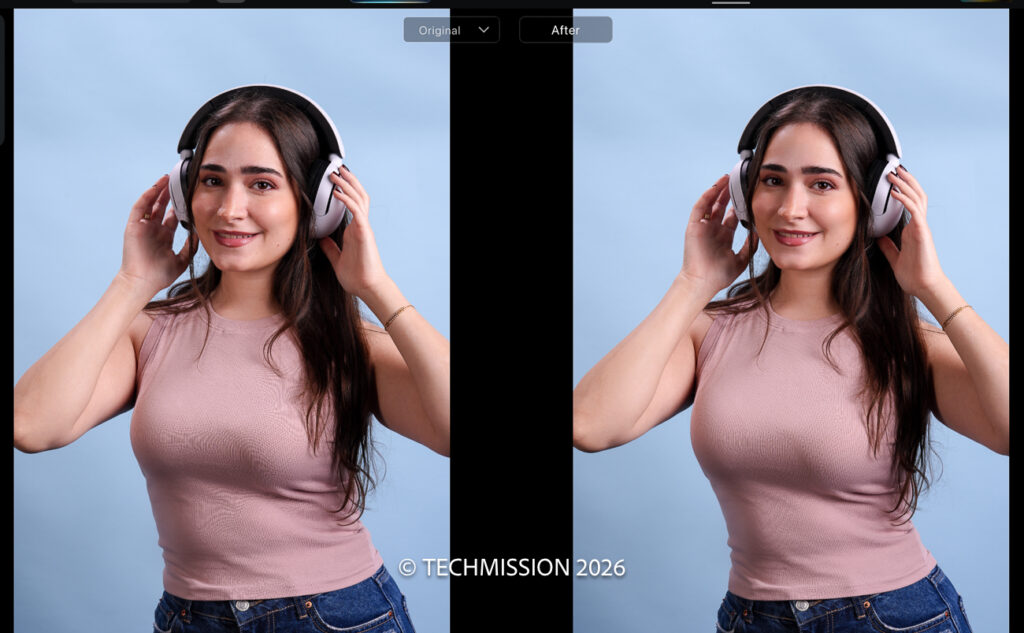
For skin, the controls cover blemishes, shine, dark circles, tonal unevenness, and dodge-and-burn adjustments. The useful part is being able to adjust each treatment rather than accepting a single fixed result.
While working on Waad’s portrait, for example, I reduced the skin-tone evening effect after trying a stronger setting. The lighter treatment suited the photograph better.
The most useful adjustment is often the one you turn down.
Evoto provides the tools, but deciding how far to take them remains part of the photographer’s work.
Keep the person’s expression and character in mind
The portrait controls extend to face shape, head position, gaze, makeup, teeth, and facial expressions. There are also body reshaping tools and an AI Lab belly-slimming feature, which I demonstrate on myself.
These capabilities offer considerable flexibility, but having a control available does not mean every photograph needs it.
That is visible throughout the retouching demonstration. I explore changes to Waad’s face and expression, then retain her natural appearance. On Adel’s portrait, I try a generated smile and undo it because it does not suit him.
A different example—a bride and groom photographed in Georgia—shows a situation where adjusting the groom’s smile produced a result I preferred.
The lesson is to assess each change against the photograph in front of you. A convincing edit should suit the person and the image, rather than simply demonstrate how much the software can alter.
Remove distractions while preserving a believable result
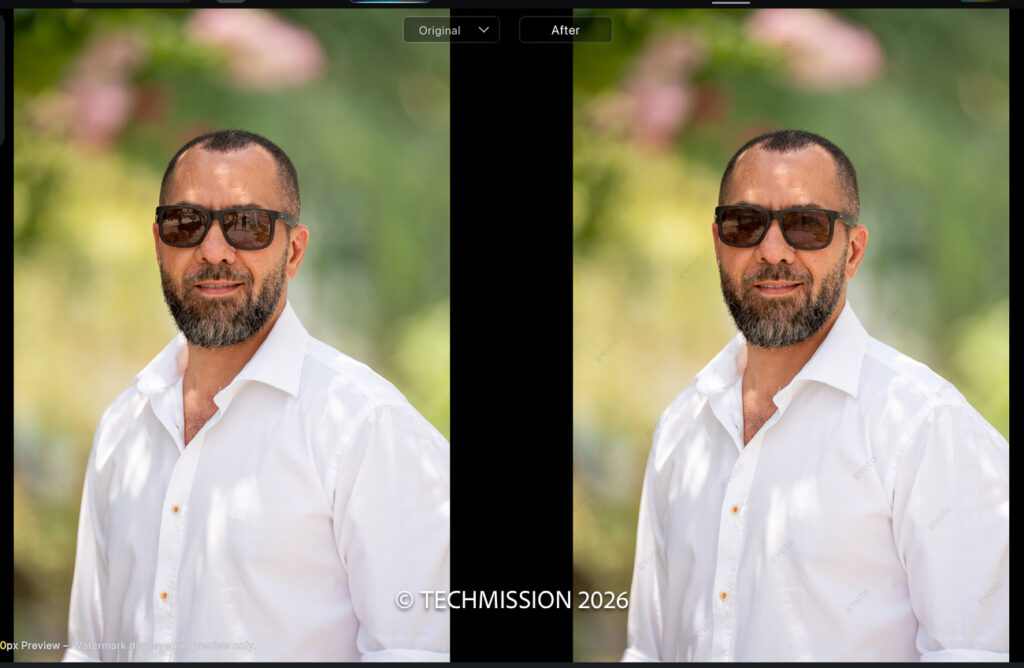
Eyeglass reflections can be difficult to fix manually. In Adel’s portrait, the lenses reflected me, my camera, and the equipment around me. Evoto removed those reflections effectively, but I chose to leave a little reflection so the glasses still looked natural.
Lens Blur follows a similar principle. In the wedding photograph from Georgia, I used it to soften a distracting background. A strong setting looked excessive, so I reduced the effect.
On the photograph of Julia reading in Baniyas, the demonstration also showed blur in the foreground as well as the background, with more visible bokeh as the strength increased.
These examples show why the before-and-after comparison matters. The goal is to guide attention towards the subject while keeping the treatment believable.
Connect the repetitive steps into a workflow
The individual editing tools are only part of Evoto’s appeal. Its workflow features let you connect stages such as importing photographs, selecting a shortlist, applying a preset, and exporting the results.
In the demonstration, I created a portrait workflow that selected 25 images from a collection of 410, applied a portrait preset, and exported JPEG files. The interface also offered delivery options such as a gallery or slideshow, which I skipped for that example.
I configured this quickly to illustrate the process. It was not intended as a carefully finished client delivery. For regular work, the value lies in spending time setting up a workflow that suits your style and output requirements, then reviewing its results.
The Assets Hub also provides presets and looks, with both free and paid options shown in the demonstration. These can offer a starting point for a collection, while the final treatment remains yours to choose.
Understand the credits before exporting
Evoto uses credits for many finished image exports. Portrait retouching and other credit-required features generally consume one credit per exported image. Its current documentation also allows certain edits to be exported without consuming credits on eligible versions with an active paid plan. Re-editing and re-exporting the same image does not incur another credit charge when the original file has not been modified or replaced. Evoto’s export credit rules
Some AI Lab operations have separate usage charges, so check the charge shown for the operation before running it. Evoto’s explanation of AI Lab usage
For photographers, the useful calculation is the cost of the photographs you expect to deliver alongside the time the workflow saves. In my own use, I have chosen pay-as-you-go, but the suitable package will depend on your volume and working pattern.
A final example with a more personal value
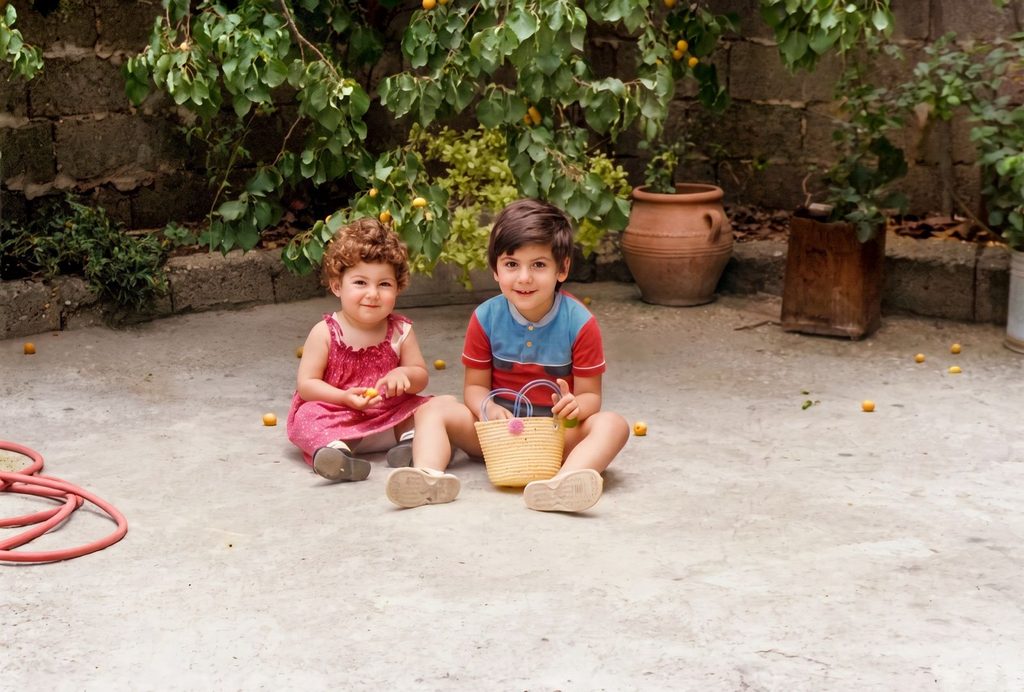
One of my favourite moments in the retouching video involves an old family photograph taken on film and later scanned.
Using Restore Old Photos in AI Lab, I selected the 4K option and demonstrated the restoration process. The tool also offered a choice between retaining the existing colours and applying colourization.
That example meant something different from finishing a client portrait. It was about revisiting a family memory and seeing a treasured photograph more clearly. It is a reminder that the usefulness of these tools extends beyond speeding up professional work.
My verdict: the value is in the whole process
Evoto has impressed me because its selection, organization, retouching, and workflow tools address connected parts of a photographer’s workload.
For portrait and wedding photographers, that combination can be more valuable than any single dramatic before-and-after result. A useful shortlist saves time before editing begins. Adjustable retouching tools make detailed work faster. A carefully configured workflow reduces repetition across the collection.
The demonstrations also show why judgement remains essential: choosing the appropriate organization mode, reviewing the selected photographs, reducing an excessive effect, or undoing an expression that does not fit.
That is how I find Evoto most useful—as a way to carry out my decisions more efficiently and spend less time on repetitive work after a shoot.
Explore Evoto through the TECHMISSION offer page and use promo code TCM25 to get up to 25% off Evoto packages.