Bambu Lab H2D Review: Precise Prints, Practical Results, and Room to Grow
From camera battery cases to moving photo displays, the Bambu Lab H2D delivered excellent results in our PLA testing. Its dual-nozzle system adds possibilities beyond two-colour printing—but those capabilities deserve a clear distinction from what we actually tested.
The Bambu Lab H2D strikes a compelling balance between advanced capability and everyday usability. In our testing, it produced clean surfaces, fine detail, and separate components that fitted together beautifully, without making the process feel unnecessarily complicated.
That balance matters. A powerful 3D printer is only useful if you can turn its capabilities into finished objects. With the H2D, we spent our time making things: battery organisers, camera accessories, decorative models, and a rotating display for instant photographs.
It still requires attention. You need to understand filament selection, prepare your models, and assign materials correctly when using both nozzles. But our experience was reassuringly straightforward.
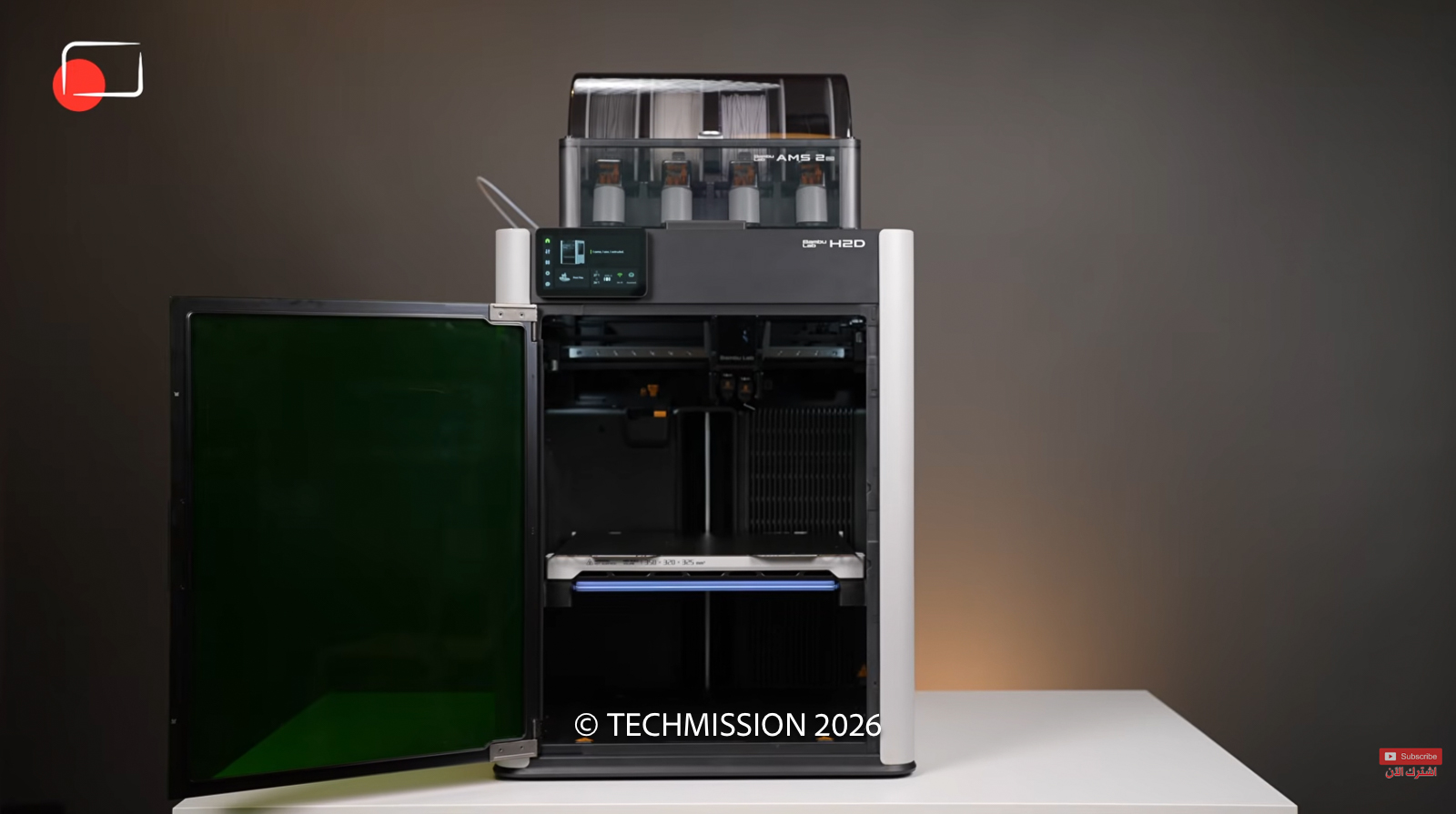
We reviewed the 3D-printing version with the AMS 2 Pro automatic material system. Our prints used PLA, predominantly in one colour, with some two-colour projects. The H2D also comes in laser-equipped configurations, but those functions are outside this review.
An approachable workflow, with a little learning required
Our review unit arrived assembled, so we cannot offer a first-hand assessment of the complete unboxing and assembly process.
Once it was ready, however, using it was easy. The touchscreen interface was clear, and linking the printer to an account through a QR code made connecting the mobile app straightforward.
The distinction between operating the printer and preparing a print is useful for newcomers. The printer handles the physical job, while slicing software turns a 3D model into instructions: how it is positioned, where supports are needed, and which filament goes where.
With two nozzles and several available spools, those choices become more important. There is more flexibility, but you still need to tell the printer what you want.
That was the H2D’s appeal throughout our experience: sophisticated hardware presented through a workflow that felt manageable.
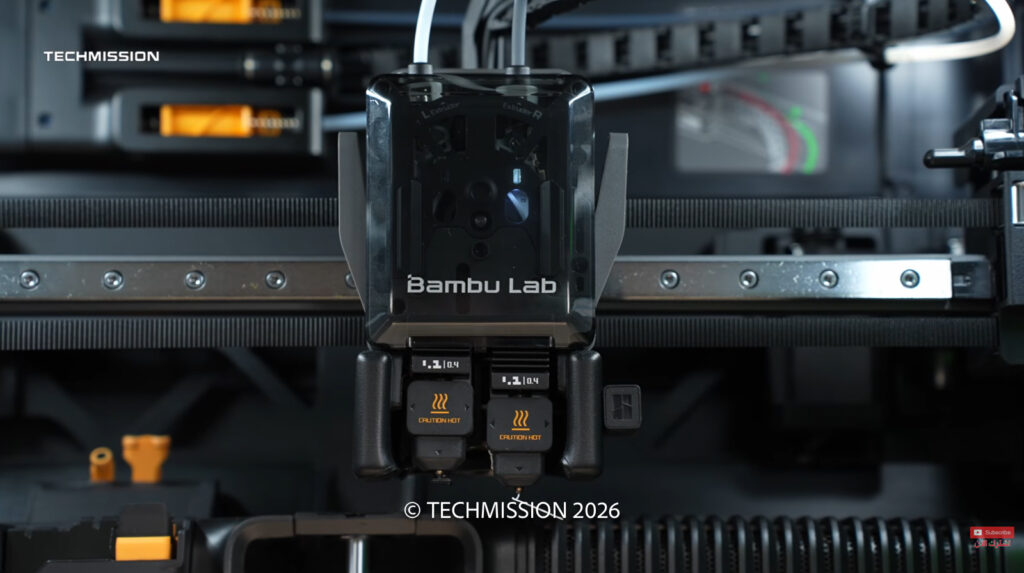
What two nozzles change in everyday printing
The H2D has two nozzles within its printing assembly. They alternate during a job; they do not print two separate objects simultaneously.
In our setup, the AMS fed the right-hand nozzle, while the second nozzle could take filament from the external spool holder. The switching mechanism lifts the inactive nozzle out of the way, and a blocking mechanism helps prevent unwanted material from dripping onto the print.
The immediate benefit is two-colour printing. We used that capability for camera battery cases, including contrasting internal components.
The more significant possibility is assigning different materials to the two nozzles. One can make the object while the other supplies an appropriate support material, for example. Bambu explicitly presents dedicated support printing as a use for the H2D’s dual-nozzle system. Bambu Lab H2D product information
There is also a practical reason to keep two filaments in separate nozzles: fewer changes of material through the same hotend. That can reduce the flushing needed to clear the previous colour or material.
It does not mean every multicolour print becomes waste-free. If several AMS filaments share one nozzle, switching between them still introduces flushing. We did not weigh the discarded material or run a controlled comparison, so we would not attach a percentage saving to our experience.
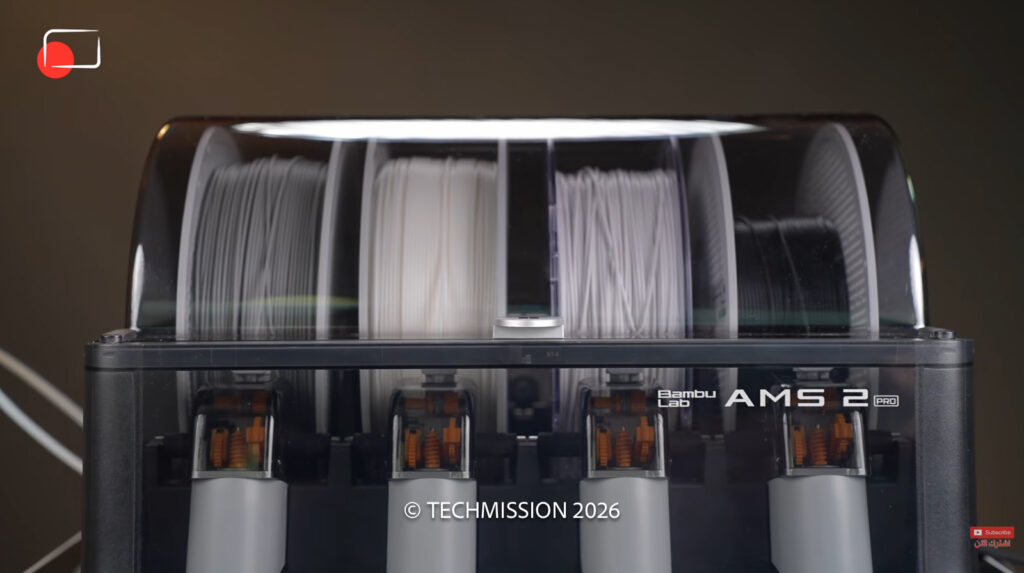
The AMS 2 Pro makes managing filament easier
AMS stands for Automatic Material System. The AMS 2 Pro holds four spools and feeds the selected filament to the printer automatically.
In practice, that makes it easier to keep several colours available without manually changing the spool each time. Connecting and using it was straightforward in our review setup.
Its capabilities extend beyond feeding filament. Bambu specifies active drying up to 65°C and sealed storage. Automatic RFID functions apply to supported Bambu filaments; you should not assume every third-party spool will identify itself automatically.
Material compatibility also needs care. The printer’s ability to print a material does not automatically mean the AMS can feed it. Bambu lists generic TPU among the materials unsupported by the AMS 2 Pro, while specifically supporting its TPU for AMS. Check the exact filament before choosing the feed path. Bambu Lab AMS 2 Pro specifications
For our PLA projects, the main benefit was convenience. The wider material-management features provide scope for more demanding work, but we did not evaluate drying performance in this review.
A generous build area—with an important qualification
The H2D has enough room for substantial practical projects, but the advertised maximum build volume needs explaining. The usable area changes depending on how the nozzles are used.
| Specification | Bambu Lab H2D |
|---|---|
| Single-nozzle build volume | 325 × 320 × 325 mm |
| Dual-nozzle build volume | 300 × 320 × 325 mm |
| Combined maximum build volume | 350 × 320 × 325 mm, using identical filament in both nozzles |
| Maximum nozzle temperature | 350°C |
| Maximum actively heated chamber temperature | 65°C |
| Machine dimensions | 492 × 514 × 626 mm |
| Net weight | 31 kg |
The combined maximum is not the same as the space available to a model requiring both materials throughout. If a large project depends on two-nozzle printing, plan around the dual-nozzle dimensions. These figures come from Bambu Lab’s published specifications.
The size and weight also make this a machine worth finding a permanent home for. Allow space for accessing the printer and managing its filament supply, rather than judging the fit solely by the enclosure dimensions.
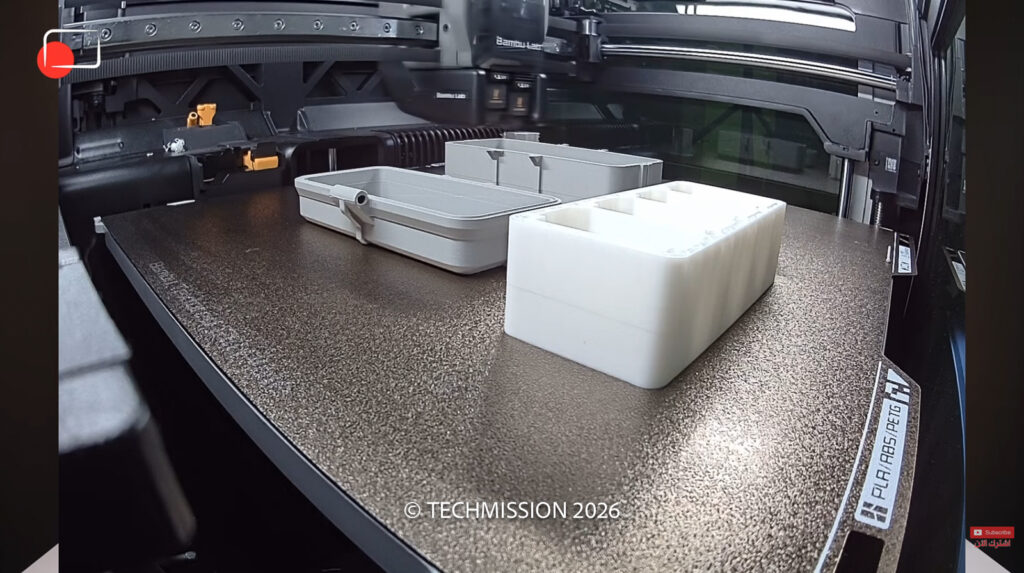
Temperature control adds headroom beyond PLA
One feature we appreciated was the automatic airflow arrangement. Vents open for cooling and close when the printer needs to retain heat.
During our experience, bringing the chamber to around 60–65°C took roughly 20 minutes from a cool starting point. That is an observation from our setup, rather than a guaranteed warm-up time.
The heated chamber and high-temperature hotends are part of the H2D’s appeal for users who want to explore more demanding filaments. Bambu lists support for a broad range of materials, including engineering options. Each still needs suitable settings and preparation. Bambu Lab H2D filament documentation
Our testing stayed with PLA. We therefore cannot extend our print-quality verdict to nylon, reinforced filaments, flexible materials, or mixed-material support removal.
Our camera accessories showed why accurate part fit matters
The most convincing results came from objects with a practical purpose.
We printed a case for Nikon camera batteries and memory cards, with separate components and a latch. After adding the required screws, the parts fitted together precisely. There was no obvious misalignment or distortion interfering with assembly.
A second case held four Sony batteries, with contrasting colours used in the print, including its internal components. We also made a case for a DJI device.
These projects demonstrate why surface finish is only part of print quality. A case can look attractive and still be frustrating if its components do not line up. Here, the fit was one of the strongest aspects of the results.
The same was true of a rotating display for Fujifilm Instax photographs. Its mechanism let us turn through the pictures, and the printed movement worked remarkably well. That was particularly satisfying because the result needed to function, rather than simply look good on a shelf.
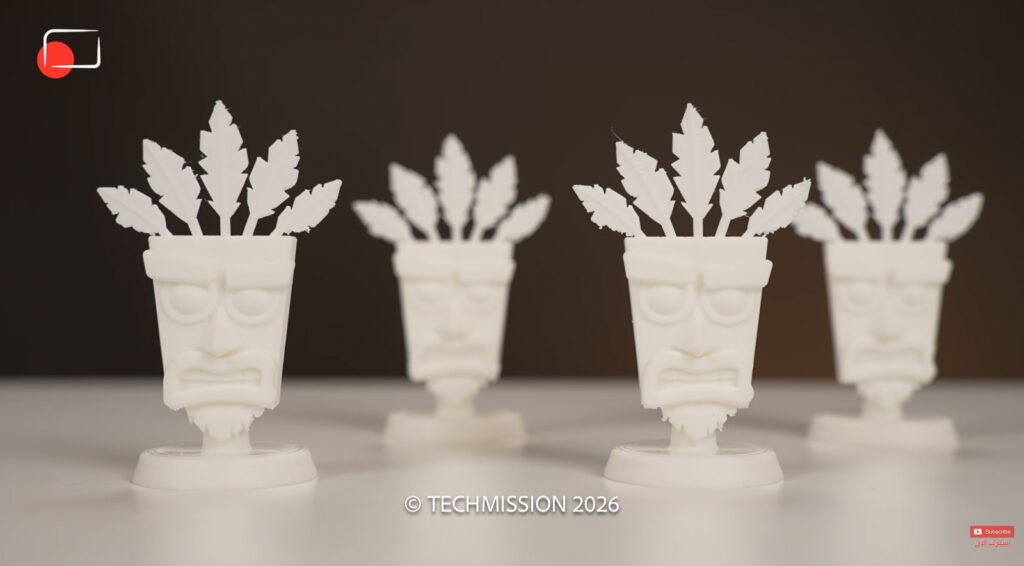
Fine detail was strong, with one minor blemish
We also printed decorative objects, including Aku Aku from Crash Bandicoot. The feather details came through nicely, and the overall finish was clean.
Across the collection, surfaces looked smooth for this type of filament printing, details were well defined, and assembled parts aligned convincingly. These are practical observations from the objects we made, rather than laboratory measurements of dimensional accuracy.
There was one minor exception: a small area of tangled or stray filament beneath the lens on a camera-shaped model. It did not change our overall impression, but it means “completely flawless” would overstate the results.
One of the more entertaining experiments involved asking Claude and ChatGPT to help create a Funko Pop-style figure of me. The image concepts looked excellent; the resulting 3D interpretations were rather more amusing.
That experiment illustrated a useful distinction. A good printer can reproduce the model it receives, but the quality of the design remains a separate part of the process.
Fast enough to keep creating—but not a speed benchmark
The H2D felt quick in everyday use. Jobs progressed at a pace we were happy with, and speed never became the defining frustration of our experience.
We did not run identical timed models against competing printers, so there is no basis here for calling it the fastest in its class.
More useful was the combination of pace and finish. The H2D produced objects we wanted to keep and use, with the detail and fit intact.
TECHMISSION Recommends
Where to Buy the Bambu Lab H2D
Some links are affiliate links — TECHMISSION may earn a commission at no extra cost to you. See our affiliate disclosure.
Is the H2D worth the investment?
In the video, we quoted approximately US$2,000 for the printer alone, around US$2,300 with the AMS, and roughly AED9,000 including VAT locally. Those are the figures given at recording, rather than a current price quotation. Confirm the exact bundle and current price with the retailer.
At that level, the H2D makes the most sense for someone who has a use for its extra capabilities: larger projects, two-material workflows, or practical parts that benefit from a flexible printing setup.
For our photography and production work, the attraction was immediate. Battery cases, organisers, and accessories gave the printer a useful role beyond decorative models.
If your needs are limited to occasional small PLA prints in one colour, much of this hardware may go unused. The decision should come down to the projects you expect to make.
For us, the H2D’s strongest argument was the finished work. It delivered clean, detailed PLA prints, accurate assembly, and working mechanisms through an approachable process. The results were good enough to make me consider designing products of my own to sell through TECHMISSION.
That is a persuasive outcome for a 3D printer: it makes the next idea feel worth trying.