Nikon ZR Firmware 2.0: RED Colour in H.265 and More Control Where It Matters
RED colour science without the RAW file sizes, adjustable noise reduction, and more useful controls make firmware 2.0 a substantial update for the Nikon ZR.
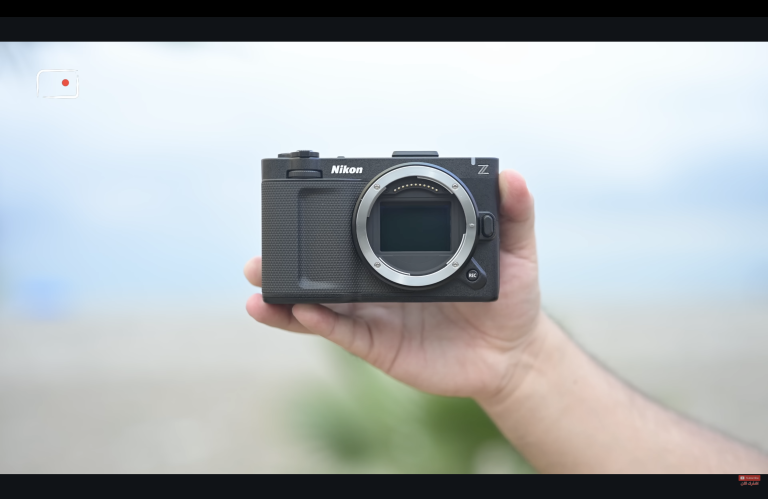
The Nikon ZR is the same camera on the outside, but firmware 2.0 changes how I can use it. Its two most important additions address everyday filmmaking decisions: which recording format to choose, and how much noise reduction the camera should apply.
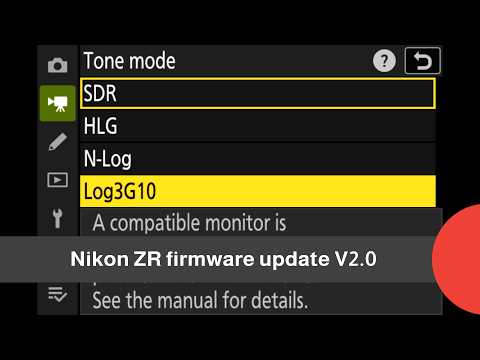
The headline feature is support for RED’s Log3G10 and REDWideGamutRGB when recording in H.265. Until this update, getting that RED colour workflow from the ZR meant recording in R3D NE. Firmware 2.0 brings another option: smaller H.265 files with RED colour science.
Just as significant is the ability to choose the level of noise reduction in supported H.265 and ProRes recording modes. Together, these additions give filmmakers more freedom over both their workflow and the character of the image.
Nikon has not yet confirmed the final public release date for firmware 2.0.
RED colour becomes a practical choice for more shoots
I like shooting RAW. The A-roll in the accompanying English video was recorded in RAW, and this update does not change my appreciation for what that format offers.
However, RAW is not the right choice for every shot or every production. Recording time, storage, delivery schedules, and post-production resources all influence that decision.
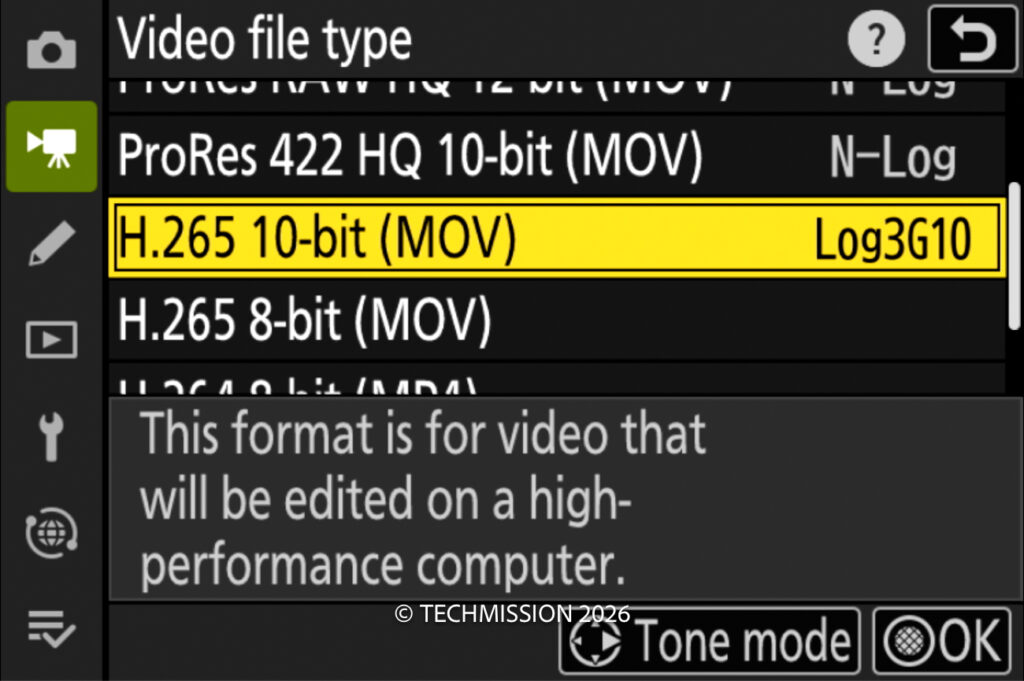
Firmware 2.0 adds Log3G10 recording in 10-bit H.265, using REDWideGamutRGB. That makes the ZR’s RED colour workflow available without requiring R3D NE for the entire production.
For someone who wants the RED colour approach but prefers more manageable files, this is a major addition. It also makes the camera more flexible for productions that benefit from using different recording formats for different situations.
The distinction remains important: H.265 with Log3G10 is not RAW. Sharing a colour space and gamma curve does not give the two formats identical flexibility in post-production. The benefit is having another useful recording option within the same colour workflow.
Mixing R3D NE and H.265 within one production
One practical example is a production where I want RAW for some scenes but do not need it for everything.
I might retain R3D NE for shots where I want the additional flexibility of RAW, then use H.265 with Log3G10 for other material, particularly well-lit scenes where a smaller recording format suits the job.
Those clips can then be brought together in a compatible editing workflow, including DaVinci Resolve. Having REDWideGamutRGB and Log3G10 available in both recording paths provides a more consistent starting point for colour management and matching.
That does not mean every shot will match automatically. Exposure, white balance, lighting, and the way the footage is interpreted in post still matter. It does mean I can make the codec decision according to the needs of the scene.
The samples in the video were recorded using a camera supplied by Nikon with prerelease firmware installed. They were not recorded on either of my own ZR bodies. They provide an early look at the new option, with more testing still to come.
Noise reduction becomes the filmmaker’s decision
The other major improvement is control over high-ISO noise reduction.
There has been considerable discussion about the ZR’s noise reduction in processed recording formats, including concerns that strong processing can soften fine detail and produce an overly smooth appearance.
My concern is the lack of choice. Sometimes a cleaner image straight from the camera is useful. At other times, I would rather retain more texture and decide how to handle noise during post-production.
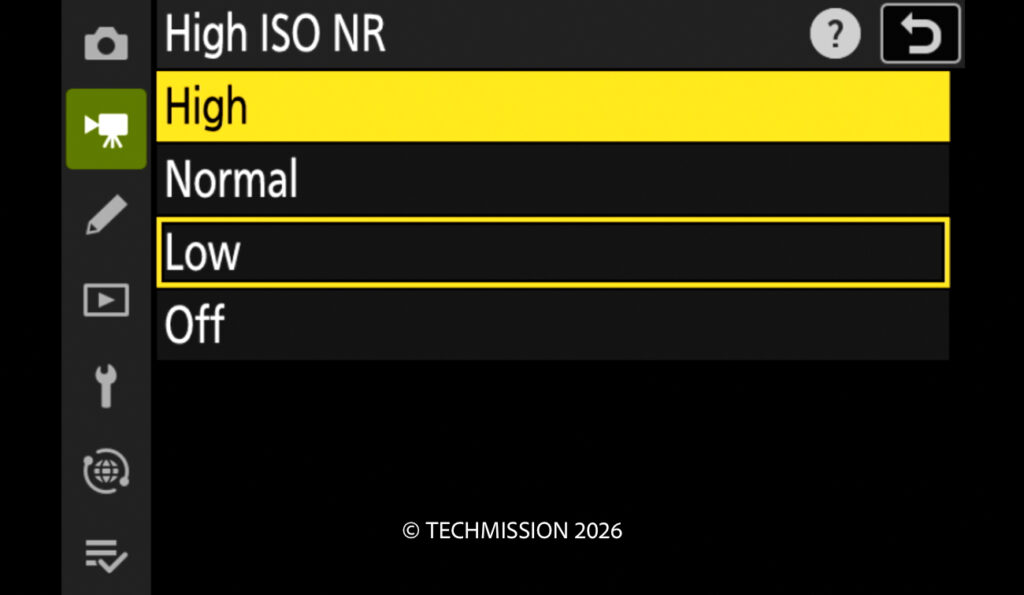
Firmware 2.0 introduces four settings: Off, Low, Normal, and High. Nikon specifies support in H.265 with Log3G10 or N-Log, and in ProRes 422 HQ with N-Log. Nikon firmware details
That qualification matters: this is not a blanket claim that every recording mode gains the same adjustment.
For the supported modes, however, it is a meaningful improvement. A lower setting may suit a filmmaker who wants to preserve texture and apply noise reduction later. A stronger setting may suit a production that values a smoother image and a quicker turnaround.
Off is another option, rather than an automatic recommendation. It gives the filmmaker control, with the corresponding responsibility to evaluate noise and detail for the intended result.
The RAW recording paths remain a separate workflow, where I approach noise reduction in post. This update is especially useful because it gives more control to filmmakers choosing the processed formats.
HDMI LUT output makes external monitoring easier
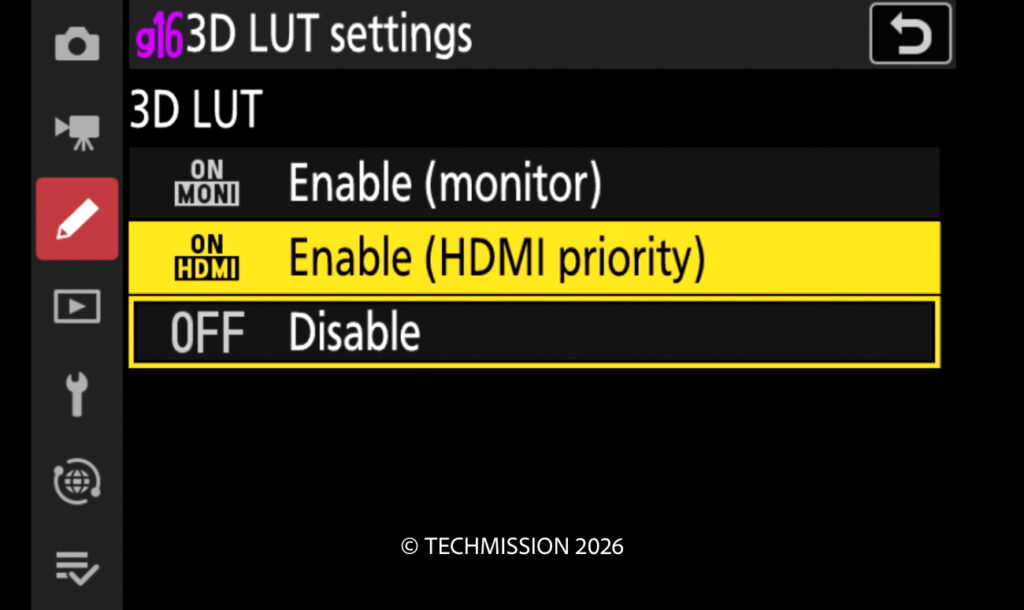
Firmware 2.0 also allows a 3D LUT to be applied to the HDMI output.
Previously, if I wanted a viewing LUT on an external monitor, I needed to manage that look on the monitor itself. The update allows the camera to send an image with the LUT applied, making it easier to monitor a rendering closer to the intended finished look.
I do not regularly use an external monitor with the ZR because its built-in four-inch display already works well for my shooting. For filmmakers who do use one—or need a viewing image for someone else on set—this is a welcome improvement.
There are technical limits. Nikon states that applying a 3D LUT to HDMI restricts output to Full HD. At 50p or 60p, the output frame rate remains unchanged, but the image refresh rate is halved. Nikon also notes that HDMI disconnection may occur depending on the video settings. Nikon HDMI restrictions
This is therefore a useful monitoring feature whose suitability depends on the particular setup.
Controls that better fit the way I shoot
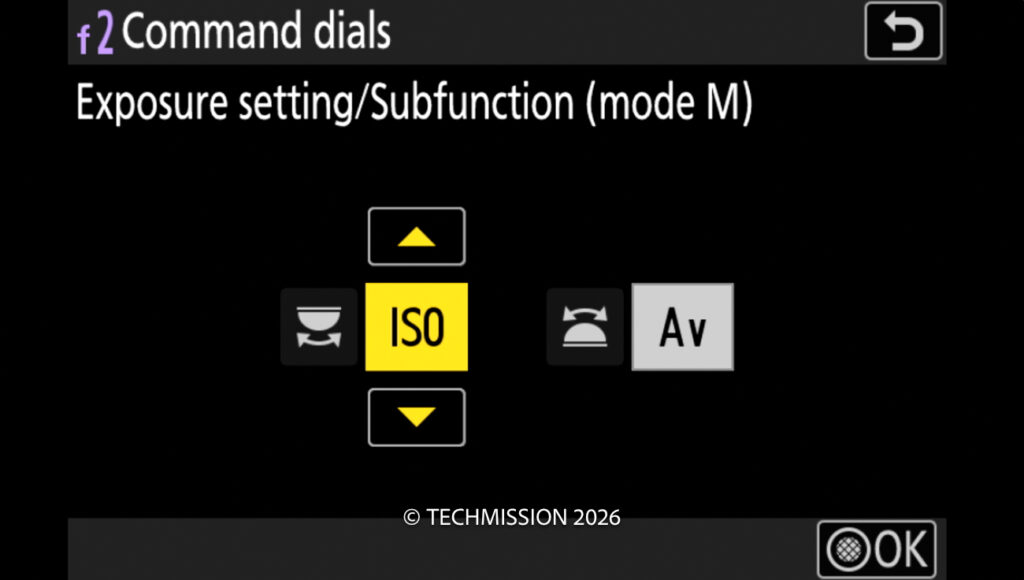
The update expands command-dial customisation, including options for ISO, exposure compensation, white balance, and colour temperature.
ISO assignment is particularly useful to me because I often use lenses with an aperture ring. When I control aperture on the lens, I have less need for an aperture function on the front command dial. Giving that dial another useful role makes the camera fit my shooting habits more closely.
The three Fn buttons also become more useful through the ability to assign 3D LUT/View Assist control. There is an important operational distinction: View Assist can be toggled during recording, while switching the 3D LUT itself on or off requires recording to stop. Nikon controls explained
These changes may attract less attention than a new recording feature, but they affect how quickly I can work.
More dependable monitoring and darker tones
Another addition is focus peaking while recording R3D NE with a 3D LUT applied. It brings focus assistance and a more useful viewing image together.
Nikon also describes processing that suppresses frame-to-frame black-level fluctuations, reducing flicker that can appear in dark areas. This concerns consistency between frames; it should not be interpreted as a general removal of all shadow noise. Nikon update announcement
These are valuable supporting improvements because they address both judging the shot during recording and maintaining consistency in the recorded image.
Open Gate is a separate future development
Open Gate is not part of firmware 2.0.
Nikon has announced development aimed at bringing Open Gate recording and an anamorphic desqueeze display to future ZR firmware. A final release date has not been confirmed. Nikon development roadmap
I look forward to those additions, but the changes in firmware 2.0 are more immediately relevant to the way I work. RED colour in H.265 and control over noise reduction influence decisions I make throughout a production.
Why this update matters
Firmware 2.0 makes the Nikon ZR more adaptable.
I can continue choosing RAW when it suits the shot, while having a smaller-file option that retains the RED colour workflow. In supported H.265 and ProRes modes, I can also decide how much noise reduction the camera applies.
The monitoring and customisation changes strengthen that flexibility. Together, they make this a substantial update for existing ZR users, especially those who want more control over their processed recordings.