Why I Shoot R3D NE on the Nikon ZR: What RAW Changes in Real Filmmaking
Shooting documentaries and commercials with the Nikon ZR has made R3D NE my preferred RAW video format. Its appeal lies in the combination of grading freedom, RED colour and a compact setup that fits the way I already work. Here is where that flexibility makes a difference, and when a different recording format makes more sense.
The Nikon ZR has changed how practical RAW recording feels in my own work. I now shoot documentaries and commercials in R3D NE without radically changing my workflow. What has changed is the latitude I have afterwards: more room to shape colour, bring difficult shots together and decide how the finished film should feel.
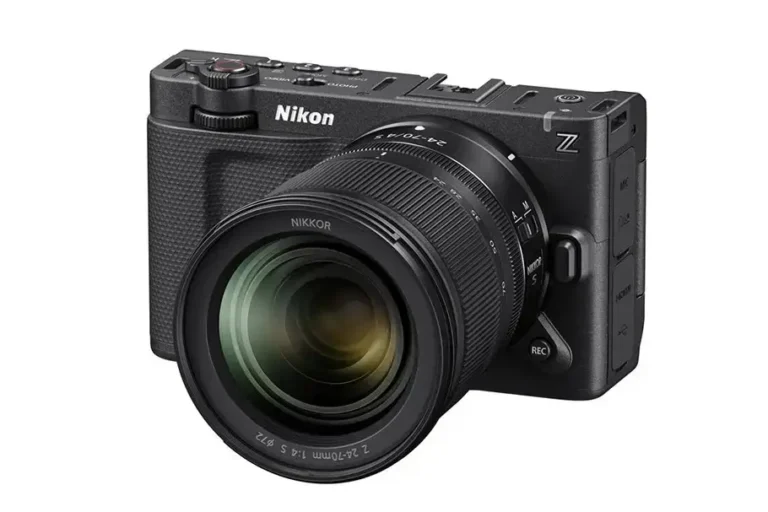
That is why R3D NE has become my preferred RAW format. The attraction goes beyond a specification such as 12-bit recording. It is having that flexibility inside a small camera, with Nikon autofocus, Z-mount lenses and internal recording, without building a much larger system around it.
There are costs, particularly in storage and post-production. And RAW cannot repair every mistake. But for work that benefits from careful grading, especially when a moment cannot be repeated, the balance has become very persuasive.
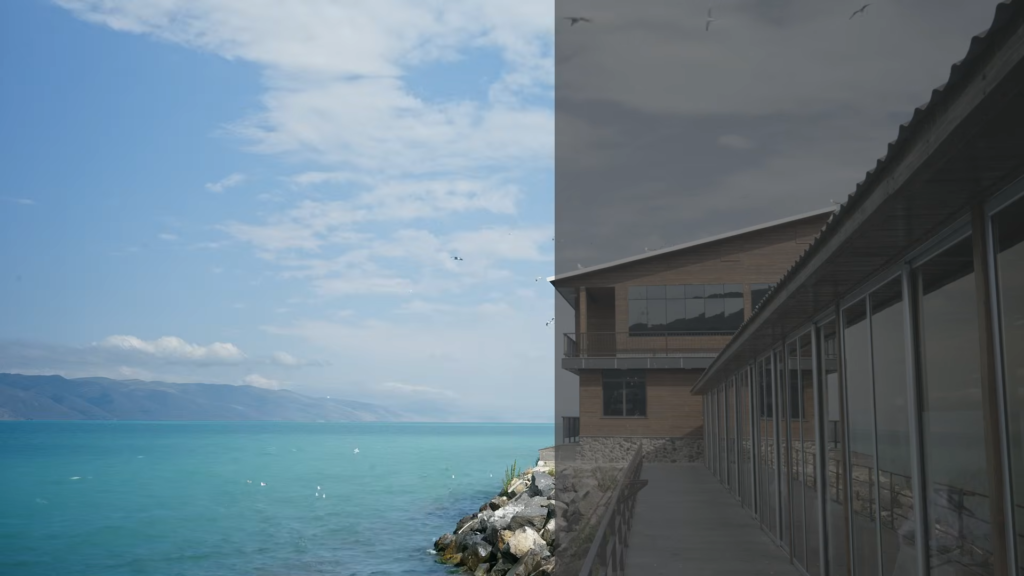
In the accompanying video, I show the differences between a flat image, a natural rendering and a more deliberately cinematic treatment. The most revealing example, though, is a shot I intentionally overexposed.
What the overexposed shot tells us about RAW
I filmed that example in very bright light and deliberately allowed the exposure to run high. Applying the LUT intended for the footage produced an unsatisfactory result. The subsequent corrected image demonstrates why retaining flexibility before the final look matters.
A LUT applies a predefined transformation. It does not evaluate the scene, understand which highlights matter or decide how much exposure correction a particular shot needs. Even the correct LUT cannot make every exposure land in the right place automatically.
The useful question is therefore how much information remains available to work with. RAW gives me more freedom to interpret that information and adjust the image before committing to its final appearance.
That freedom has a firm boundary. If the sensor has clipped important highlight detail, lowering exposure in software cannot reconstruct the original scene. Likewise, lifting a deeply underexposed image can reveal noise rather than clean detail. A bright image that looks clipped after a display conversion is not necessarily the same thing as clipped sensor data, which is why the processing stage matters.
For me, the value of RAW is the room it leaves between capture and the finished image. I still need to expose carefully, light appropriately and get the focus right.
RAW versus Log: understanding what remains adjustable
With conventional video recording, the camera processes the sensor signal into an image and encodes it using a codec such as H.264 or H.265. MP4 and MOV are containers that hold that video and its associated information; they do not, by themselves, tell you how much grading flexibility the footage contains.
Moving from 8-bit to 10-bit recording improves tonal precision. Recording with a Log curve, such as Nikon N-Log, helps encode a wide brightness range for subsequent grading. Properly exposed 10-bit Log footage can produce excellent results and withstand substantial colour work.
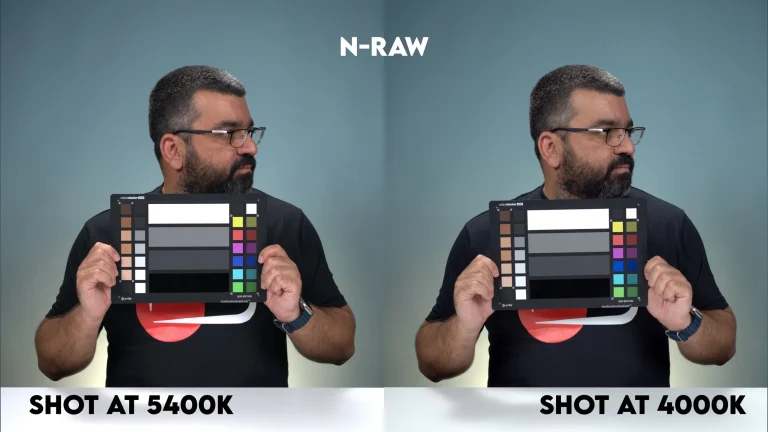
RAW changes a different part of the process. It retains data closer to the sensor output, together with information that allows compatible software to carry out more of the image interpretation later. That gives me greater control over white balance, ISO interpretation and aspects of image processing before the final grade.
Bit depth and RAW are related considerations, but they are not interchangeable. A 12-bit label alone does not make a recording RAW. Nor does the move from 10-bit to 12-bit automatically add stops of dynamic range: the sensor, exposure, noise and recording implementation still determine what useful information exists.
There is a similar misconception around compression. RAW can be compressed, sometimes quite substantially. The important questions are what data the format retains, how it processes that data and how well the result serves the intended production.
What makes R3D NE different on the Nikon ZR?
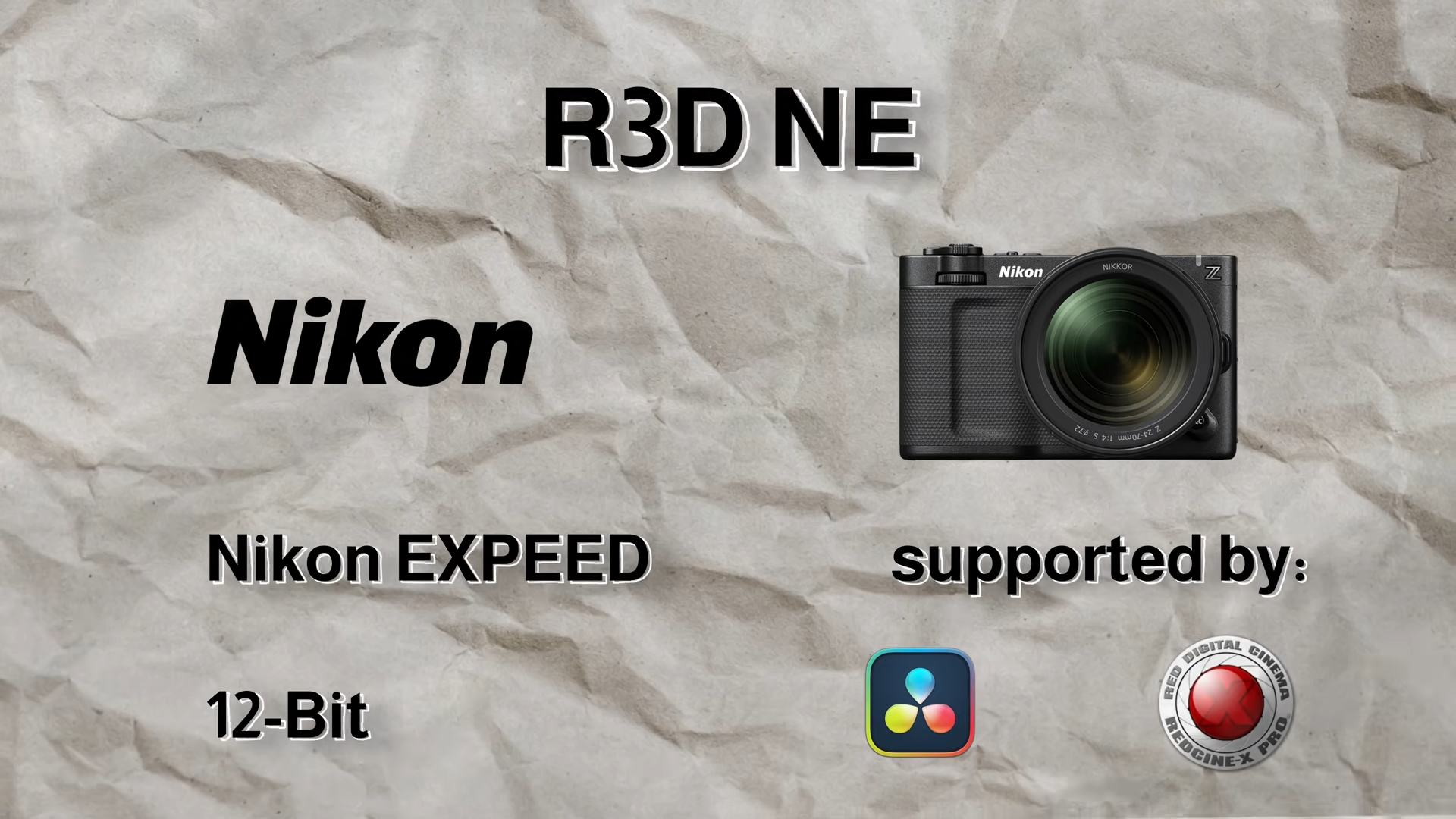
R3D NE brings the REDCODE RAW workflow to Nikon’s EXPEED platform. RED explains that “NE” stands for Nikon EXPEED, reflecting the format’s use of the processor’s RAW compression capabilities. The system also involves sensor characterisation, metadata and RED’s IPP2 image-processing pipeline. RED’s explanation of R3D NE
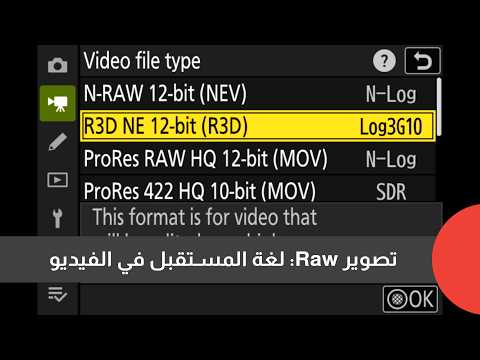
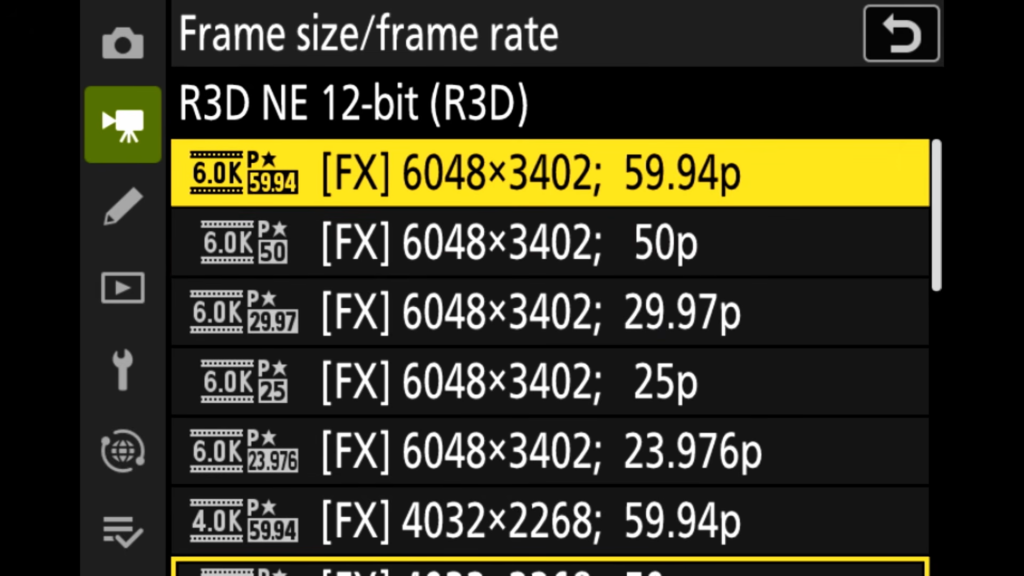
The ZR records R3D NE internally in 12-bit, at up to 6K/59.94p, commonly described as 6K/60p. It uses REDWideGamutRGB and Log3G10, the colour space and Log curve shared with RED cinema cameras. Nikon ZR specifications
Those names describe different parts of the workflow. REDWideGamutRGB provides the wide colour space. Log3G10 describes the tonal encoding. IPP2 handles the broader image-processing path. Together, they provide a consistent foundation for interpreting and finishing the footage.
Sharing that foundation does not make the ZR identical to a larger RED camera. Sensor characteristics, bit depth, exposure and lighting still affect the image. It does, however, bring access to the RED processing environment into a compact Nikon body, which is the part that matters most to my work.
Internal RAW recording changes the equipment I need
One of the biggest practical advantages is recording directly to CFexpress Type B media. I can leave behind the external recorder I used to carry, along with its additional power requirements, cables and mounting accessories.
That difference is especially useful when I am working alone. The ZR combines internal RAW with the Z mount, familiar autofocus and a large built-in screen. I can use the lens options available from Nikon and other manufacturers while keeping the camera setup manageable.
The important result, in my experience, is that shooting RAW has become compatible with the way I already make films. I have gained processing latitude without having to rebuild my entire shooting approach around it.
I still choose equipment according to the production. Some jobs call for additional monitoring, power or support. But internal recording gives me the option to keep the setup small when that is what the assignment needs.
Documentary work is where I most value the extra latitude
In documentary production, I often work with conditions I cannot fully control. Shots may be recorded on different days, in different locations and under different lighting, yet they still need to belong to the same film.
RAW helps me bring those images together. Greater freedom to adjust white balance and exposure interpretation makes it easier to establish a consistent foundation before shaping the overall look. It gives me more room to match the colour, brightness and feeling of footage that began under very different circumstances.
That matters because a documentary edit is about relationships between shots. An individually attractive image can still feel out of place beside the image before it. The flexibility to move footage towards a coherent visual treatment is often more valuable than making one isolated shot look dramatic.
I also value being able to explore different treatments of the same material. A natural, restrained rendering and a more stylised grade can support very different moods. RAW gives me more scope to make that decision in post-production, while preserving the strongest starting point the camera can provide.
This is also useful in commercial work, where I want close control over the finished image. The benefit extends from basic correction to the finer decisions about contrast, colour relationships and the overall character of the piece.
Why I keep coming back to RED colour
My preference for R3D NE is partly practical and partly visual. I like the colour I get from it. After processing, the footage has a natural quality that often feels close to what I remember seeing when I filmed the scene.
That is a personal response to the image, rather than a claim that one colour system is objectively best for every filmmaker. What matters is that I like the foundation and have enough control to develop it further.
I can work towards a natural result or take the image in a more deliberate creative direction. The tonal gradations and flexibility give me room to shape contrast and colour without feeling as constrained by decisions made during capture.
The shared RED colour framework is also useful when bringing footage into a RED-based workflow. It provides a common starting point, although exposure, lighting and individual camera differences still need attention. A common colour space helps establish consistency; careful matching finishes the job.
How R3D NE fits alongside other RAW formats
There are several established approaches to RAW video. Their practical differences include camera compatibility, compression, processing and software support.
| Format | What matters in practice |
|---|---|
| Apple ProRes RAW | Available through supported cameras and recorders, with strong integration in Final Cut Pro. ProRes RAW and ProRes RAW HQ offer different compression levels. |
| Blackmagic RAW (BRAW) | Combines partial processing in-camera with flexible controls in post. It fits naturally into DaVinci Resolve workflows. |
| ARRIRAW | ARRI’s RAW format, with uncompressed 12-bit data on relevant earlier systems and 13-bit data on the ALEXA 35. Recording and handling depend on the camera generation. |
| REDCODE RAW (R3D) | RED’s established compressed RAW ecosystem, including 16-bit recording on cameras such as the KOMODO-X and V-RAPTOR models. |
| R3D NE | The Nikon EXPEED implementation of the RED workflow, recording 12-bit RAW internally on the ZR. |
| Nikon N-RAW | Another internal 12-bit RAW option on the ZR, using SDR or N-Log tone modes rather than R3D NE’s Log3G10 route. |
The formats’ different compression and processing approaches are documented by Apple, Blackmagic Design and ARRI. Nikon documents the ZR’s RAW choices in its recording-format guide, while its camera comparison distinguishes the ZR’s 12-bit recording from the listed RED cameras’ 16-bit R3D.
These figures need context. Bit depths across different RAW implementations are not a simple ranking of the finished image. For me, R3D NE earns its place through the combination of colour, flexibility and the camera system it runs on.
Software compatibility also changes. For example, DaVinci Resolve gained ProRes RAW support in version 20.2. Advice based on older versions can therefore lead to the wrong conclusion about a format’s usefulness. Blackmagic’s ProRes RAW announcement
A practical RAW workflow begins before the creative grade
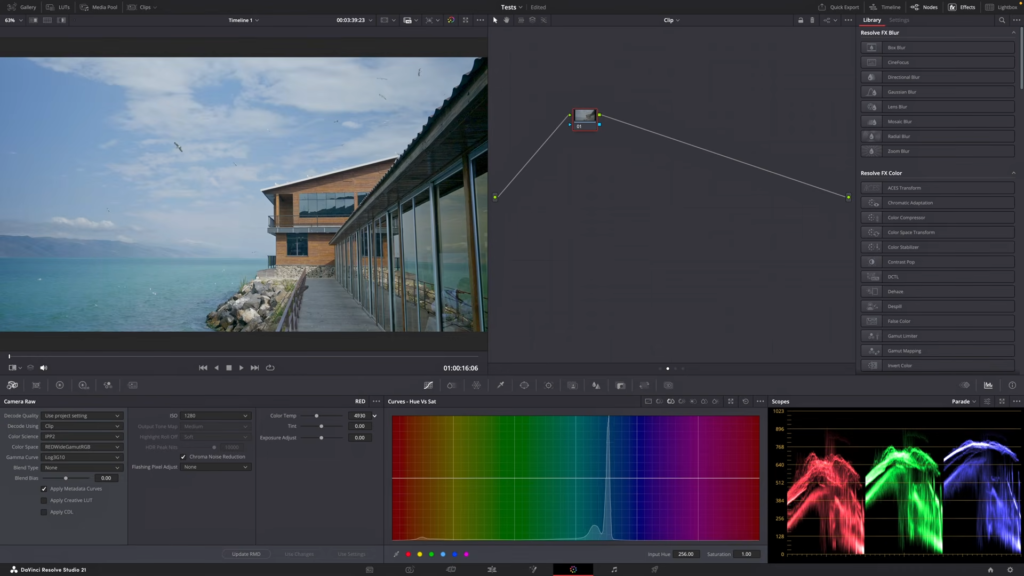
R3D NE has been more straightforward to organise and grade than I initially expected, provided colour management is set up correctly. Its file-based workflow feels manageable in compatible software, and I can access RAW controls before building the final look.
Current versions of DaVinci Resolve and REDCINE-X PRO support R3D NE. Before committing a production to any RAW format, I recommend testing an actual camera clip in the exact software version and computer setup that will handle the job. Opening a file, accessing its RAW controls and playing it smoothly are separate things to confirm. Nikon’s R3D NE workflow guide
ISO adjustment also needs to be understood correctly. On the ZR, R3D NE uses a selected capture base of ISO 800 or ISO 6400, while the adjustable ISO value is recorded as metadata. Changing ISO in post changes the interpretation of the recording; it does not change the base used at capture or the light that reached the sensor. Nikon’s RAW and base ISO guidance
My advice is to establish the RAW interpretation and a reliable colour-management path first. Then evaluate exposure and white balance, match the shots and develop the creative treatment. That approach makes the controls easier to use with purpose.
Where the TECHMISSION R3D LUTs fit
We created the TECHMISSION R3D LUT pack to give R3D footage using Log3G10 a quick, consistent starting point. The LUTs include colour-space conversion as well as the intended look, reducing the need to build that conversion manually each time.
They are useful for establishing a repeatable foundation, with further adjustments made according to the shot. The overexposed example in the video shows why exposure still needs individual attention, even when the LUT is designed for the format.
Because these LUTs include conversion, they also need to sit in the correct place in the workflow. If colour management or another transform already performs the same conversion, applying it again can produce an incorrect result. Use a coherent processing path, then judge the image.
The TECHMISSION R3D LUT pack is available for filmmakers working with R3D and Log3G10.
When RAW earns its storage and processing demands
I would seriously consider R3D NE for documentary filmmaking, independent films, commercial production and travel work where the footage needs careful grading or where difficult shots cannot easily be repeated. Freelance television production can also benefit, provided the post-production team is ready to receive and process the files.
For weddings, events and social content, the decision depends on the assignment. Selected footage that needs substantial finishing may justify RAW. Hours of coverage with a tight deadline may favour a more economical recording format.
The storage cost extends beyond the card in the camera. Larger originals affect offloading, backup capacity, transfers and long-term archiving. Editing performance depends on the computer, storage and software, so a format that works well for one team may be inconvenient for another.
Ten-bit H.265 can be a sensible choice when efficient storage matters. ProRes 422 HQ offers another route for productions that want an editing-oriented codec without the full RAW workflow. The ZR provides both alongside its RAW options. Nikon’s recording-format guide
That is a production decision. Good lighting, thoughtful composition and disciplined exposure remain essential whichever format I choose.
TECHMISSION Recommends
Where to Buy the Nikon ZR R3D NE LUTs pack by TECHMISSION
Some links are affiliate links — TECHMISSION may earn a commission at no extra cost to you. See our affiliate disclosure.
Why R3D NE remains my preferred choice
What has convinced me about R3D NE is the combination. I get an image foundation I enjoy working with, substantial control in post and internal recording in a compact camera with the lenses and autofocus that suit my shooting.
In my documentary and commercial work, that has translated into more freedom without a radical change in how I operate. I can keep the equipment manageable while retaining more options for matching footage and shaping its final appearance.
That is the real significance of the Nikon ZR for me. It has made a RAW workflow I value practical in a setup I want to carry and use. When the project benefits from that latitude, R3D NE is the format I want to shoot.