YoloBox Extreme Review: A Complete 4K Production Studio in One Device
Eight HDMI inputs, true 4K streaming, ISO recording and an integrated OLED touchscreen make the YoloBox Extreme one of the most capable standalone live-production systems available.
How do you review a device capable of handling eight cameras, a computer, an external monitor, an SSD, a control deck and multiple audio sources at the same time?
You connect all of them.
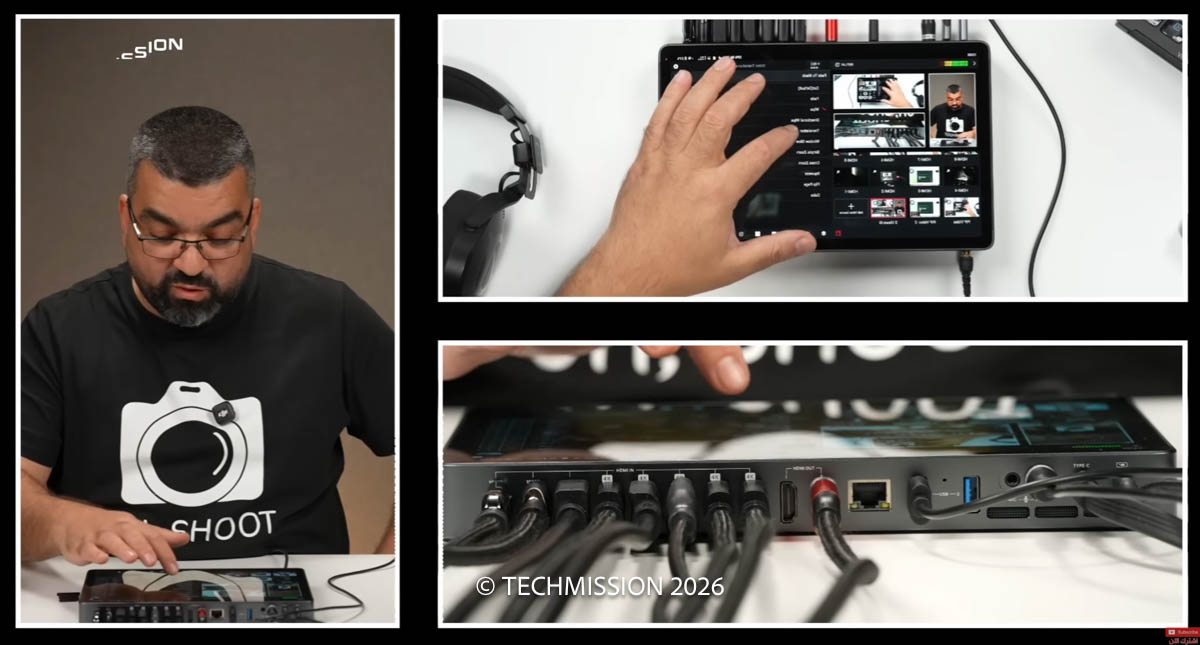
That was our approach to testing the YoloBox Extreme, YoloLiv’s most ambitious all-in-one live-production system. Our deliberately complicated setup demonstrated just how much equipment this single device can replace. More importantly, it showed that users do not need to operate a complex production to benefit from it.
The YoloBox Extreme can work with one or two cameras just as easily as it can manage a full multicamera studio. Its defining achievement is not simply the number of connections on its rear panel, but how approachable it makes the entire production process.
A control room without the computer
Like previous YoloBox models, the Extreme combines a video switcher, monitor, encoder, recorder and streaming system in one unit. It can produce and broadcast a complete programme without relying on a computer.
A laptop can still be connected as a video source for presentations, demonstrations or screen content, but it is not responsible for running the stream. Encoding, source switching, graphics, audio mixing and recording all take place on the YoloBox itself.
The Extreme is aimed at productions that have outgrown the smaller YoloBox models. These could include multicamera podcasts, conferences, sporting events, talk shows, houses of worship, educational broadcasts and corporate productions.
Its eight HDMI inputs are the first indication of that professional ambition. Up to five can accept 4K60 sources, while the remaining inputs support up to 1080p60. YoloLiv also provides two independently assignable HDMI outputs, allowing the operator to send the programme feed to one display and a preview, multiview or individual camera to another.
USB cameras, network sources and remote contributors can be added alongside the physical HDMI inputs. The Extreme supports NDI, SRT, RTMP and RTSP workflows, with up to six NDI HX or two full-bandwidth NDI sources. YoloLiv’s current specifications confirm support for 4K60 inputs and live output up to 4K60.
A large OLED screen makes the difference
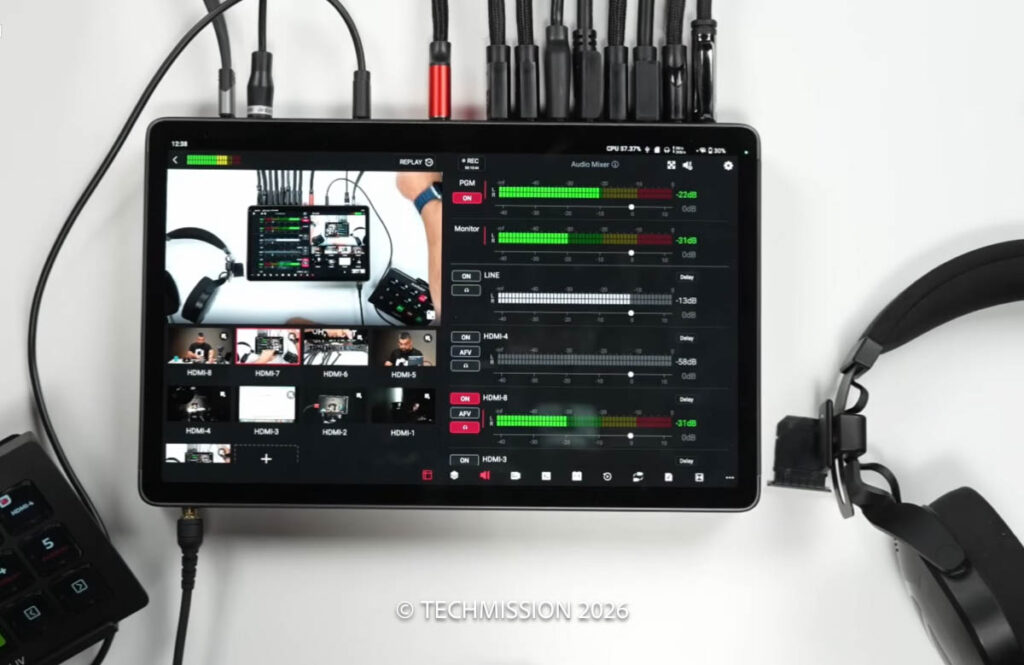
The YoloBox Extreme is built around an 11.2-inch, 2.5K OLED touchscreen with a 120Hz refresh rate. It is bright enough to remain usable outdoors and provides considerably more working space than earlier YoloBox models.
The benefit is practical rather than cosmetic. Camera previews are large enough to inspect properly, interface controls are easier to reach and the device can display a useful multiview without requiring an external monitor.
Its interface will be immediately familiar to anyone who has used another YoloBox. Video sources appear along the bottom, while production tools are organised into tabs at the side. Despite the number of available features, the interface never feels like conventional broadcast software squeezed onto a tablet.
There are two main switching options. Classic Mode changes to a source as soon as it is selected. Director Mode introduces a preview-and-program workflow: the operator can inspect a camera, graphic or source before sending it live. This helps prevent accidental cuts to an out-of-focus camera, incorrect input or blank source.
Double-tap switching can also be enabled, providing a useful layer of protection during a live production.
Powerful enough for a demanding setup
Processing is handled by Qualcomm’s Snapdragon 8 Gen 2 platform. That power is necessary when the system is scaling several video inputs, generating graphics, recording and streaming simultaneously.
During our heavily populated demonstration, the interface reported CPU usage of around 65 percent. The chassis became warm, as expected from this level of processing, but it did not overheat, freeze or interrupt the production.
The Extreme is not a small or particularly light device. It measures 264 × 167 × 29mm and weighs approximately 1.5kg. Its size makes sense once the 11.2-inch screen, metal construction, extensive connectivity and 10,000mAh battery are taken into account.
YoloLiv claims up to ten hours of operation from that battery. USB-C Power Delivery means the device can also remain connected to power throughout longer events. A quarter-inch mounting point is provided, although its weight should be considered before attaching it to a lightweight stand.
Almost every connection you could need
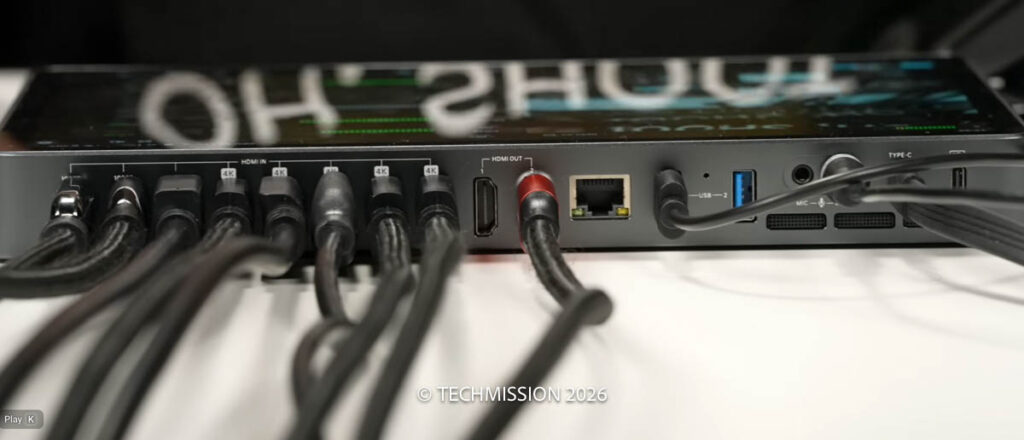
Most of the physical connections are positioned along the rear edge. In addition to eight HDMI inputs and two HDMI outputs, the YoloBox Extreme includes:
- Two USB-A 3.0 ports for webcams, drives and accessories
- One full-function USB-C port for storage, cameras, microphones or video output
- A separate USB-C charging port
- Gigabit Ethernet
- A 3.5mm microphone input
- A stereo 3.5mm line input
- A headphone output
- An SD card slot
- A nano-SIM slot for 4G LTE connectivity
- Connections for the supplied external wireless antennas
Recordings and production assets can be stored internally, on an SD card or on an external USB-C SSD. During our test, the complete programme was recorded directly to an SSD. The system can capture the finished programme and selected HDMI inputs as separate ISO files, giving editors clean camera recordings for post-production.
The two HDMI outputs are particularly valuable. Each can be assigned independently, so one might display the live programme while the second shows multiview or a clean feed from the main camera. USB-C can provide another configurable video output, while NDI and SRT expand the available network workflows.
Graphics, layouts and media playback
The Extreme can create a polished programme without a separate graphics computer.
Its overlay system supports lower thirds, titles, images, web graphics and countdown timers. Images and prerecorded videos can be loaded from internal storage, an SD card, an external drive or YoloCast. Video files can be played with their original audio, making it possible to insert advertisements, introductions or prepared reports during a broadcast.
Picture-in-picture and multisource layouts are easy to build. Sources can be displayed side by side or arranged in three-camera compositions, while a computer presentation can fill the screen with the presenter appearing in a smaller window.
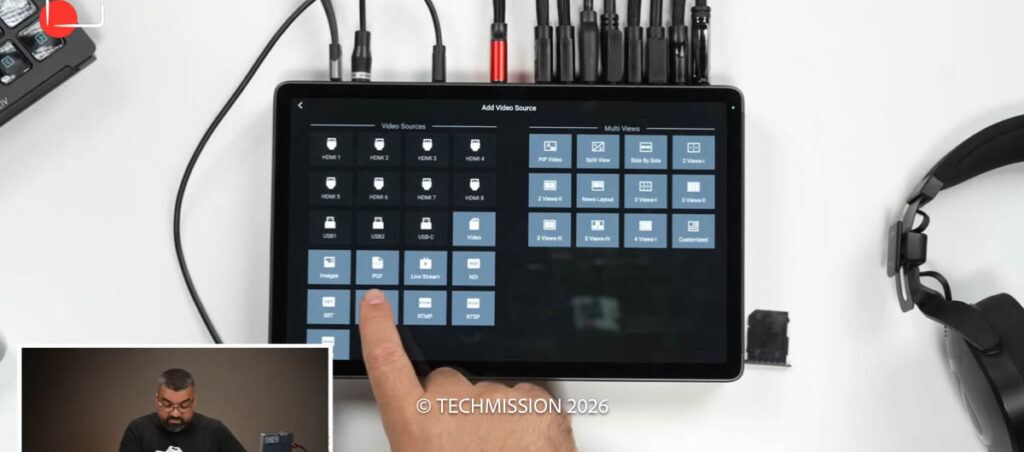
PDF documents, local media, web pages, NDI feeds and several streaming protocols can all be added as production sources. Remote guests can also join through YoloLiv’s online services and appear as independent inputs alongside the local cameras.
Audio mixing and automatic camera switching
Every connected HDMI source can carry its own audio, while the dedicated microphone and line inputs accommodate external microphones and mixers.
The integrated audio mixer provides individual gain control and allows several sources to remain active simultaneously. An audio source can also be linked to a particular scene or camera.
One of the most useful features for podcasts is Video Follow Audio. When each guest’s microphone is connected through their respective camera, the YoloBox can detect the active speaker and switch to that camera automatically.
For a three- or four-person podcast, this can significantly reduce the operator’s workload. A small production may even be directed by the presenter using the touchscreen or an optional YoloDeck control panel.
As with most live-production systems, headphone monitoring can introduce a slight delay. The Extreme provides audio-delay adjustment, although presenters may still prefer direct monitoring when speaking.
Built for live sport as well
Sports producers receive a customisable scoreboard and a multicamera instant-replay system. Scores can be changed during the broadcast, while colours and presentation styles can be adapted to the event.
Replay clips can be generated from a selected camera and played at different speeds. Combined with eight HDMI inputs, this makes it possible to dedicate certain cameras to wide coverage and others to close-ups or replay angles.
The system also offers automatic switching, background music and a broad selection of transitions. Most productions will probably rely on clean cuts and occasional fades, but wipes, pushes, cubes and other effects are available when required.
True 4K production
At the time of our original test, the headline feature was true 4K30 streaming from a standalone YoloBox rather than a 1080p production simply being upscaled for output.
YoloLiv’s current product material now advertises streaming and recording at up to 4K60. ISO recording is available in combinations of 4K and Full HD sources, with the precise number depending on the selected resolution and frame rate. The official store listing currently specifies separate recording of up to five inputs at 4K30 or six at 1080p60.
That makes the Extreme suitable not only for live distribution but also for productions that need flexible files for editing afterwards.
Who is the YoloBox Extreme for?
The Extreme is excessive for a creator who only needs to switch between one or two cameras. It is also physically larger and more expensive than the other YoloBox models, with an official list price of $2,299 at the time of writing.
For professional multicamera work, however, the value proposition changes. Recreating its feature set could require a hardware switcher, monitor, computer, capture devices, recorder, streaming encoder and a collection of adapters.
The Extreme consolidates those components into one transportable unit that can be set up in minutes. Users can begin with a simple two-camera production and add more cameras, network sources, remote guests and external displays as their requirements grow.
At the time of our recorded test, native vertical broadcasting to Instagram and TikTok was not supported, making the YoloBox Ultra or Instream a better choice for productions centred on those platforms. The Extreme’s strongest use case remains conventional horizontal, multicamera production for platforms such as YouTube, Facebook and other RTMP destinations.
Verdict
The YoloBox Extreme earns its name. It is the most complete YoloBox we have tested and one of the rare standalone systems capable of replacing a substantial portion of a live-production control room.
Its eight HDMI inputs, network video support, assignable outputs, ISO recording, audio tools and built-in graphics provide enormous flexibility. Yet the familiar touchscreen interface keeps those features accessible to users who are not trained broadcast engineers.
The elaborate setup used in our test showed the upper end of what the Extreme can manage. It should not suggest that the device is inherently complicated. Connect one camera and it behaves like a simple recorder and streaming encoder. Add several cameras, remote guests, graphics and replay sources, and it grows into a remarkably capable production system.
That scalability is the YoloBox Extreme’s greatest strength: it gives creators and small production teams the power of a control room without requiring them to build one.